Focus your list on one site.
The site picker sits with the other fleet filters. It only lists sites on the computers you were given.
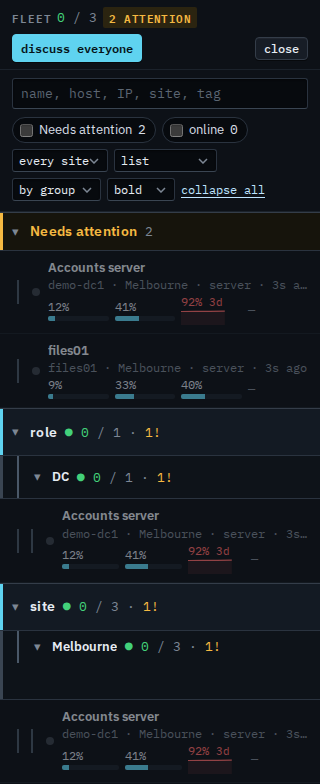
Start on every site
Open Fleet and press expand all. The site picker says every site. The only site in the menu is site / Melbourne, because Accounts server, files01, and Reception PC are all tagged there. Branch is not in the menu. Needs attention is Accounts server and files01. Site › Melbourne holds all three. The header button says discuss everyone. This shot does not press it.
Pick Melbourne
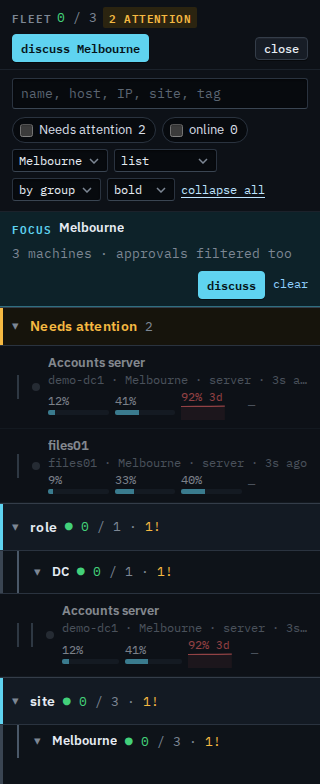
Set the picker to site / Melbourne. The focus bar reads site / Melbourne · 3 machines · approvals filtered too. Clear is on that bar. The header button now says discuss site / Melbourne. The three machines stay, because each one is in Melbourne. Needs attention still lists Accounts server and files01. Press clear, or set the picker back to every site, to leave the focus. The choice is remembered in this browser. This shot does not press discuss.
The list before the picker is See the computers you were given. Cards and exceptions are Choose cards or exceptions. One list, without sites, is Show your machines as one list. What your provider sees, including other sites, is Focus the fleet on one site.