Add a script to the library.
A script is the command you would have approved by hand, saved so the next person does not retype it. It is not a language and it does not live on the agent.
Open Scripts › library
Press + script. Operators see the library and can run; the button is for a company admin. You can also save a command from a proposal, which prefills the text.
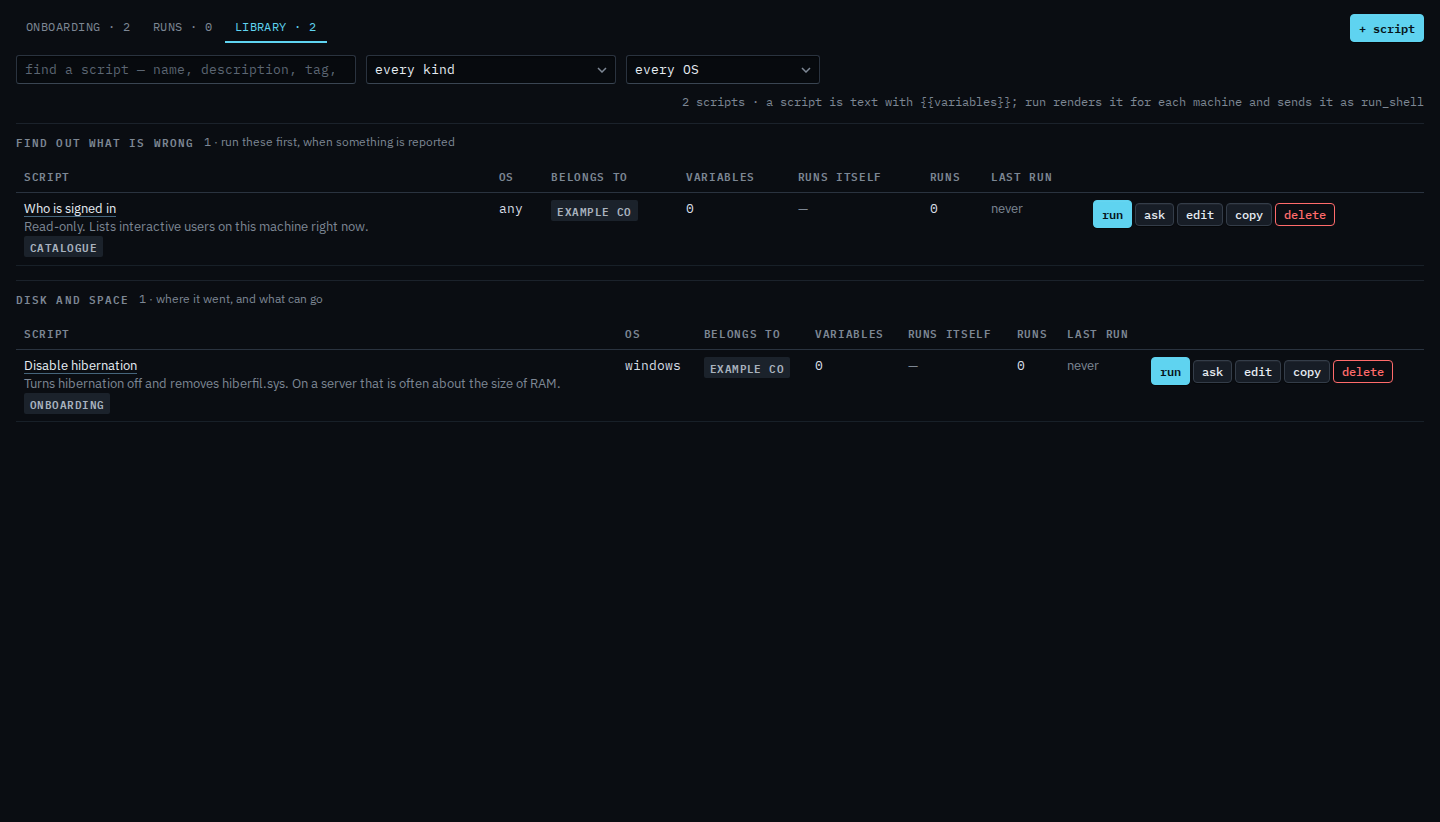
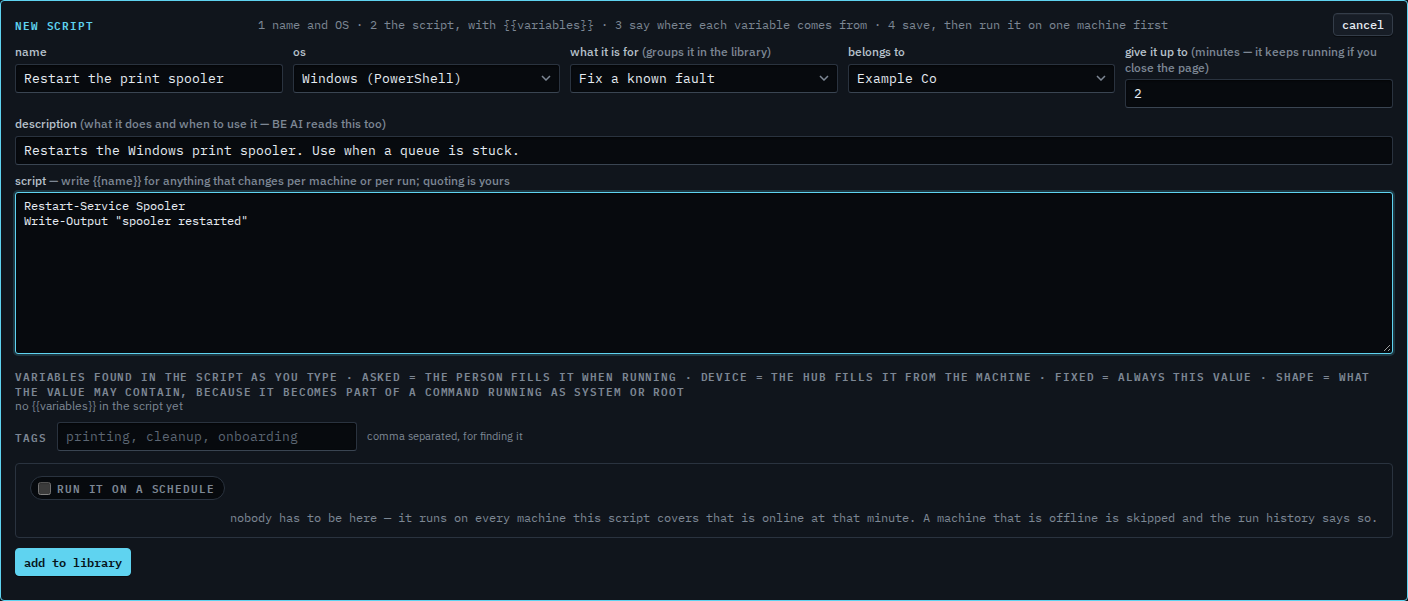
Name, operating system, then the text
Name it in plain words. Pick the OS and what it is for, so the library can group it. Give it up to is minutes. Two is the start. It keeps running after you close the page. Twelve hours is the longest. Write the command. Use {{name}} for anything that changes per machine or per run. Each variable has a shape — a number, a word, a path, text, or raw if you mean to opt out — and a value outside that shape refuses the run before anything is sent. The menu on a saved row is Say what a blank in a script may contain. Inside single quotes, a path with spaces is allowed. Press add to library. Run it on one machine first. Run a saved script is that step. Run a script on a schedule is the same editor, lower down.
Ask on a machine's scripts tab fills a question about that script. Send is still yours — Ask BE AI what a script does. Keep a script on one machine when the rest of the company should not see it. Find a script by what it is for uses the kind and operating-system menus. Change a script in the library opens a row you already saved. Copy a script starts a new one from an existing row. Remove a script from the library asks you to confirm. Let a script keep running for hours is the minutes box. To have it start itself, see run a script on a schedule. A schedule is refused while a required question has no default, because a night run has nobody to ask.