Let a script question be left blank.
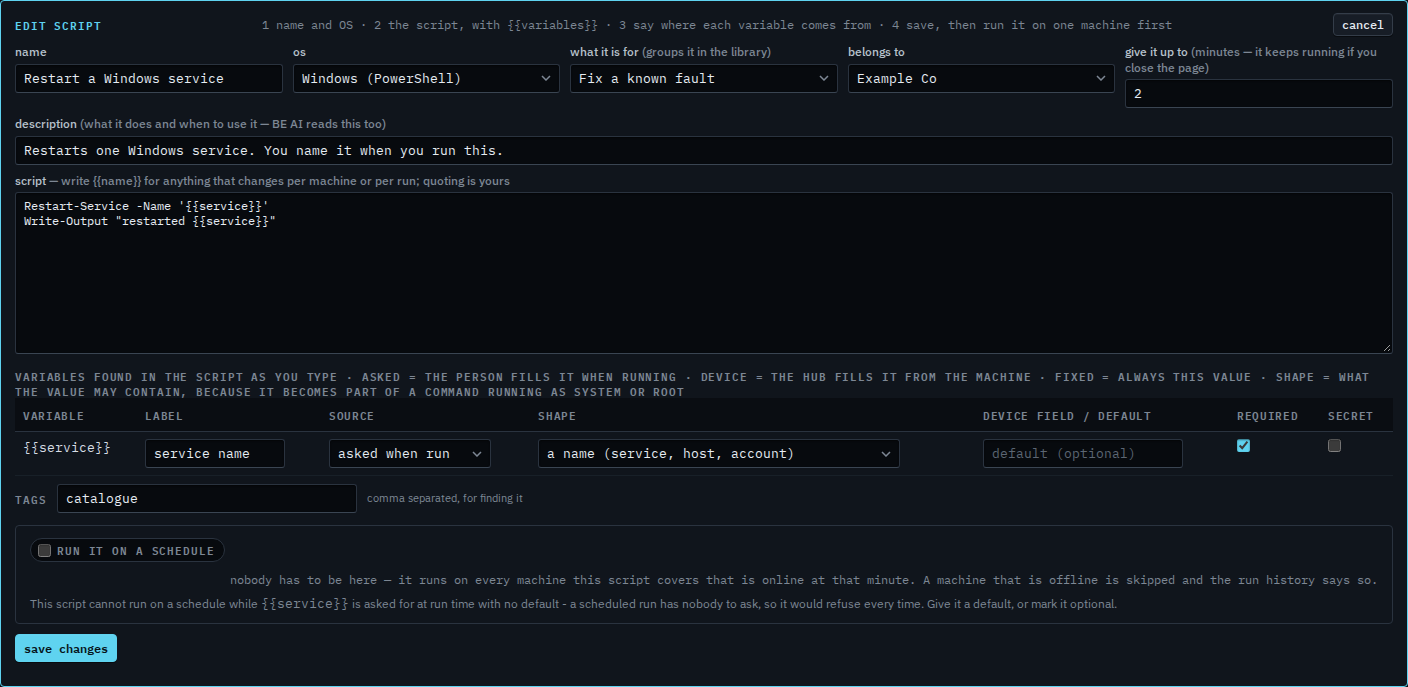
Scripts › library. Edit the script. Required is ticked on an asked variable that has no default, and the schedule box says so.
Required, with no default
Open Scripts › library. Set the kind to Fix a known fault and press edit on Restart a Windows service. {{service}} is asked when run, and required is ticked. There is no default. The yellow line under run it on a schedule says a scheduled run would refuse every time, because a night run has nobody to ask. Run a script on a schedule is that clock.
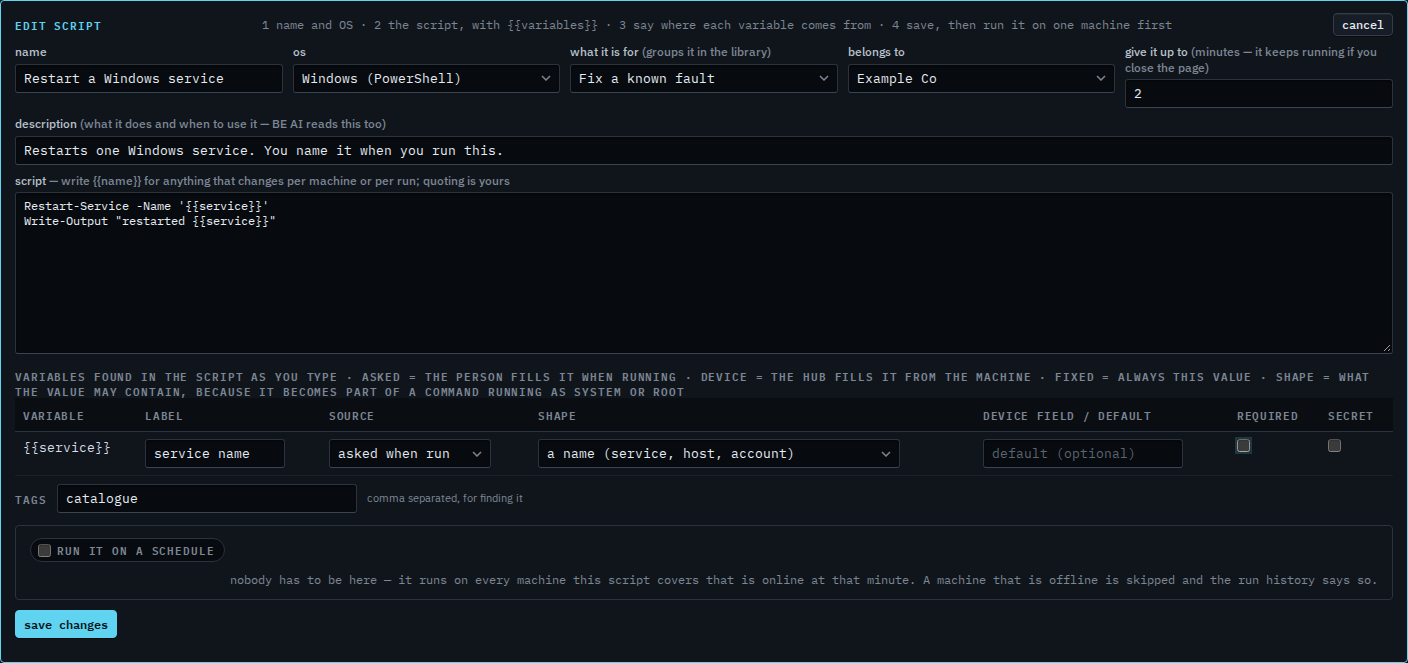
Clear required
Clear required. The yellow line goes away. A scheduled run can leave {{service}} empty, and the command is still sent. Giving the row a default does the same for a question that stays required: the night run uses the default. This shot stops before save changes, and the last step cancels, so the script stays required.
Putting the script on a clock is Run a script on a schedule. Weekdays only is Run a script on weekdays. What the blank may contain is Say what a blank in a script may contain. A password-style answer is Keep a script answer off the record. Filling it from the machine is Fill a script blank from the machine.