Find a critical machine.
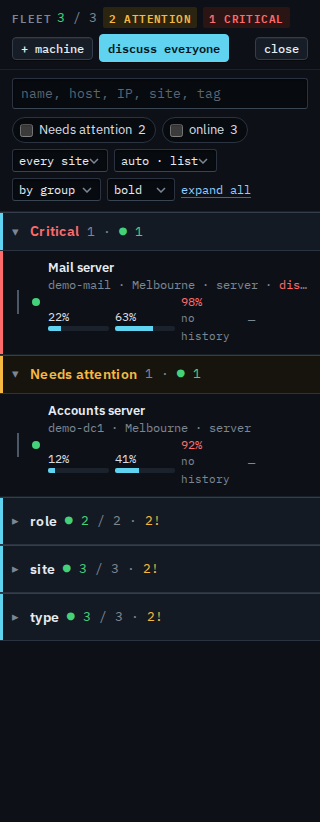
A warning stays under Needs attention. A critical alert is pinned in its own section, above the sites, so a down machine or a disk at 97% is the first thing in the list.
Open Fleet
Press Fleet. Critical is open at the top. A machine is listed there when it has an open critical alert that has not been accepted: it is offline, a disk is at 97% or more, a critical check is failing, or a ZFS pool is degraded. The row names that alert. Needs attention, underneath, is the rest — a disk at 92%, a warning check, a container that is unhealthy. The same machine still belongs to its site; you do not have to expand the site to see the critical one.
Open the machine
Click the name. Overview shows the same alert, with ack, discuss, resolve, and accept. Accept is for a condition you already know about. Resolve is for when it has already cleared and the hub has not noticed.
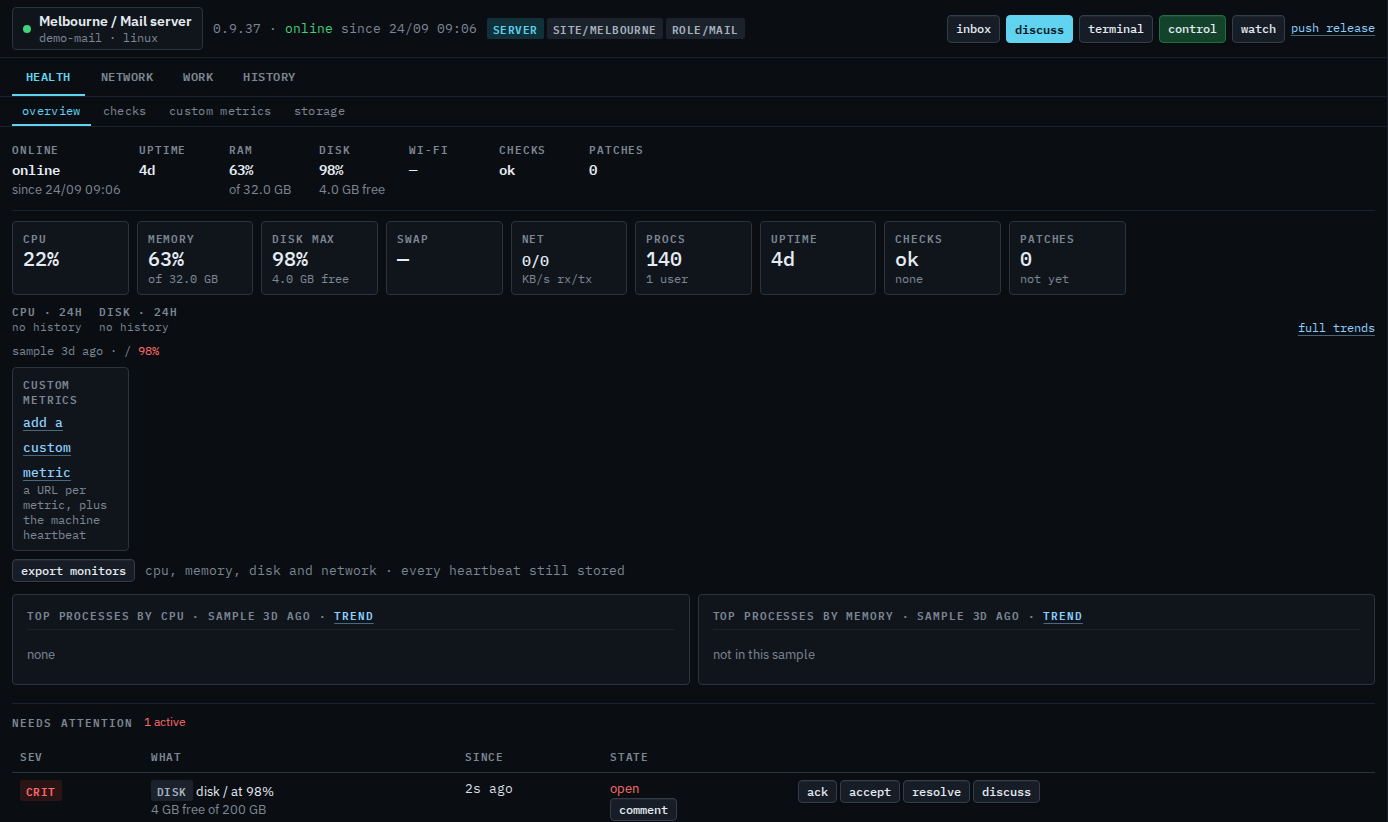
The red count on the fleet header and the left rail is how many critical alerts are still open. Accepting the condition, or the alert clearing, takes that machine out of Critical. On the exceptions view the same machines are the critical cards at the top.