See updates you already approved.
Patches › updates. Awaiting review is the default, so an approval you already made is not in that list.
Start on awaiting review
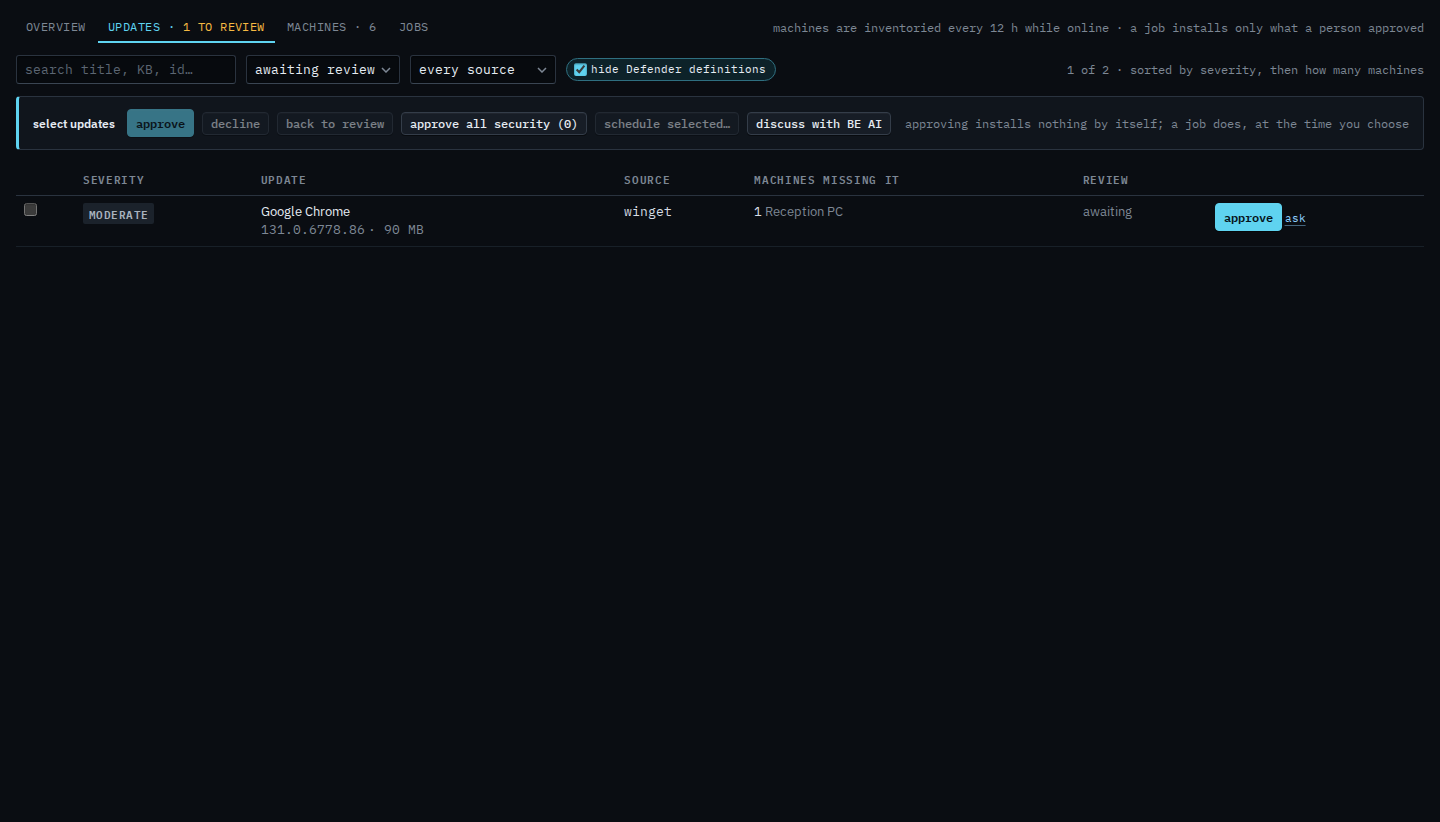
Open Patches › updates. The status menu says awaiting review. Google Chrome on Reception PC is the row. The September cumulative update is already approved, so it is not in this list. The count is 1 of 2. Changing the menu does not approve or install anything.
Keep only approved
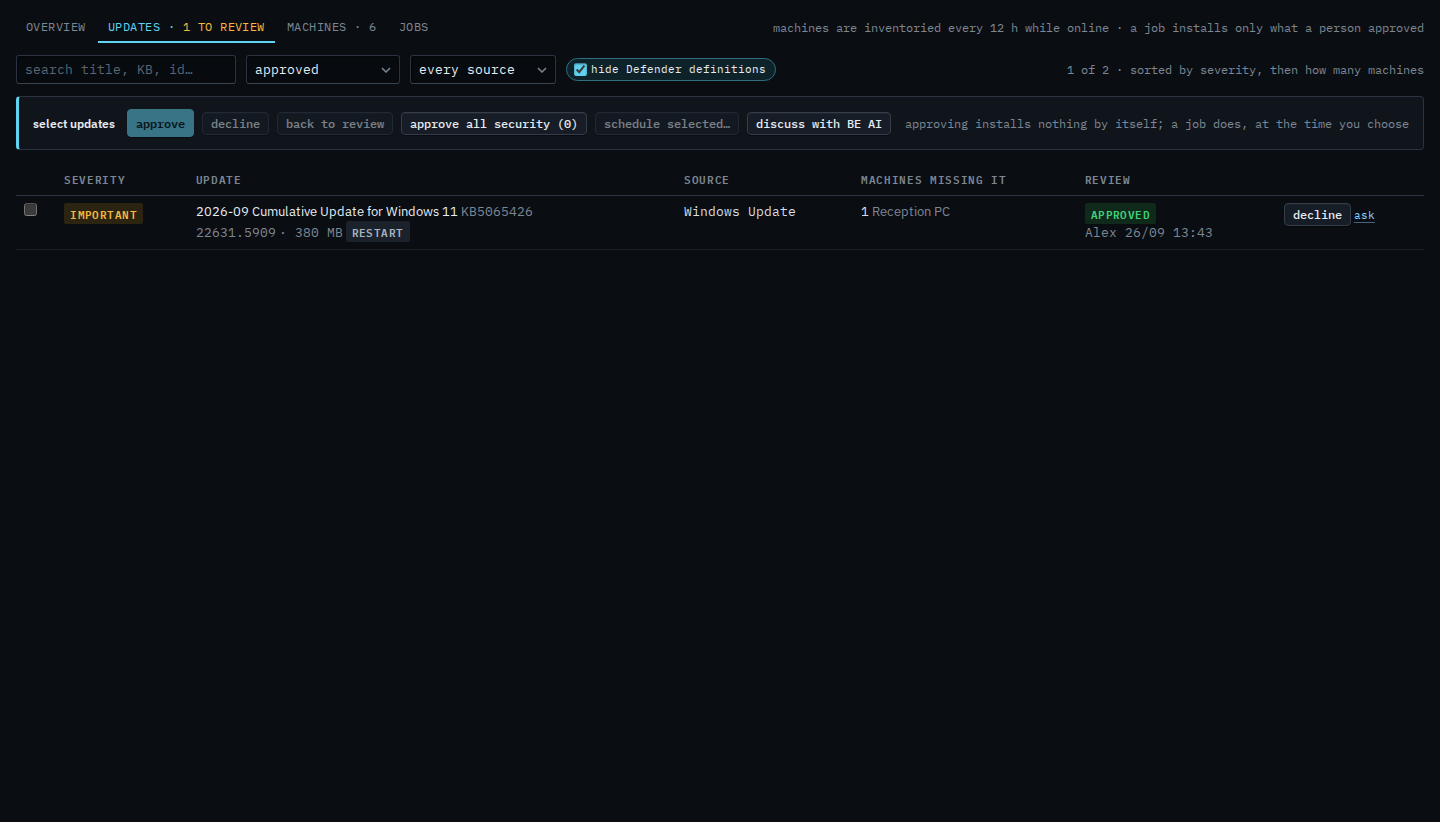
Set the status menu to approved. Chrome drops out. The September cumulative update stays: Windows Update, important, approved by Alex, and it wants a restart. The count is 1 of 2. Declined is the same menu for updates you turned down. Everything shows both. Set the menu back to awaiting review to see Chrome again. Installing the approved row is still a job — Schedule a patch install.
Putting one back to awaiting is Put an update back to awaiting review. A job that installs what is approved is Schedule a patch install. Finding a row by name is Search the update list.