Name a machine and put it in a group.
Actions (the old notes tab) is where a technician describes the machine. Type is what onboarding scripts, alert rules and reports match. Groups are paths such as site/Melbourne — fleet, alert rules and roll-outs all match by prefix.
Open Work › actions
Identity, notes, BE AI and alerts sit in fold-down panels. Open identity to set a display name, a type, and a group. Type is server, workstation, laptop, network device, hypervisor, printer, or other. Windows Server, other Windows, macOS, Proxmox, ESXi, and the network operating systems are filled in from the OS — the machine header shows a from OS chip. Generic Linux stays “not set” until you pick one. Saving a type keeps yours, and that is what makes an onboarding script rule apply to a machine already enrolled. Tags are plain words such as vip. Groups are paths. Open notes for what this box is and what not to restart — Tell BE AI about this machine. BE AI inclusion is its own panel — Leave a machine out of BE AI. A desktop that powers off at night is Leave a desktop out of offline alerts. Save stays at the bottom.
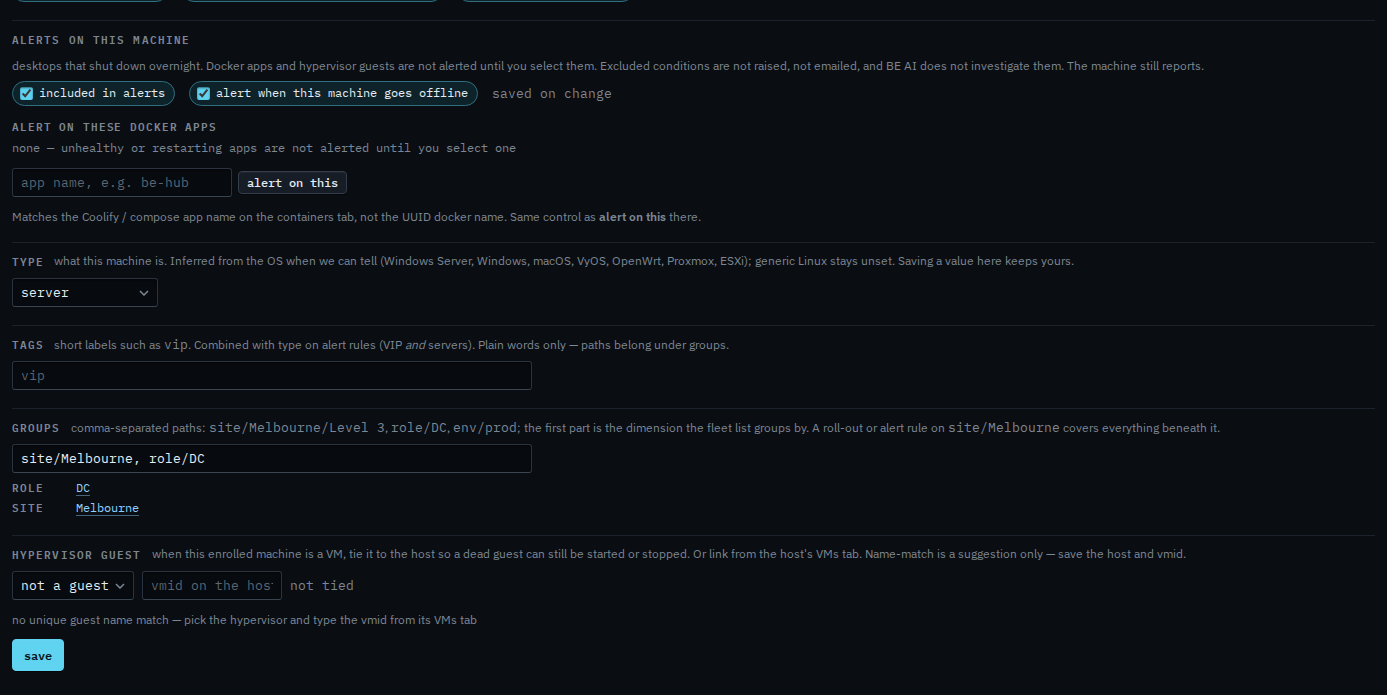
The type menu on its own is Change what kind of machine this is. The name in the fleet is Give a machine a display name. A plain word such as vip is Mark a machine VIP. A site path is Put a machine in a site.