Stop ignoring a device on the LAN.
Network › network. After ignore, the table row says ignored and the button is stop ignoring.
Find the ignored row
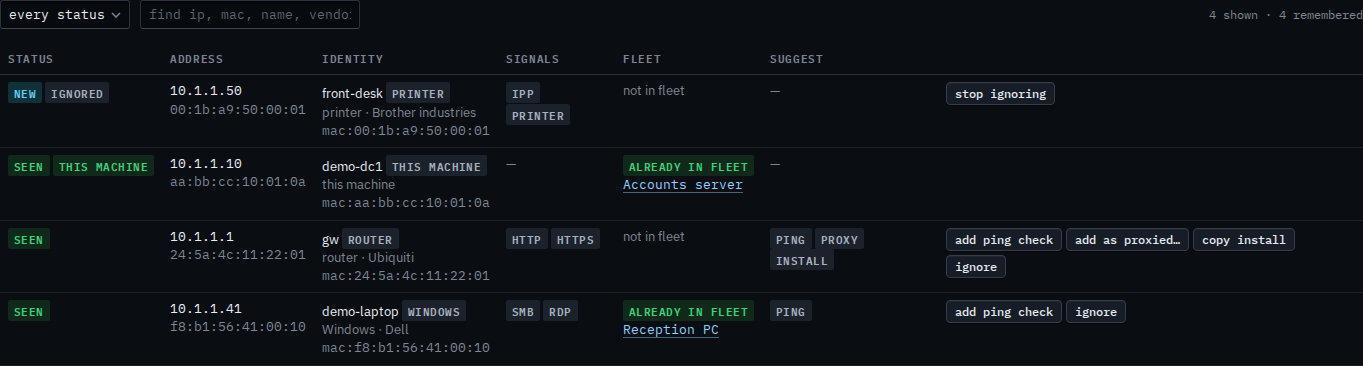
Open the machine, then network › network. front-desk was marked ignored, so it has left suggested monitors. In the device table the row still shows 10.1.1.50, with an ignored chip, and the button is stop ignoring. The other rows are unchanged. The device is still on the subnet.
Press stop ignoring
Press stop ignoring. front-desk returns under suggested monitors, marked new, with add ping check, add as proxied, copy install, and ignore. It is still not enrolled. The next person is asked about it again. Ignore a device on the LAN is how it left.

Hiding the row in the first place is Ignore a device on the LAN. A ping check, once it is back, is Add a ping check for a device on the LAN. The table itself is Read devices found on the LAN.