Change a script in the library.
Scripts › library. Edit is on the row, after ask. The button is for a company admin. Operators can run the script and cannot change the text.
Open Scripts › library
Edit sits on the row, after ask. Who is signed in is the first script in Example Co's library, under Find out what is wrong. Operators see run and ask. Edit is for a company admin.
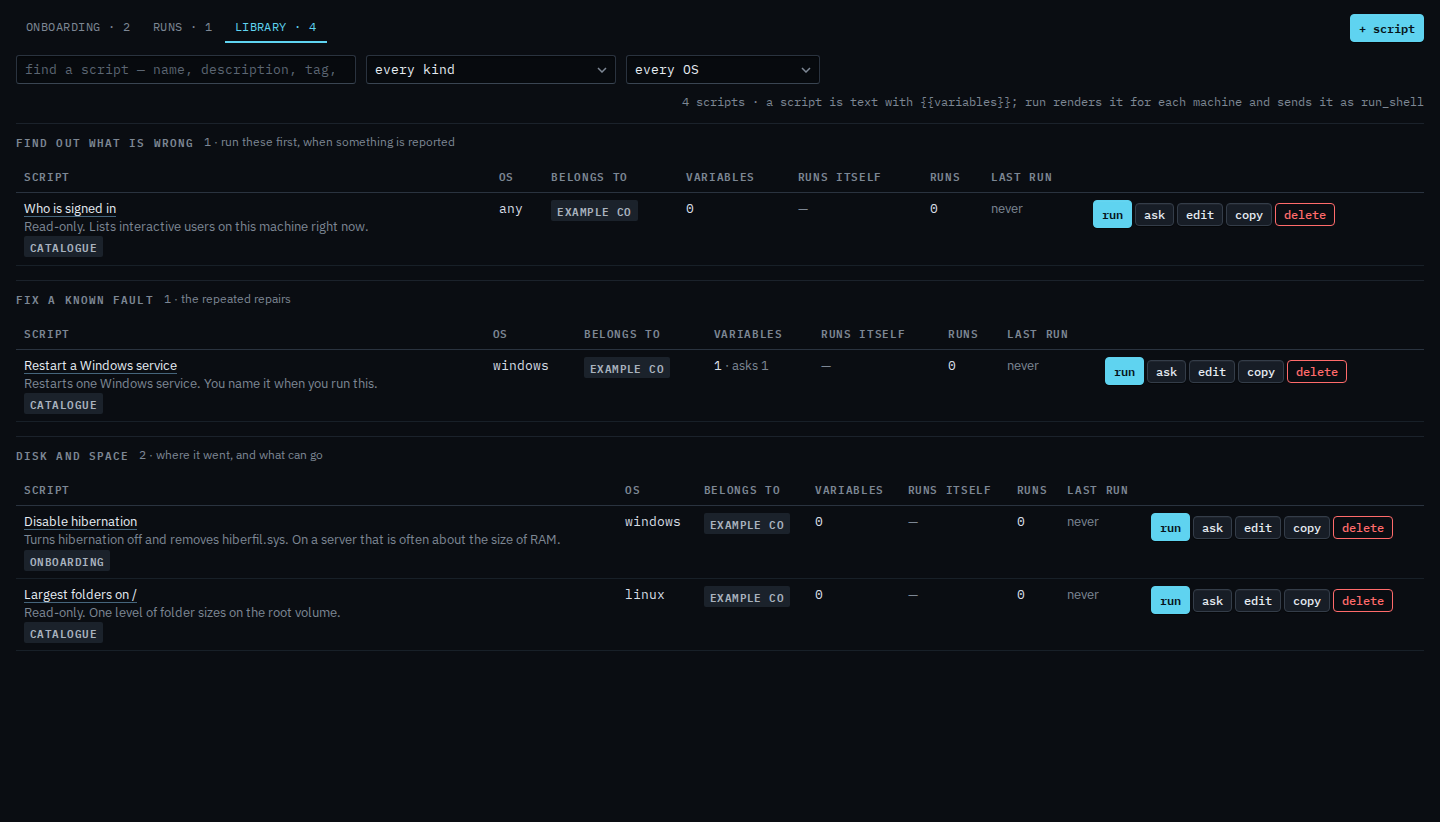
Change the text, then save
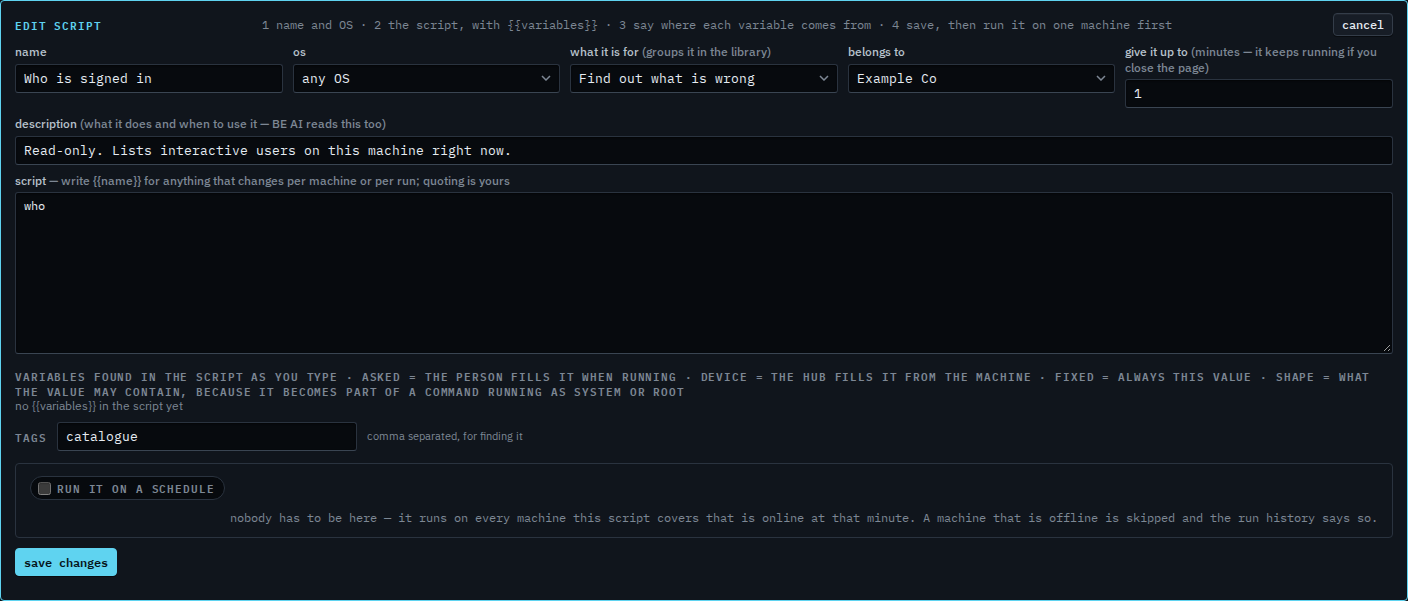
The editor says edit script. The name is Who is signed in, the command is who, and the operating system is any. There are no variables, and Run it on a schedule is off. Change what you need, then press save changes. This shot stops before that, so the library row is unchanged. Cancel drops the unsaved edit. Turning a schedule on is Run a script on a schedule.
A blank editor is Add a script to the library. A second row, with the schedule off, is Copy a script. Removing the row is Remove a script from the library.