Send an alert as your own JSON.
Alerts › rules. Webhook / API, then format custom. The template is the body the hub posts.
Choose webhook, then custom
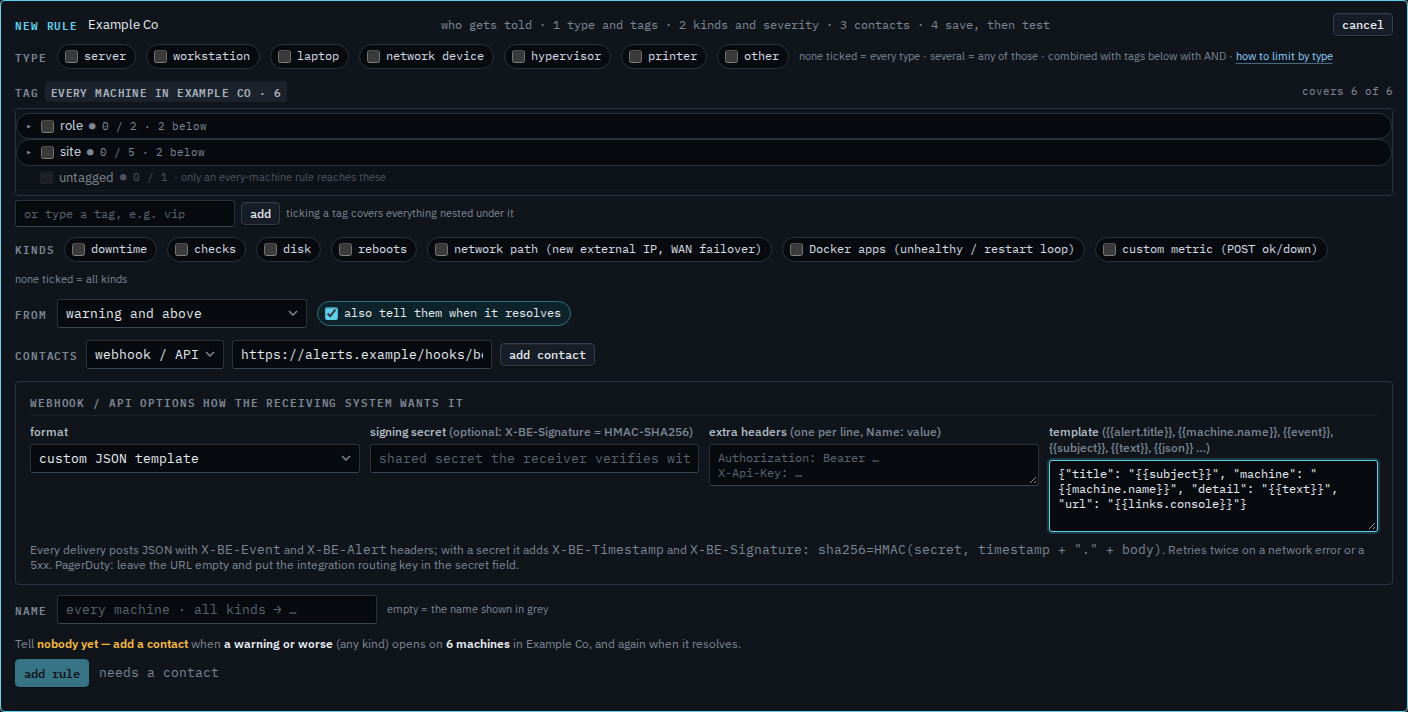
Open Alerts › rules and press + rule. Under contacts, change the channel from email to webhook / API. Set format to custom JSON template. The template box is the body. {{subject}}, {{machine.name}}, {{text}} and {{links.console}} are filled from the alert when it sends. {{json}} is the whole documented payload. Paste the receiver's URL. A signing secret is optional. Extra headers are for a bearer token that system already uses. Nothing is saved yet.
Add the contact, then save
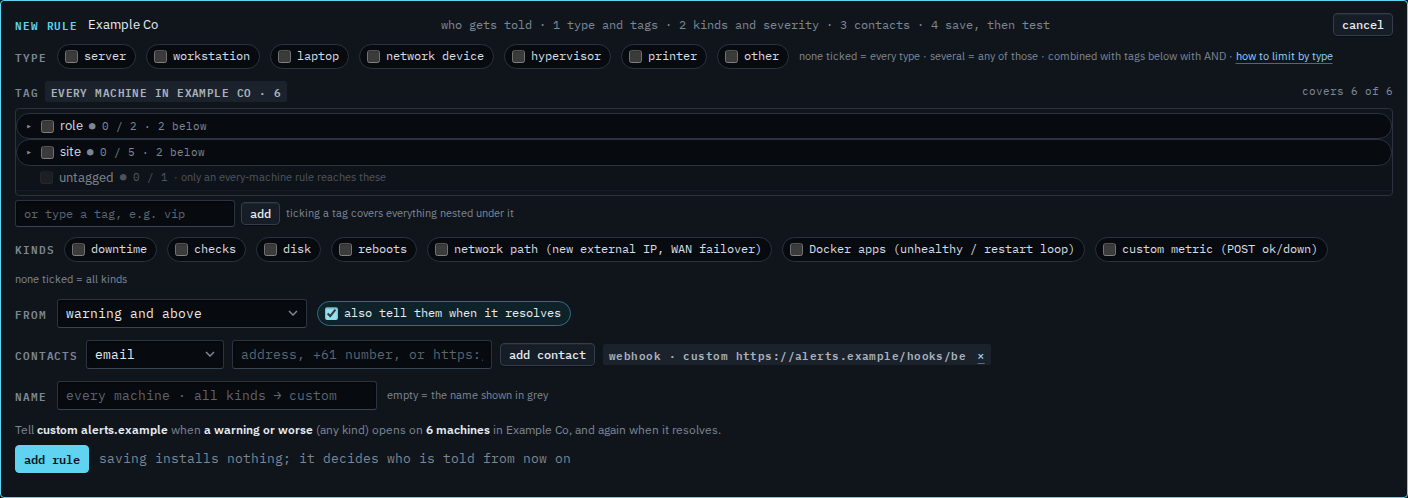
Press add contact. The chip says custom and the URL. Save stays off until that chip exists. Press add rule, then test on the row, so one synthetic message lands before a real alert does. This shot stops before add rule, so the rule is not on the list yet.
Slack, Teams, Discord and PagerDuty are formats the hub already knows — Send an alert to Slack or Teams. The rest of the rule, which machines and which severity, is Tell someone when a machine needs attention. What was delivered is See where an alert was sent.