Read a Wi-Fi machine.
The agent keeps a Wi-Fi flight recorder. The tab appears when the last heartbeat says Wi-Fi is available. A degraded score can open a network alert.
Open Network on a Wi-Fi machine
SSID, band, signal in dBm and a 0–100 score come from the last heartbeat. The dedicated wi-fi tab (24-hour timeline, roams, drops) is only filled while the agent is online — use that when someone says the Wi-Fi is bad, instead of guessing from a single ping. A check that alerts when the SSID is wrong, or the signal is too weak, is Check the Wi-Fi network.
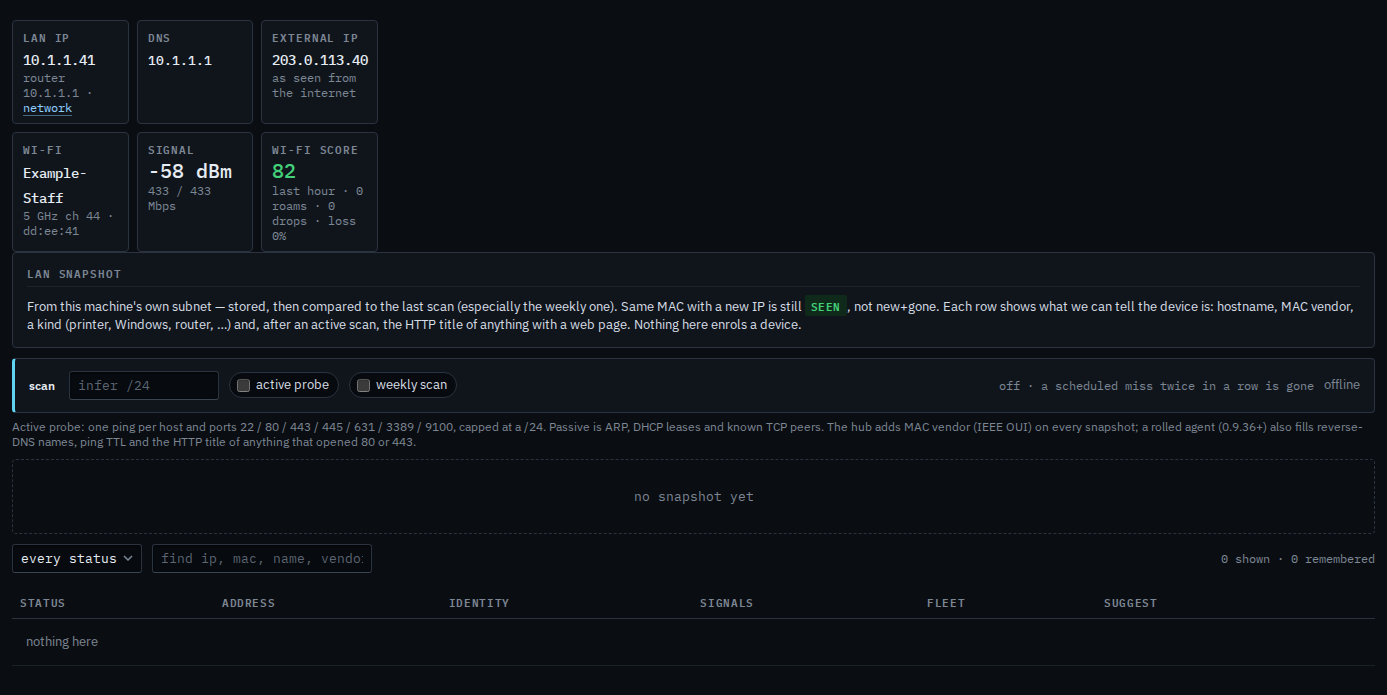
The dedicated wi-fi tab (timeline, roams, drops) is read from the machine itself, so it is empty while the agent is offline. SSID, signal and score still ride on the heartbeat and show on Network. A sub-company user sees that tab on a laptop in their groups. What that login sees is Read the wireless tab on your laptop. The recorder stays empty until the machine is online.