Limit an alert rule to type other.
Alerts › rules. Type sits at the top of a new rule. Other is the last tick. A company with no machine of that type covers zero machines.
Tick other
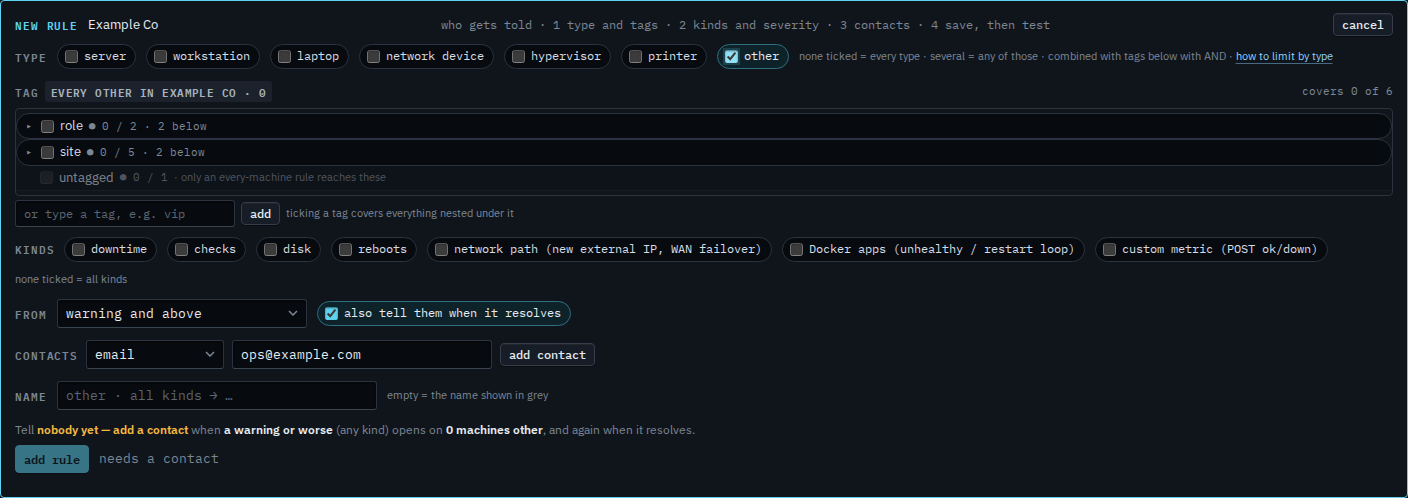
Open Alerts › rules and press + rule. Under type, tick other. Leave the others clear. The chip says every other in Example Co · 0, and the line says it covers 0 of 6. None of the six machines has type other. None ticked still means every type. The address is typed and not added yet.
Add who is told, then read the sentence
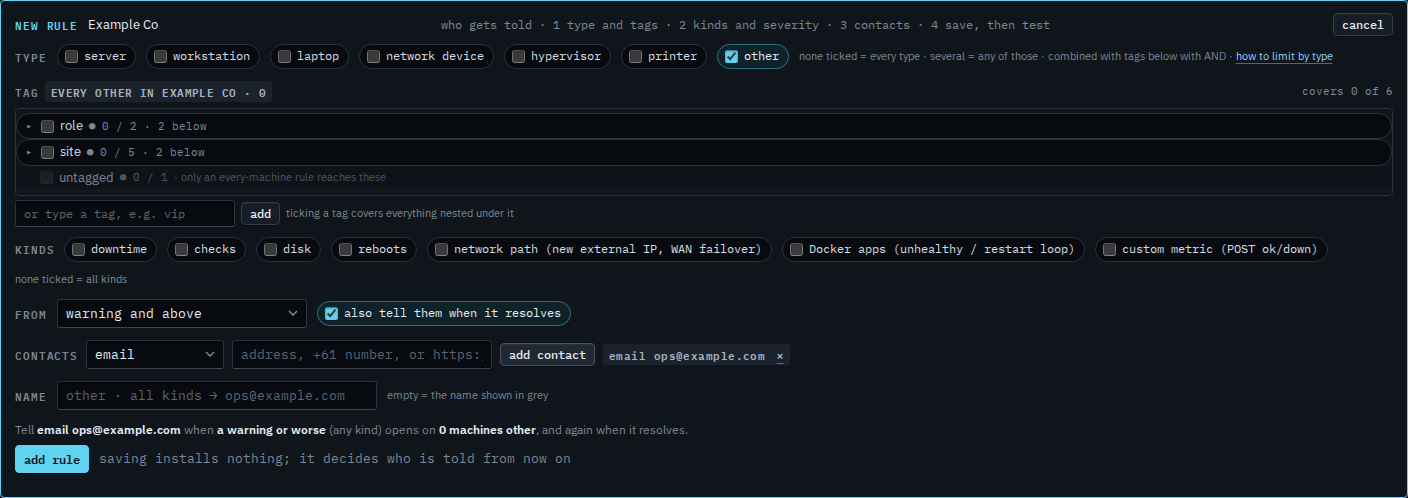
Press add contact. The grey sentence reads: tell email ops@example.com when a warning or worse (any kind) opens on 0 machines other, and again when it resolves. Press add rule when that sentence is the one you want. This shot stops before that. A machine you set to other is what makes the count move. Change what kind of machine this is is that menu.
Printers are Limit an alert rule to printers. The same tick on a report is Limit a report to machines of type other. Servers are Limit an alert rule to servers. The rest of the rule — kinds, severity, who is told — is Tell someone when a machine needs attention. The type on the machine is Change what kind of machine this is.