See alerts on your machines.
You are a sub-company user. The open tab is the only tab. Ack and resolve are yours. Accept is not.
Open Alerts
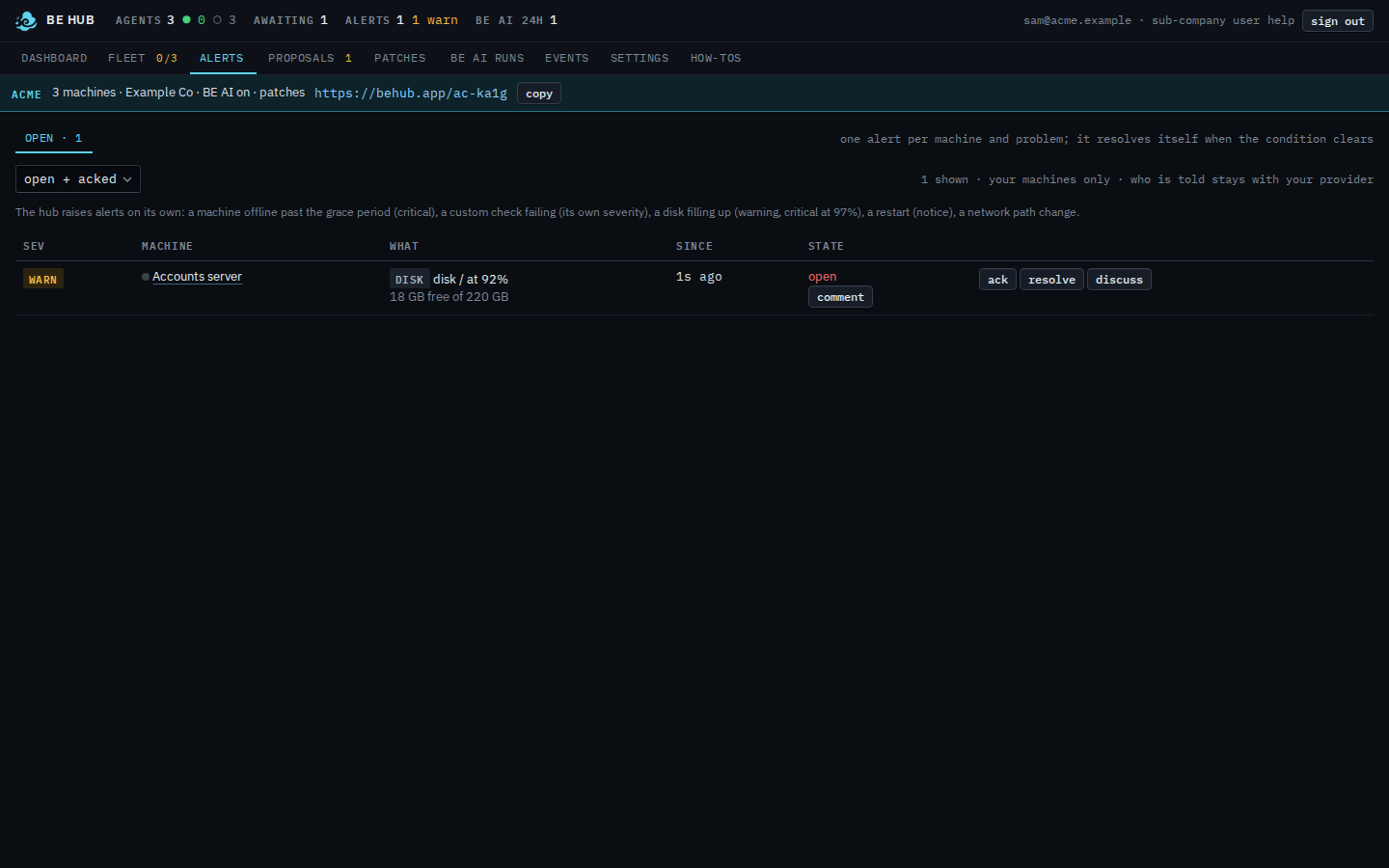
The nav has one alerts entry. The page has one tab, open. Rules, scripts, and sent are not here. The line under the tab says the count is for your machines only, and who is told stays with your provider. There is no told column. Accounts server has one open disk warning, disk / at 92%, 18 GB free of 220 GB. The row has ack, resolve, discuss, and comment. There is no accept. The resolved backup check is hidden because the status menu is open + acked. This shot does not press ack.
Which computers those rows cover is See the computers you were given. Marking one seen is Acknowledge an alert on your machines. Closing one is Resolve an alert on your machines. A note is Leave a comment on your alert. The ones that already cleared are See resolved alerts on your machines. What your provider does with the same list, including accept, is Work an open alert. A command you cannot run is A proposal you cannot run.