Ask BE AI what a script does.
The script text was written by a person. BE AI can explain what it changes, what is destructive, and whether it needs a restart, before anyone runs it.
Open the machine's scripts tab
Open the machine and press scripts. The list is every script that fits this machine: its own, the company's, and shared. ask on a row does not run the script. Add a script to the library is how the text got there. Run a saved script is the button beside ask.
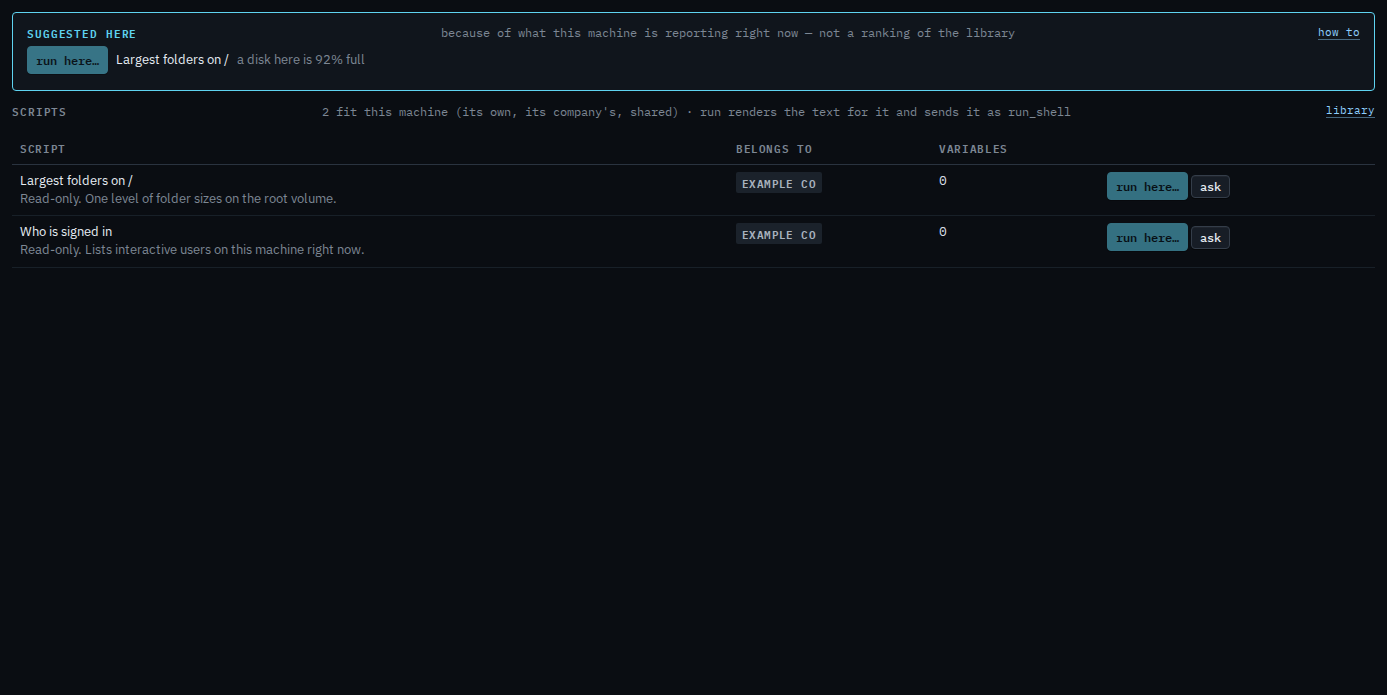
Read the question, then send
Discuss opens with a question already written: what the script changes, whether any of it is destructive, and whether it needs a restart. Edit it if you want a narrower answer. Press send when the wording is what you meant. BE AI proposes; it does not run the script. Ask BE AI about one machine is the same conversation.
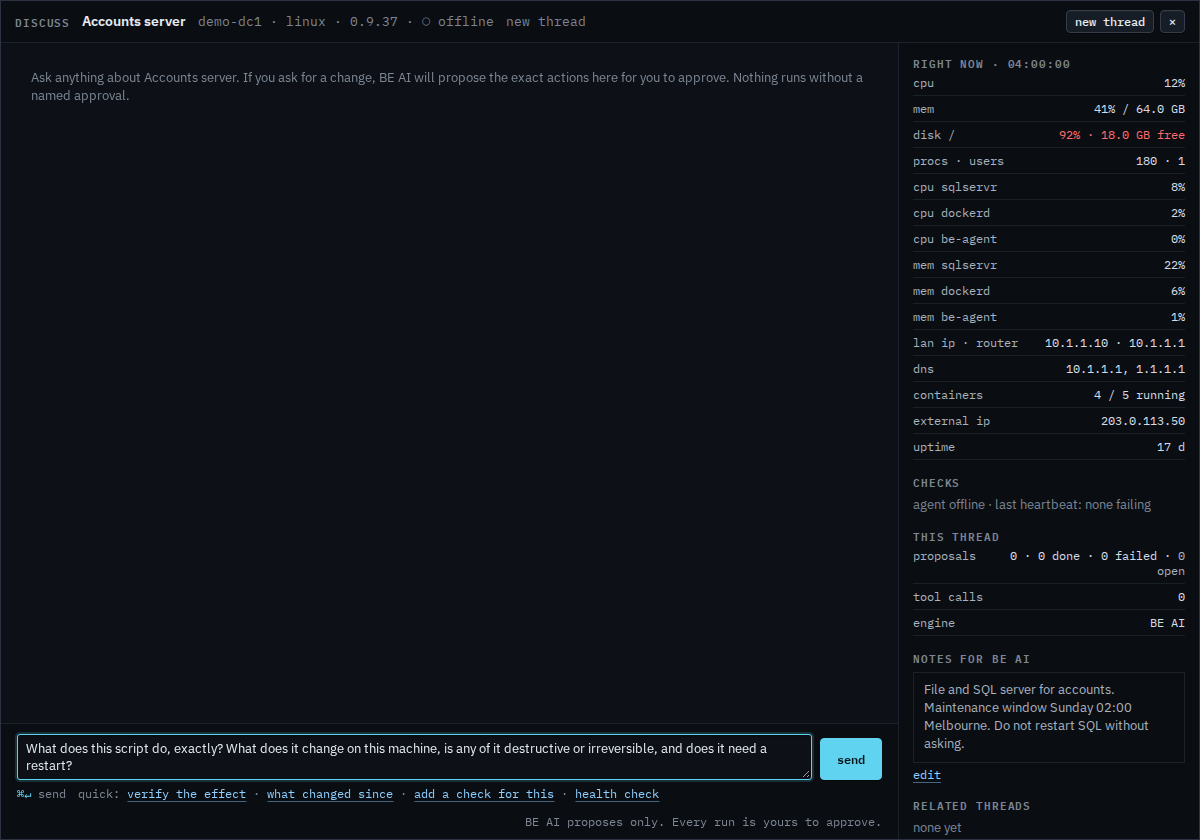
Asking about one run, after it has printed something, is Ask what a script run did. The library page asks only after a machine is already chosen.