Your own settings.
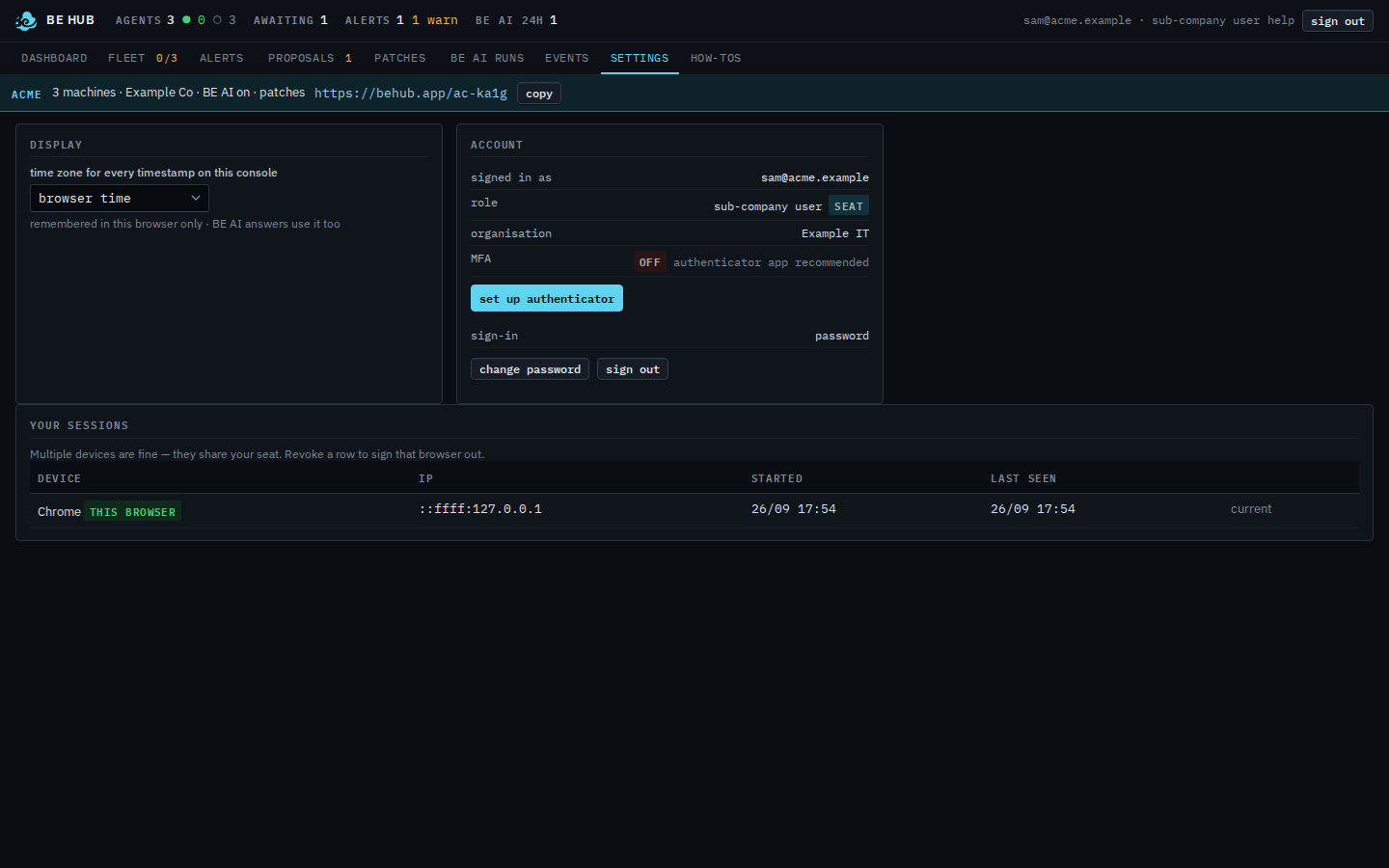
You are a sub-company user. There is no users list on this page, and the header has no notes button.
Open Settings
The header reads sam@acme.example · sub-company user. Notes is not in that header. The account card says signed in as sam@acme.example, role sub-company user, organisation Example IT. MFA is off. Change password and sign out are on the card. Set up authenticator is there too. This shot does not press it, so no QR and no backup codes appear. Display is the timezone for this browser. Your sessions lists this browser. There is no users table under the card. Companies, Usage, Scripts, and Audit are not in the nav.
The computers on the strip are See the computers you were given. Changing the password, on a company-admin account, is Change your password. Signing this browser out is Sign out of this browser. Your provider's users table is Invite a teammate.