Skip the nightly pass on one machine.
Work › actions › BE AI. Included stays ticked. The two lines under it are the limits. Each one saves as you change it.
Open BE AI on this machine
Open the machine, then work › actions, and open BE AI on this machine. Included in BE AI stays ticked. Investigate alerts automatically is the run that starts when an alert opens. Scheduled daily pass is the nightly review. Both are on. Leave a machine out of BE AI is the switch above them.
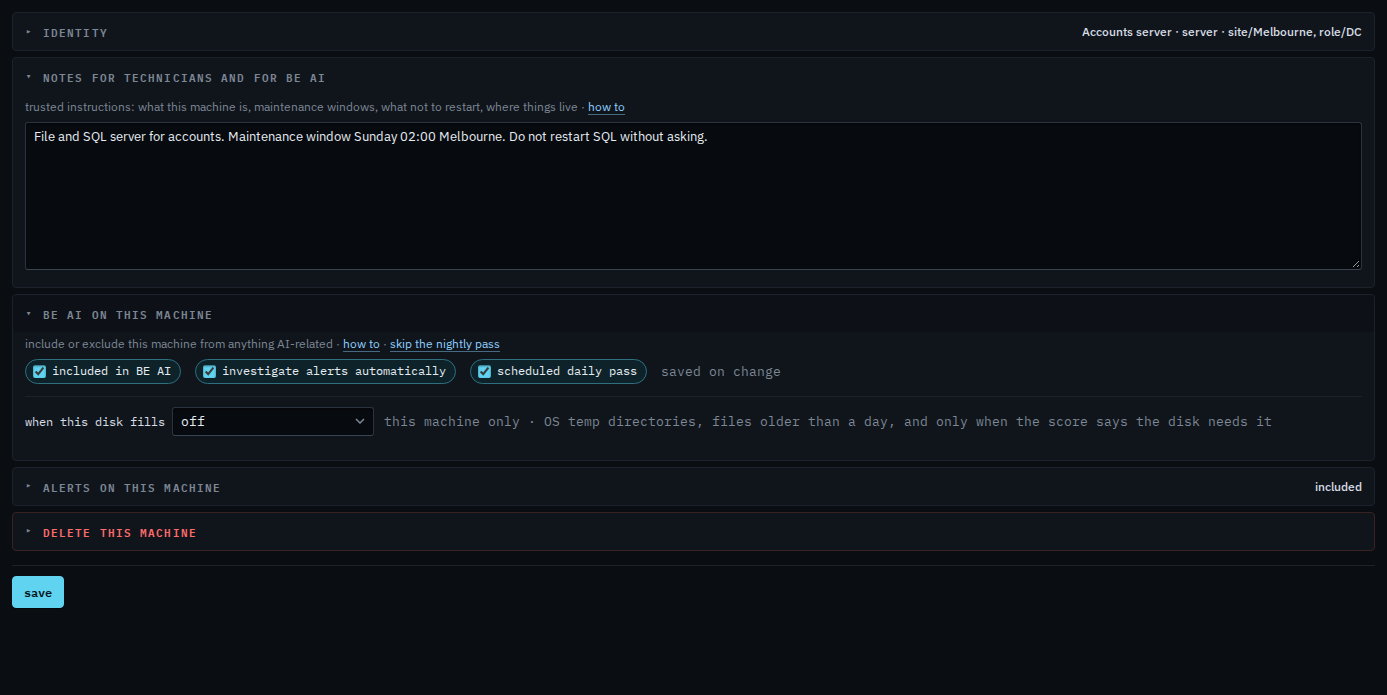
Clear the scheduled daily pass
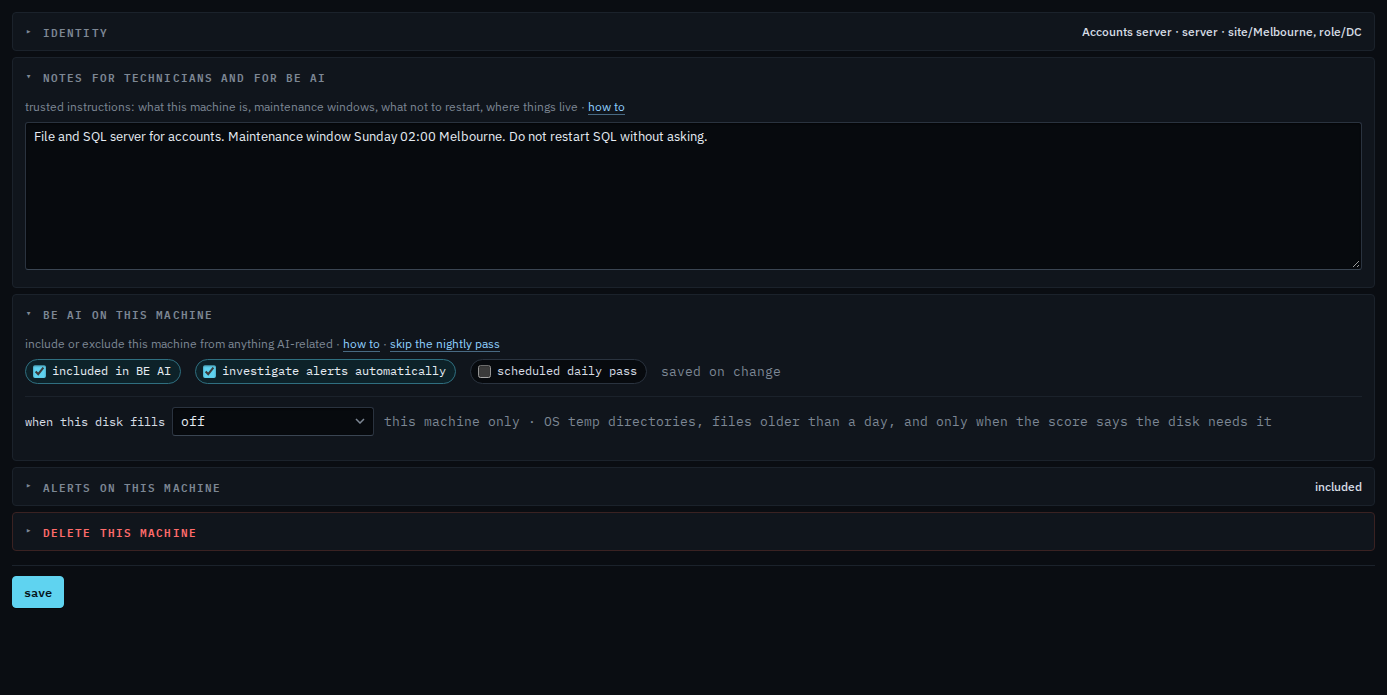
Clear scheduled daily pass. It saves immediately. Discuss still works, and an alert can still start an investigation. The nightly pass skips this machine. Tick it again to put the machine back on the pass. Clearing investigate alerts automatically is the other limit: discuss and the nightly pass stay, and an open alert does not start a run on its own.
Clearing included in BE AI turns both of these off and also refuses discuss. That is Leave a machine out of BE AI. Clearing only automatic investigations is Stop automatic investigations on one machine. The time of night for the whole company is Company notes, schedule and remote control.