Show only warnings on one machine.
The machine you have open. Any severity is the default. Warn keeps the lines a person usually acts on.
Open History › events
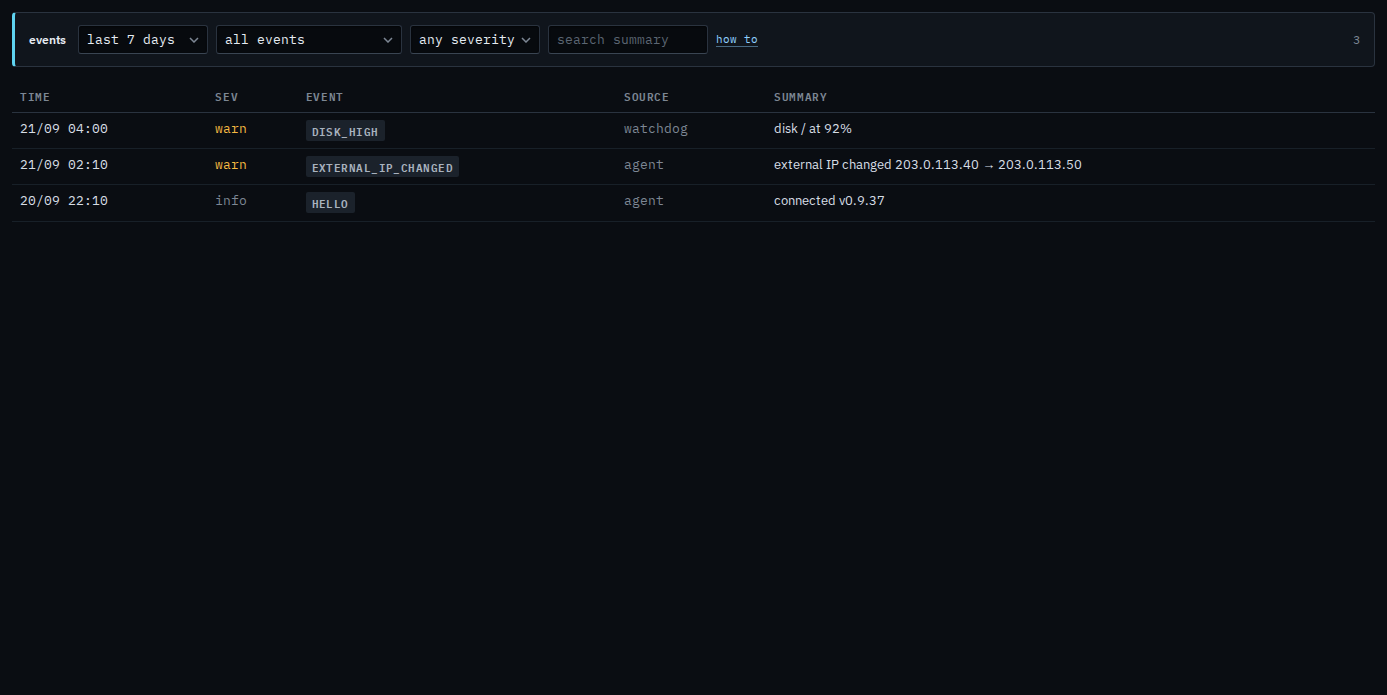
Open the machine, then history › events. Any severity is the default. Accounts server shows three in the last 7 days: the disk warning, the external address change, and the hello from when it connected. The hello is info. The other two are warnings. The range is still the last 7 days.
Keep warnings
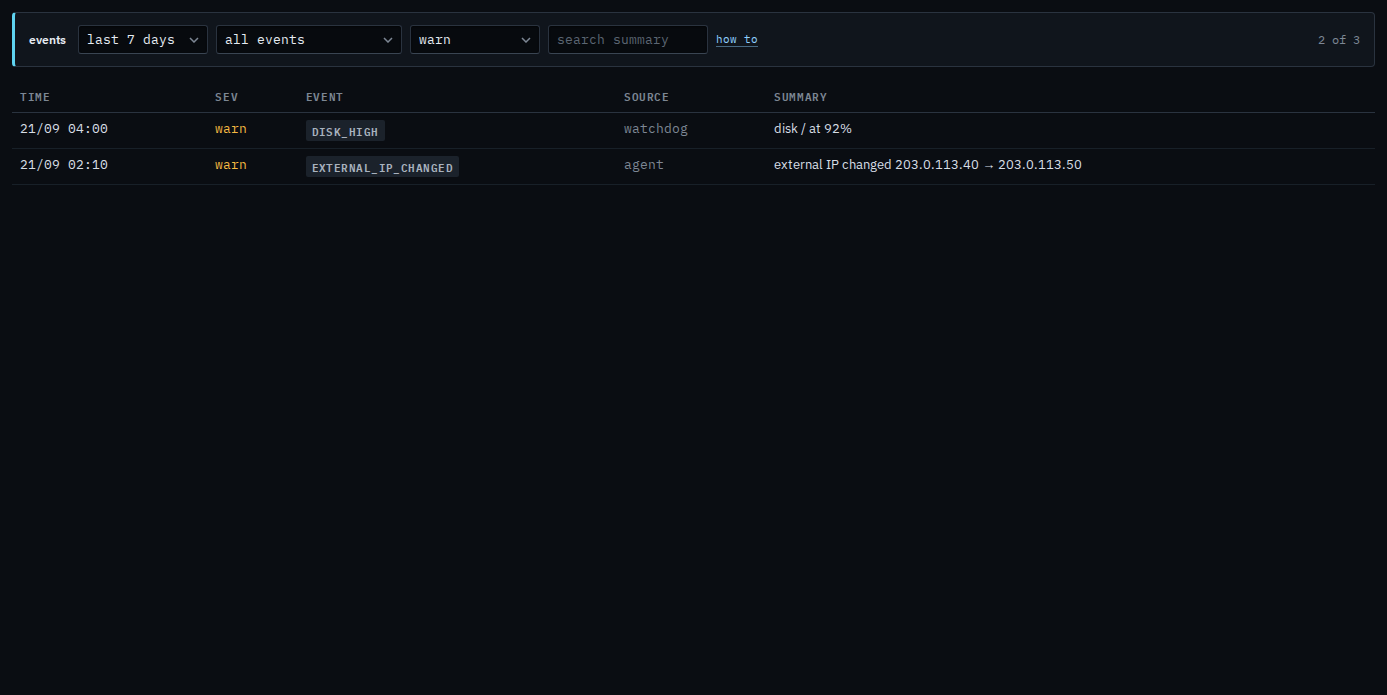
Set severity to warn. The hello drops out. The disk line and the address change stay, because both are warnings. Crit would hide both of these — Accounts server has no critical event in this range, so the list would say nothing matches. Set the menu back to any severity to see the hello again.
A word in the summary is Search one machine's events. Filtering the name, such as disk_high only, is Read one machine's events. The company-wide name menu is Show only one kind of event. The same menu for a sub-company user is Show only warnings on one of your machines.