See how long an approval has waited.
Reports › Approvals aging is the queue sorted by age. Approving still happens on the proposal.
Open Reports and pick Approvals aging
Under Operational. The period menu defaults to everything waiting. Tiles are waiting, running, and the age of the oldest. The table is age, machine, the action's title, and status. Example Co has one proposed action on Accounts server: list the largest folders on the root volume. It was filed with the disk investigation, so the age reads 0 h in this shot. Approve or reject a proposal is the queue where that action actually runs. Read the morning brief counts the same waiting approvals without the titles.
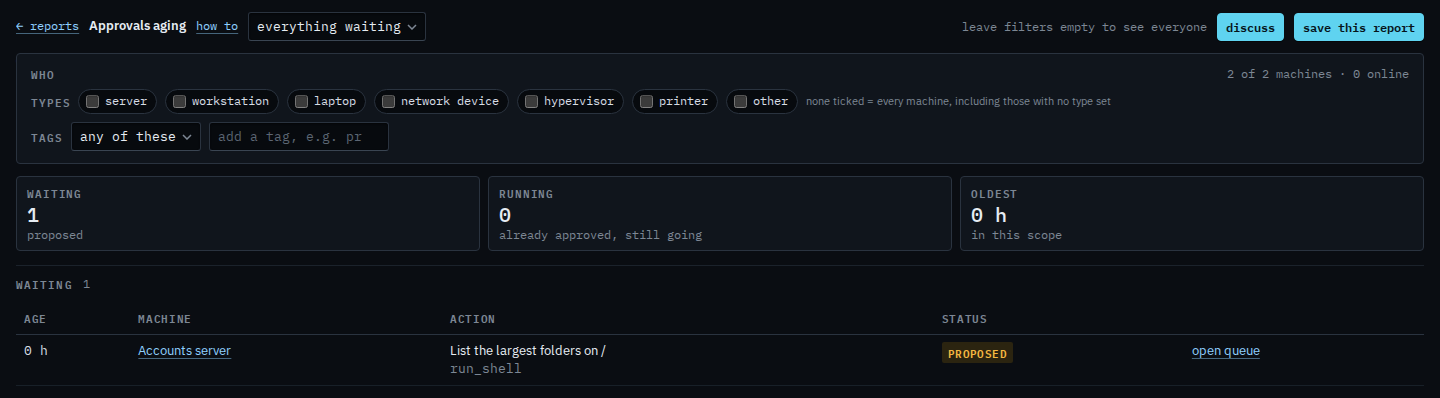
A running row was already approved and has not finished. Closing this page does not stop it. The Proposals page is where you approve, reject or retry. A window that hides older waiting actions is Show approvals filed in the last day.