Text or call when an alert opens.
A text or a call is a contact on an alert rule. Company admin or owner. The hub has to have SMS and calling configured, or a test of the rule says skipped.
Choose SMS and the number
Open Alerts › rules and press + rule. Under contacts, change the channel from email to sms. Paste the mobile number in international form. Phone call is the next line in that menu, and it uses the same number field. Leave type and tags empty to cover every machine, and kinds empty for every kind. Tell someone when a machine needs attention is the rest of the rule.
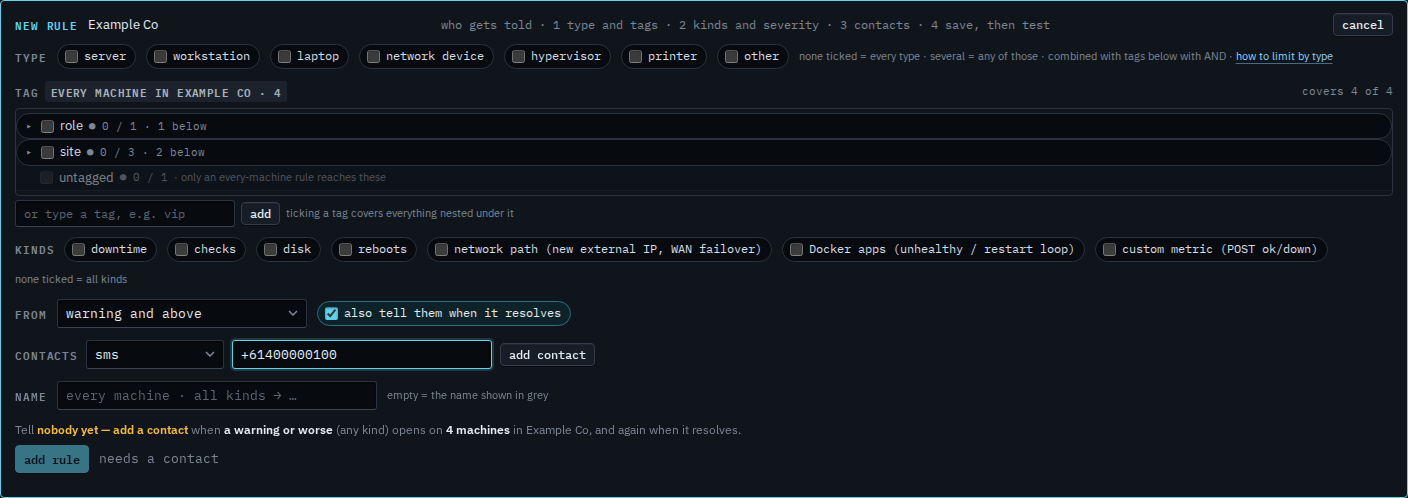
Add the contact, then save
Press add contact. The chip says sms and the number. Save stays off until that chip exists. Press add rule, then test on the row. A phone call is the same steps with the channel set to phone call. What was delivered is See what an alert sent.
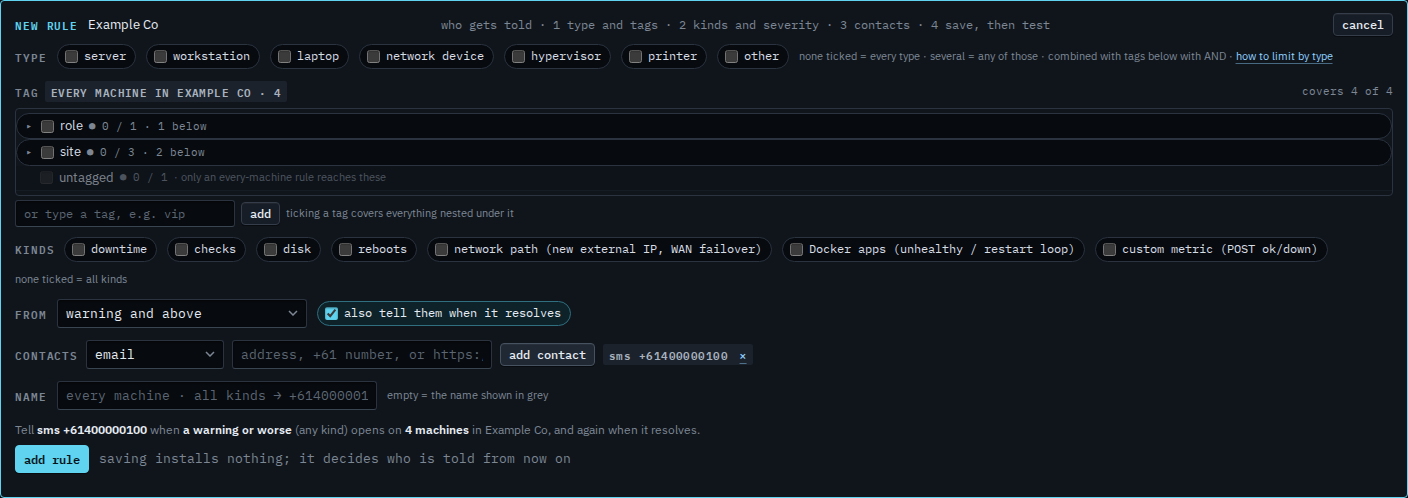
Email is Tell someone when a machine needs attention. Slack, Teams and a webhook are Send an alert to Slack or Teams. Test the rule after you save it so a synthetic message lands before a real alert does.