Limit a report to printers.
Every live report has the same who box. Printer is one of the type ticks. Empty still means every type, including one that has not been set.
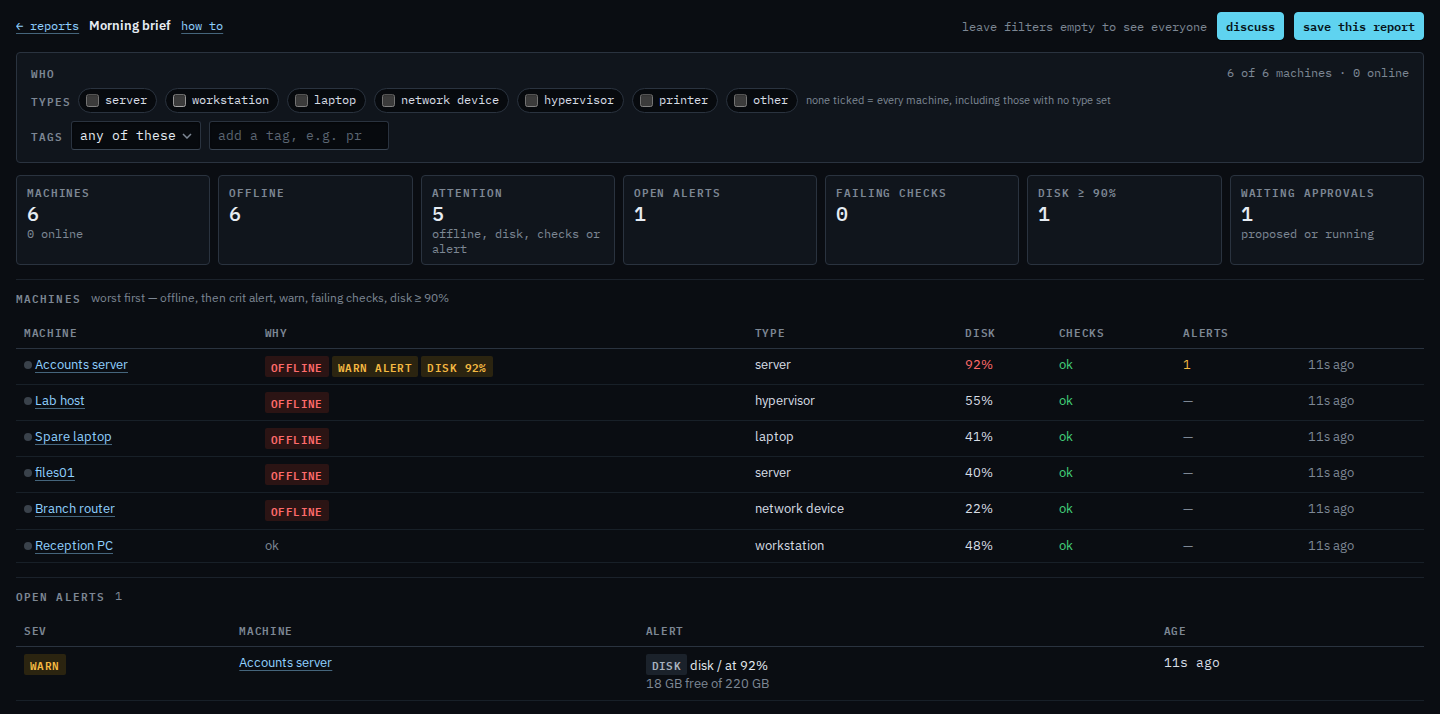
Open the morning brief with every type
Open Morning brief. Under who, no type is ticked. The line says 6 of 6 machines. Printer is one tick in that row, next to hypervisor and other. Limit a report to hypervisors is the hypervisor tick. None ticked still includes a machine with no type set.
Tick printer
Tick printer. The who line says 0 of 6 machines, and 0 online. The page says none of the 6 are type printer. Clear filters to see everyone. Other is the same empty tick on this company. The front-desk Brother at 10.1.1.50 is on the LAN snapshot and is not enrolled, so it is not a printer machine. Clear filters appears once a type is ticked. This guide presses it at the end, so the next report is the whole company again.

An alert rule limited the same way is Limit an alert rule to printers. Type other is Limit a report to machines of type other. Hypervisors are Limit a report to hypervisors. Network devices are Limit a report to network devices. The morning list itself is Read the morning brief. A printer on the LAN snapshot is Read devices found on the LAN. The type on the machine is Change what kind of machine this is.