Release an accepted condition.
Accept says no action. Release is the button on that same row. The comment says why it should be watched again.
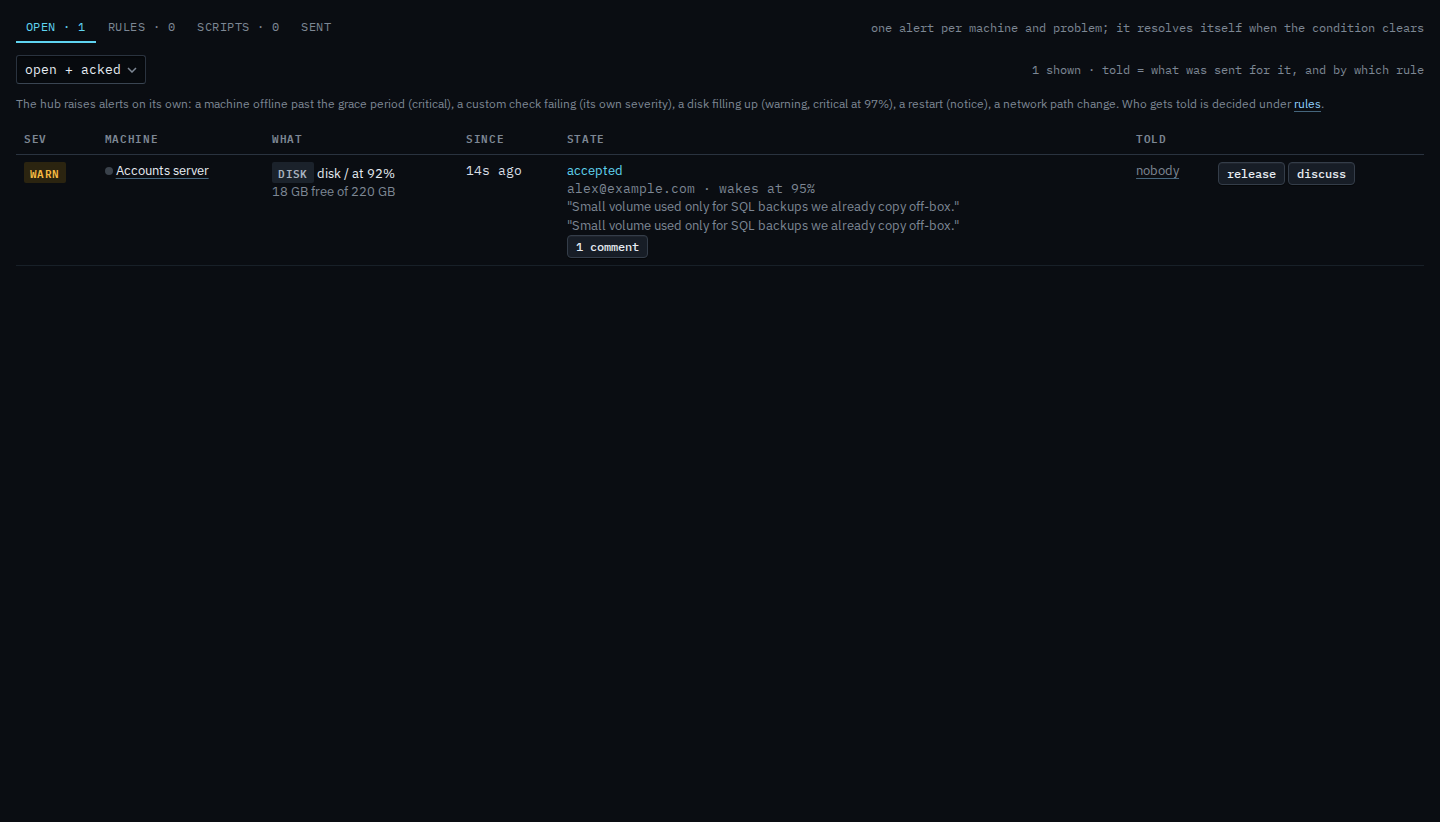
The row says accepted
On Alerts › open, press accept on the disk warning, leave the suggested wake point (95%, and the disk is at 92% now), write why, and press accept. The row stays in open + acked. The state is accepted, by alex@example.com, and it wakes at 95%. The reason is quoted on the row. Release replaces ack, accept, and resolve. While it stays accepted, the hub does not investigate it and nobody is notified. It also wakes on its own if the disk reaches that percent.
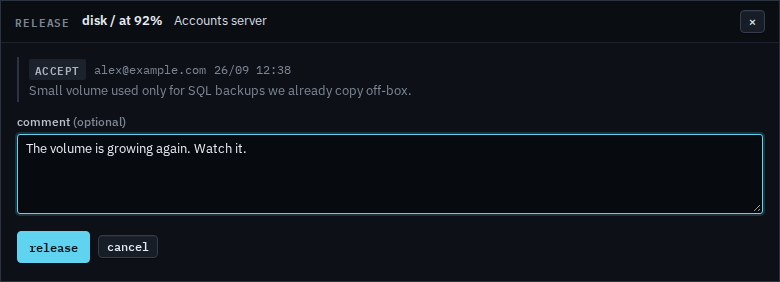
Say why, then release
Press release. The box is titled release. The comment is optional. A note you type lands on the thread. Release in the box puts the condition back: investigations and notifications resume, and the row is open again. This shot stops before that press. Cancel drops the box and leaves the acceptance in place.
Saying it needs no action is Accept a known condition. Ack and resolve are Acknowledge an alert and Resolve an alert by hand. The queue is Work an open alert.