Invite a teammate.
Settings › users is everyone in the organisation. Company admins create operators and other company admins for their companies.
Open Settings › users
The top of Settings is your own account. Users is underneath. Operator works the machines. Company admin also manages users, notes and the install link.
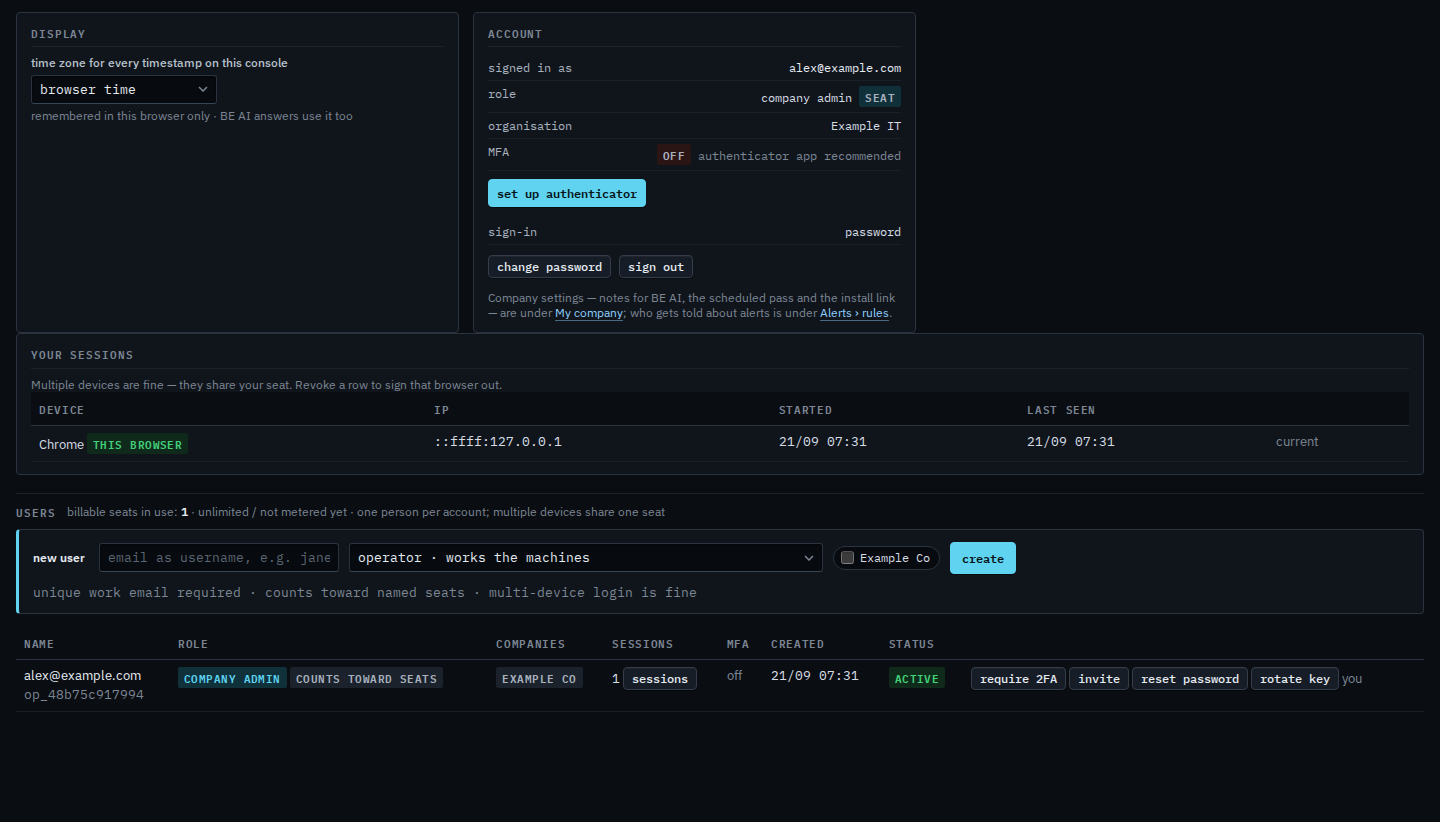
Type their email, pick a role, tick the company, create
Press create. With an email as username they get a 7-day invitation to set a password. A non-email username gets a temporary password shown once. Do not reuse a mailbox across people.

Choosing company admin on that same menu is Invite someone as a company admin. There is no self-serve password reset. Issue a temporary password from this table. Sending the link again is Send the invitation again. Disable a person's sign-in is the last button on someone else's row. Require an authenticator for a person is on the same row. Replace a script key is the other button. The key is not how they sign in.