Run a script only when the network path changes.
Alerts › scripts. Network path is the kind for a new external IP or a WAN failover. A degraded wireless link is the same kind.
Downtime starts ticked
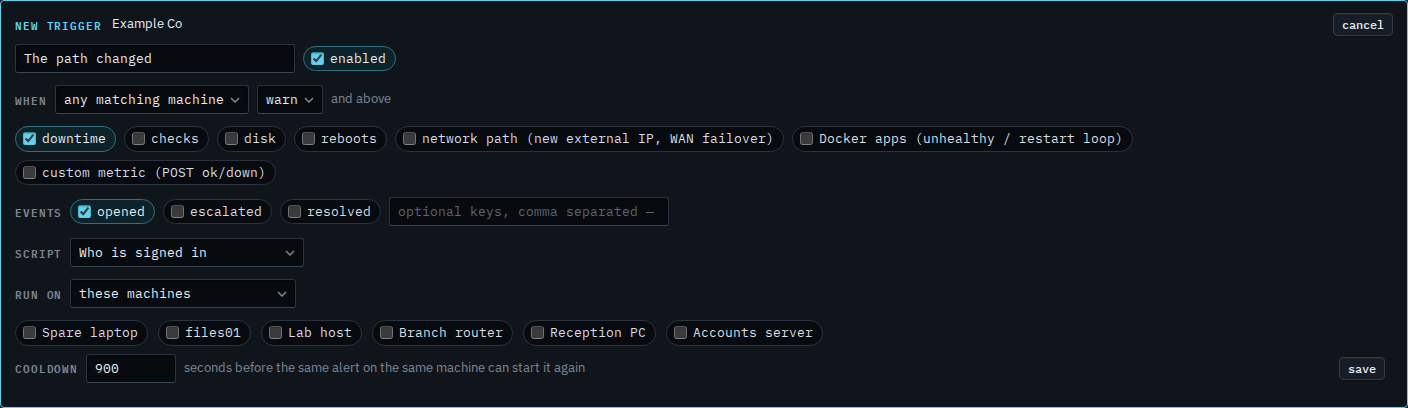
Open Alerts › scripts and press new trigger. Name it and choose Who is signed in. Downtime is already ticked. Network path is clear, so a new external address or a WAN failover would not start this draft. Disk, checks, reboots, Docker apps and custom metric are clear too.
Tick network path and clear downtime
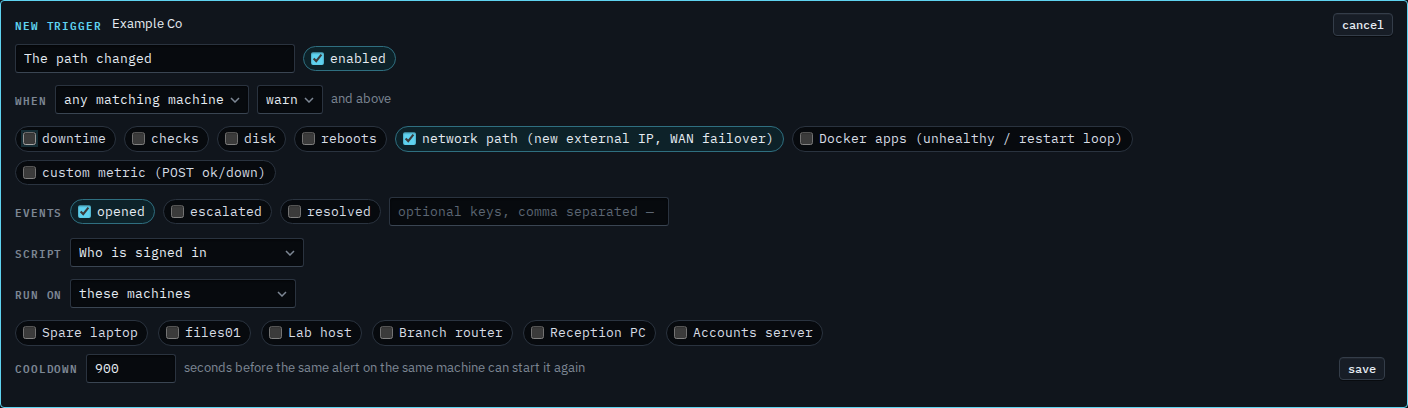
Tick network path and clear downtime. The label names a new external IP and a WAN failover. A degraded wireless link is this same kind. Accounts server's disk at 92% is a disk alert, so it would not. The key box stays empty, so every path change matches, on every machine. A path change is a warning, and the floor is warn and above, so it matches. Press save when this is the one you want. This shot stops before that. Cancel drops the draft. Run on is still these machines, and none is ticked, so a save would also need a target.
Telling a person, with no script, is Only tell them when the network path changes. The address on the overview is See when the external address changed. A full disk is Run a script only when a disk fills. A restart is Run a script only when a machine restarts.