Choose scripts for a new machine.
Scripts › onboarding is per company. A Windows server can turn hibernation off (hiberfil.sys is often about the size of RAM, tens of GB). A workstation can get a different set. Each rule runs once per machine. The machine's own allow_shell still has to be on.
Open Scripts › onboarding
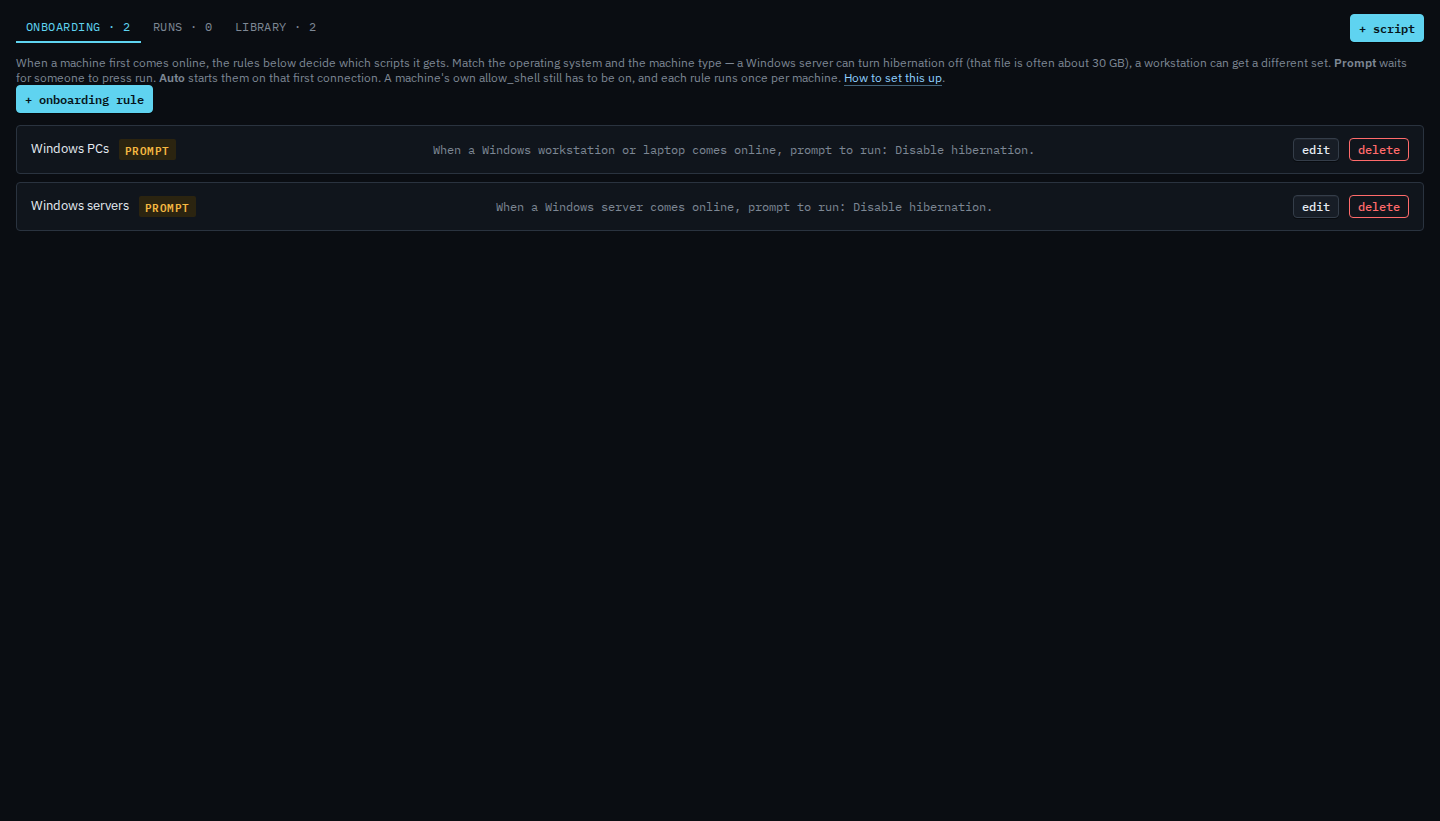
Company admins add and edit rules. Operators see them and can press run on a prompt. Each row says what it matches, in plain words, and whether it is prompt or auto. Edit changes that rule. Delete removes it and drops any prompt still waiting.
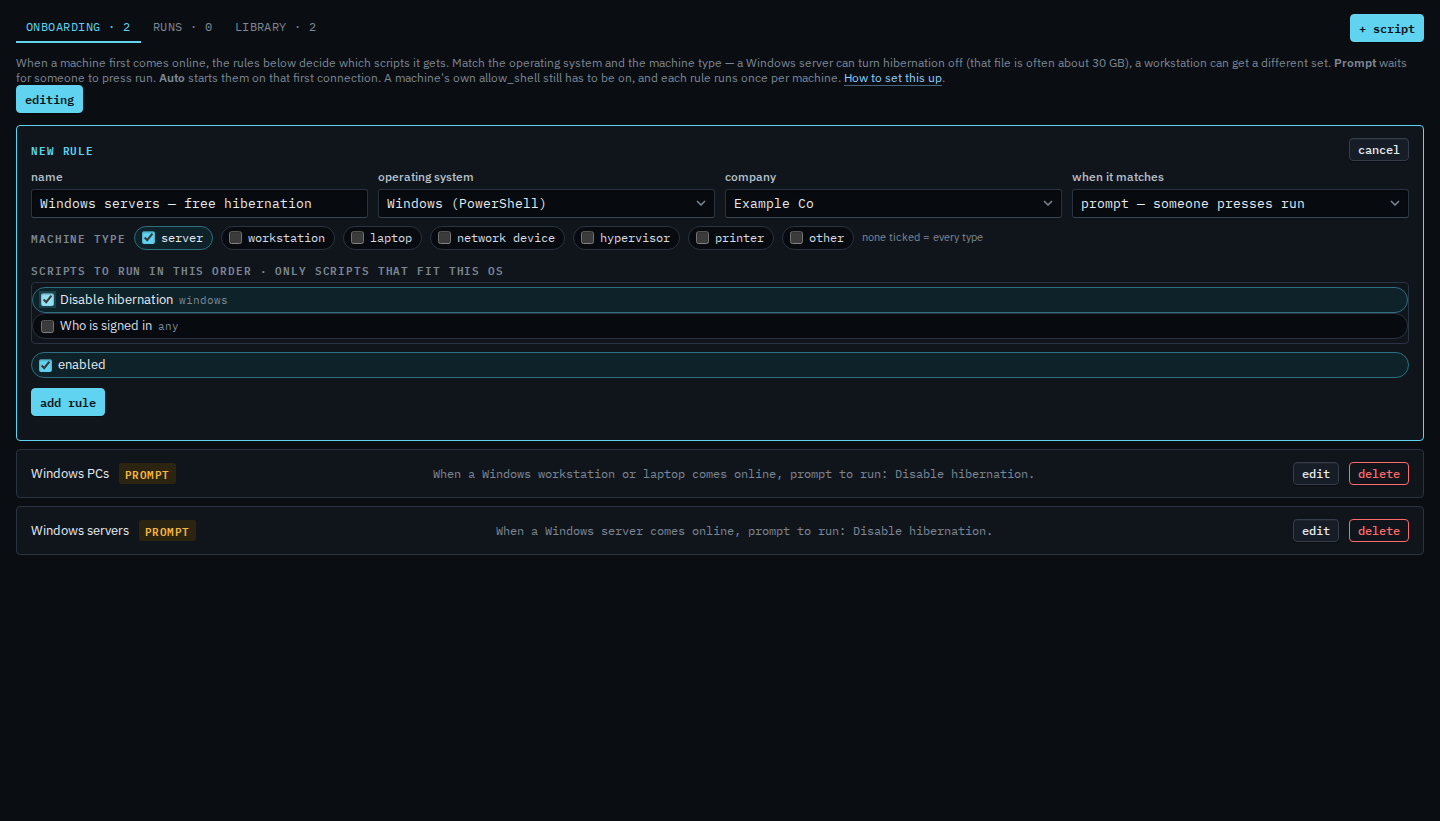
Add a rule: OS, machine type, prompt or auto, then the scripts
Name it so the sentence on the list is obvious. Pick the operating system. Tick the machine types — none ticked means every type, including one that has not been set yet. A Windows Server is already a server, and a normal Windows PC or a Mac is already a workstation, so those match without anyone setting a type. A generic Linux machine stays unset until someone chooses one on its Actions tab. Prompt waits for a person. Auto starts on the first matching connection. Tick the scripts in the order they should run. Only scripts that fit this OS are listed. If Disable hibernation is not in the library yet, press add “Disable hibernation” to the library first — it is powercfg.exe /hibernate off. Press add rule when the sentence is the one you want. This shot stops before that, so the editor stays open.
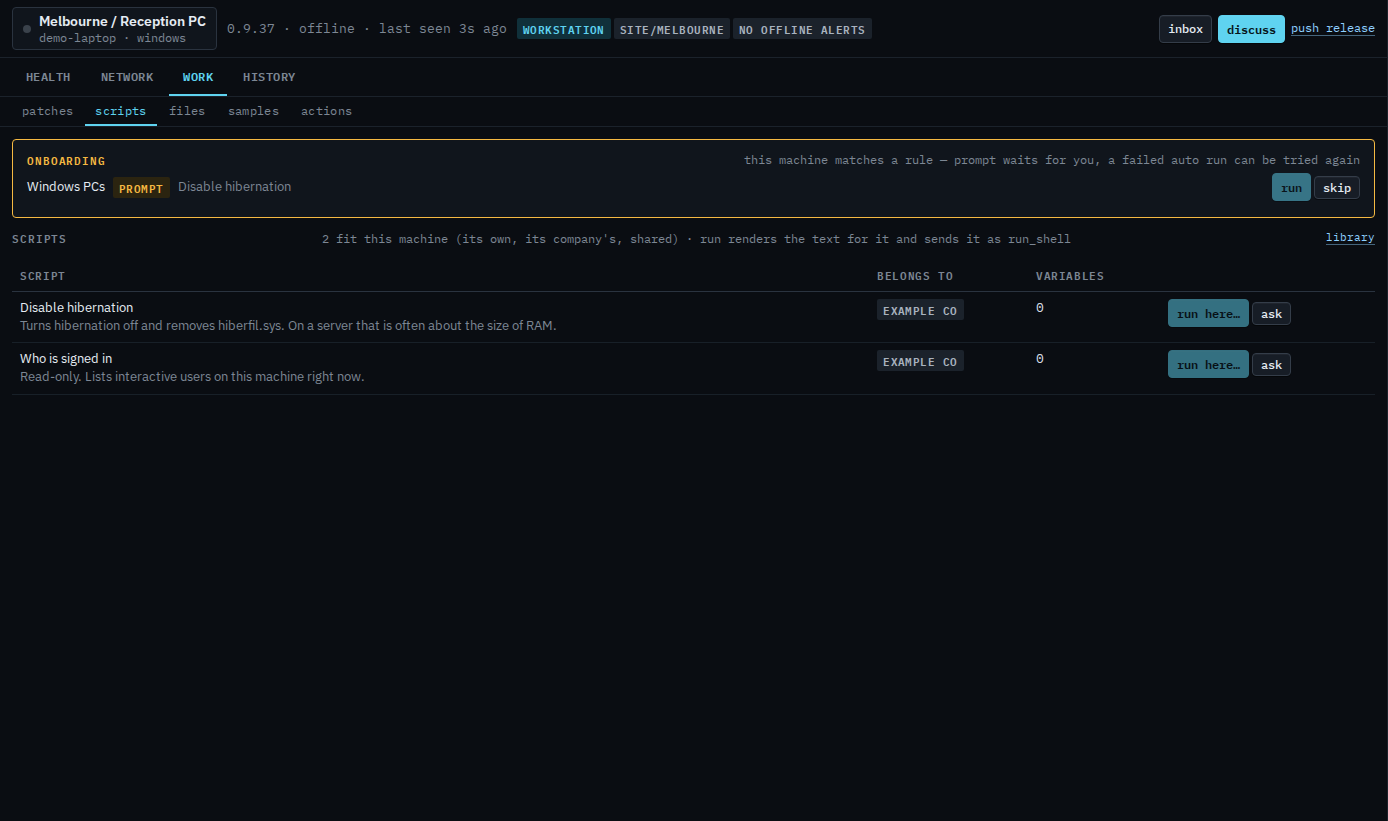
A prompt waits on the machine
Open the machine and its scripts tab. A matching prompt sits at the top until someone presses run (two-step, same as every other write) or skip. Run is available while the machine is online. A failed auto run can be tried again from the same place. Skip is only for a prompt that has not started.
Saving a rule does not go back and run it on machines already enrolled. It applies the next time that machine connects, or when someone changes its type. The hub fills type in when it can tell: Windows Server is a server, other Windows and macOS are workstations, Proxmox and ESXi are hypervisors, and VyOS, OpenWrt, RutOS, pfSense and OPNsense are network devices. Generic Linux stays unset until someone picks one. Set or change it on the machine’s Actions tab, under identity, then save. A “from OS” chip means the hub inferred it; saving your own value keeps yours. The Onboarding block at the top of the fleet is a different thing — machines that have no group yet. Proxied devices are skipped.