Install the agent on a machine.
A machine is in the fleet once its agent has connected. You never copy an enrollment token by hand — the install line carries it.
Copy the line for the platform
Open Install agent. Pick the platform: Windows, Linux, macOS, OPNsense · pfSense, Teltonika · OpenWrt, or VyOS. Leave the options off unless this machine needs a remote shell or you are re-pointing an existing install. Copy the one-liner and run it as administrator / root on that machine. This enrols the machine into the company. A firewall or a router is Install the agent on a firewall or a router. To also place it in a customer's group, use Give a customer their own install link.
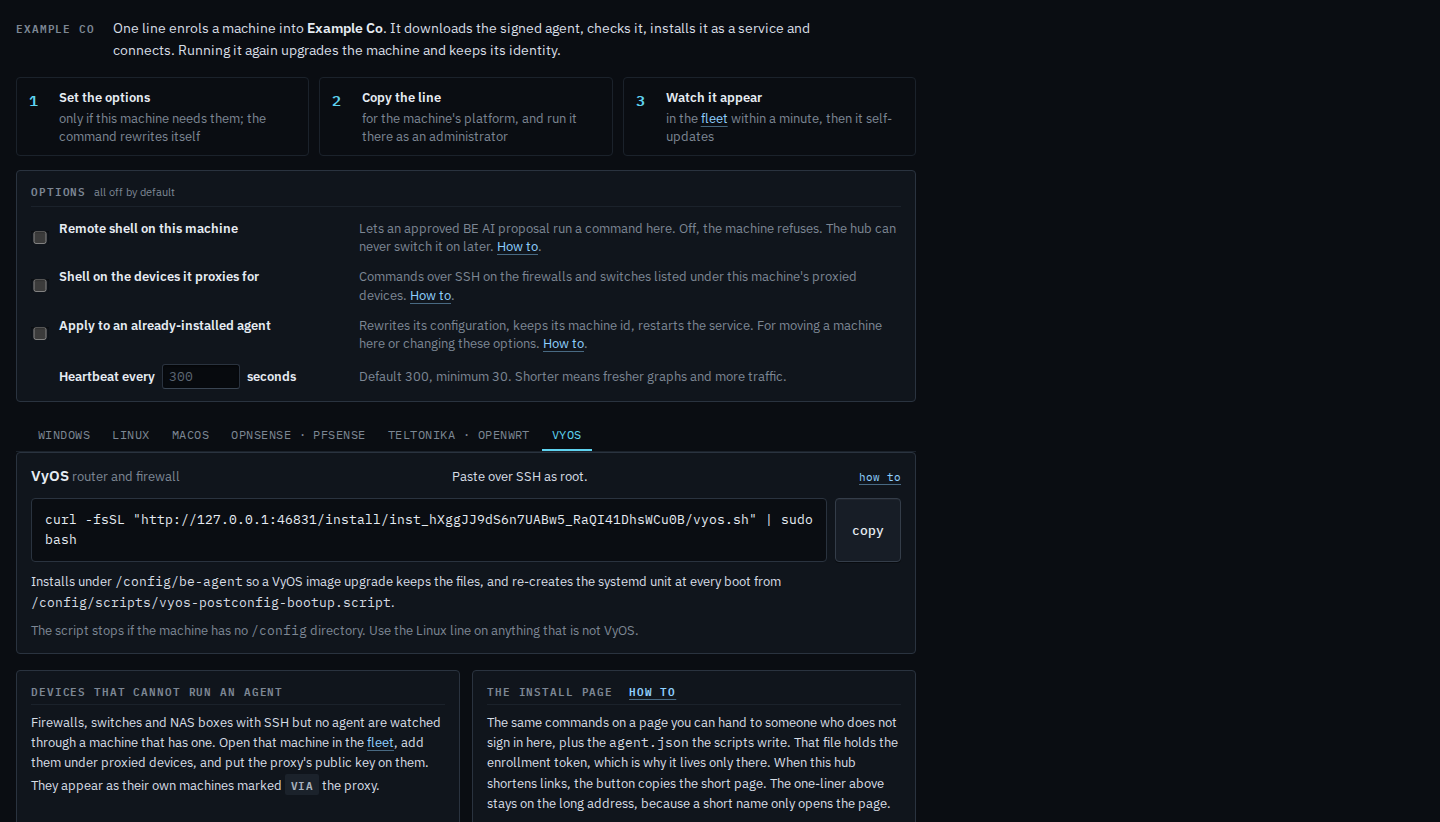
Run it again later with Apply ticked to move a machine here or change options. That is Re-point a machine that is already installed. Identity is kept. Remote shell stays off unless you tick it — Turn on a remote shell at install. A shorter heartbeat is Change how often a machine reports. A command on a device this machine polls is Turn on a shell for proxied devices. The page you hand someone, rather than this one-liner, is Hand someone the install page. When the one-liner cannot run, Install by hand. Replacing the link itself, without touching enrolled machines, is Rotate the install link.