Choose the group a customer's new machines join.
My company › sub-companies, on a new login or on manage. The menu only lists groups you have ticked. Company admin.
Tick the groups, then look at the menu
Open My company › sub-companies and press new sub-company. Name it, tick site and role › DC, and tick Own install link. The line under the groups says Acme sees 4 machines tagged site or role › DC. The corner says covers 5 of 6, because that count includes Lab host and the login leaves the hypervisor out. New machines join is a different choice. The menu lists only the groups you ticked. It starts on site, the shorter one, so a machine they install is tagged site and they can open Melbourne and Branch as well. Create has not been pressed.
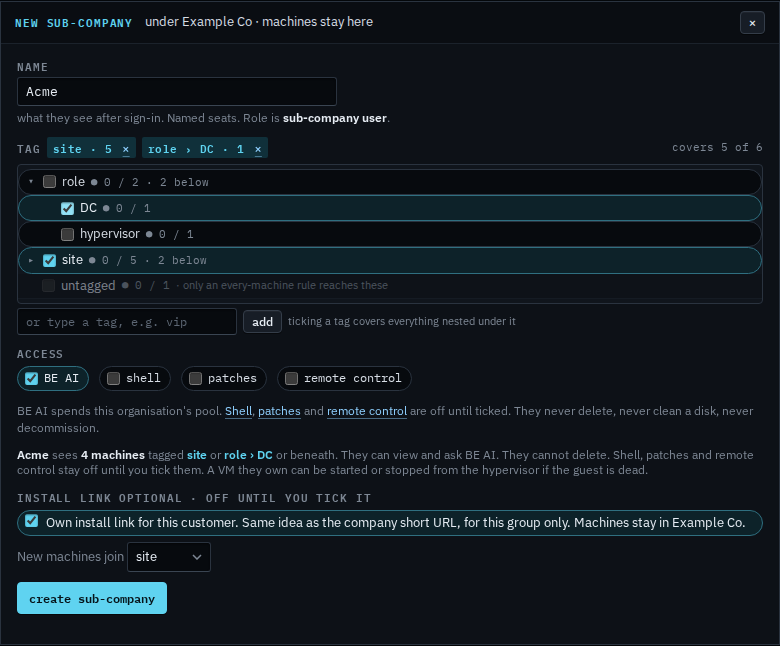
Pick the smaller group
Change the menu to role › DC. A machine they install is tagged role › DC, so it lands on the same set as Accounts server. They can still open the other site machines, because site stays ticked above. Press create sub-company when that is the group you want. On a login that already exists, the same menu is on manage, and save name · groups · access writes it. This shot stops before create. The last step closes the dialog, so nothing is saved.
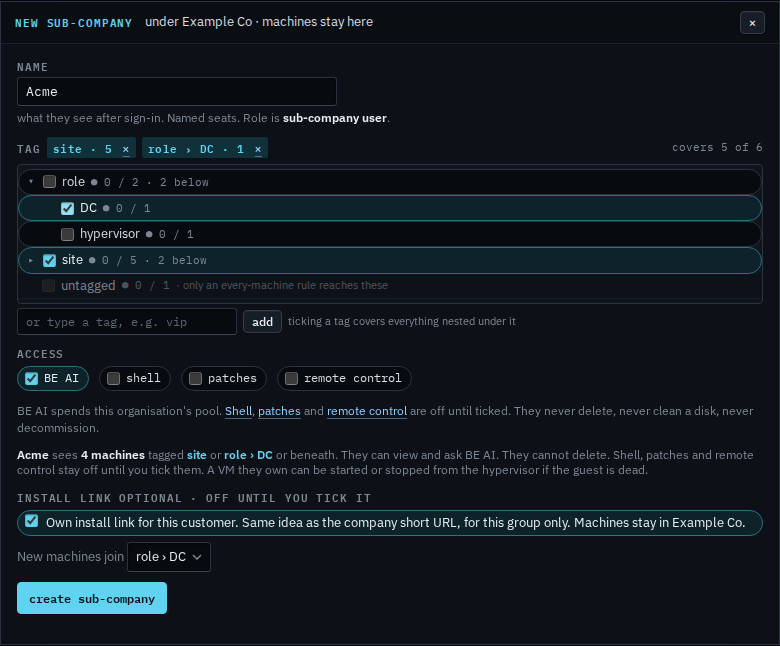
Turning the link on and copying the URL is Give a customer their own install link. Turning it off is Turn off a customer's install link. Replacing the URL is Rotate a customer's install link. Which machines they can already open is Narrow the machines a customer can see.