Install the approved updates on this machine.
Work › patches, on the machine. The button is there when the agent is connected and at least one missing update is already approved. The next screen is Patches › jobs, filled in. Schedule is still yours.
Open Work › patches
Open the machine, then work › patches. Reception PC is connected, so scan now and install 1 approved… are on the bar. The September cumulative update is already approved and wants a restart. Chrome is still awaiting, so it is not in that count. Scan now asks the agent for a fresh inventory. This shot does not press it. Install approved does not install anything yet — it opens the job form. Under the inventory, jobs on this machine already lists September security round. This button does not start that job.
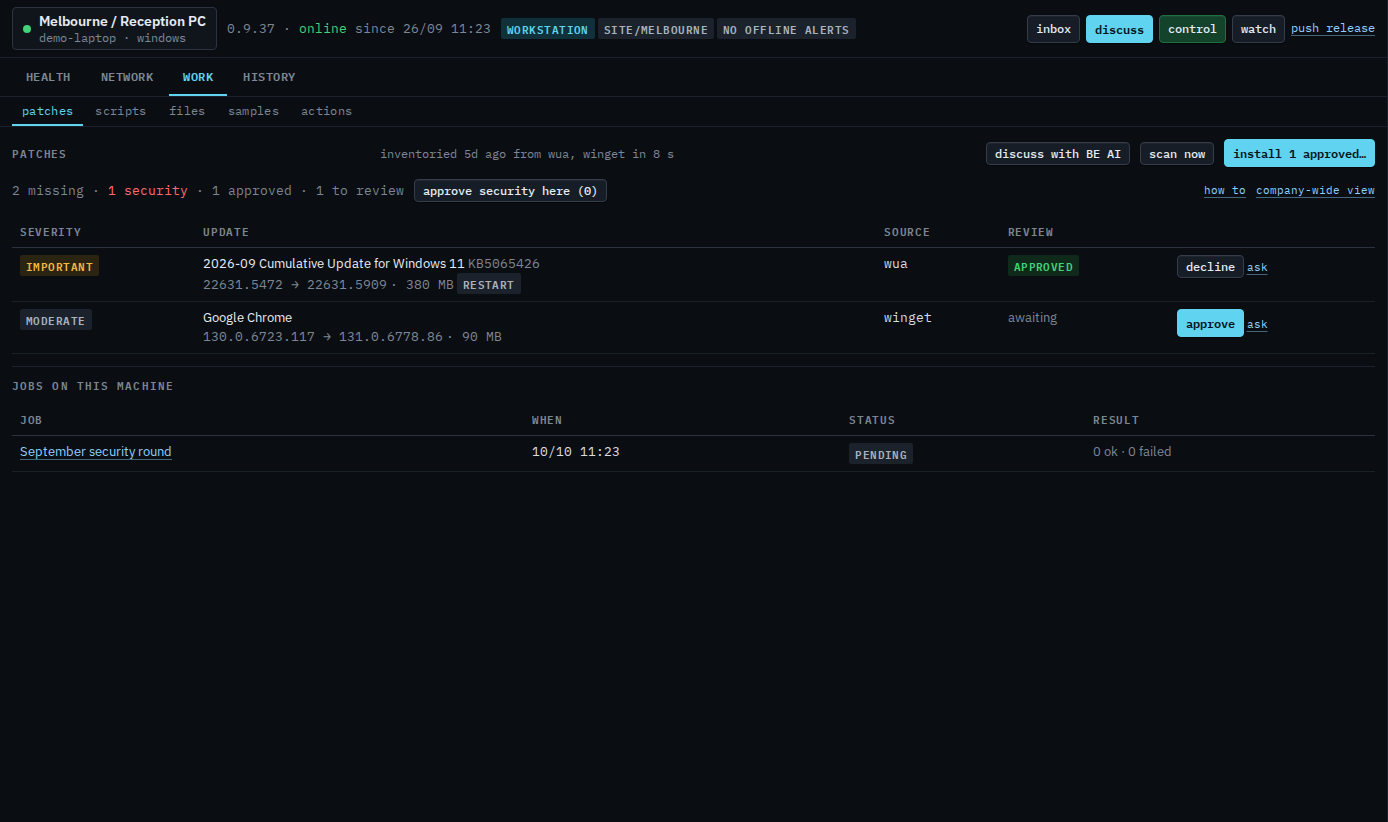
Press install approved
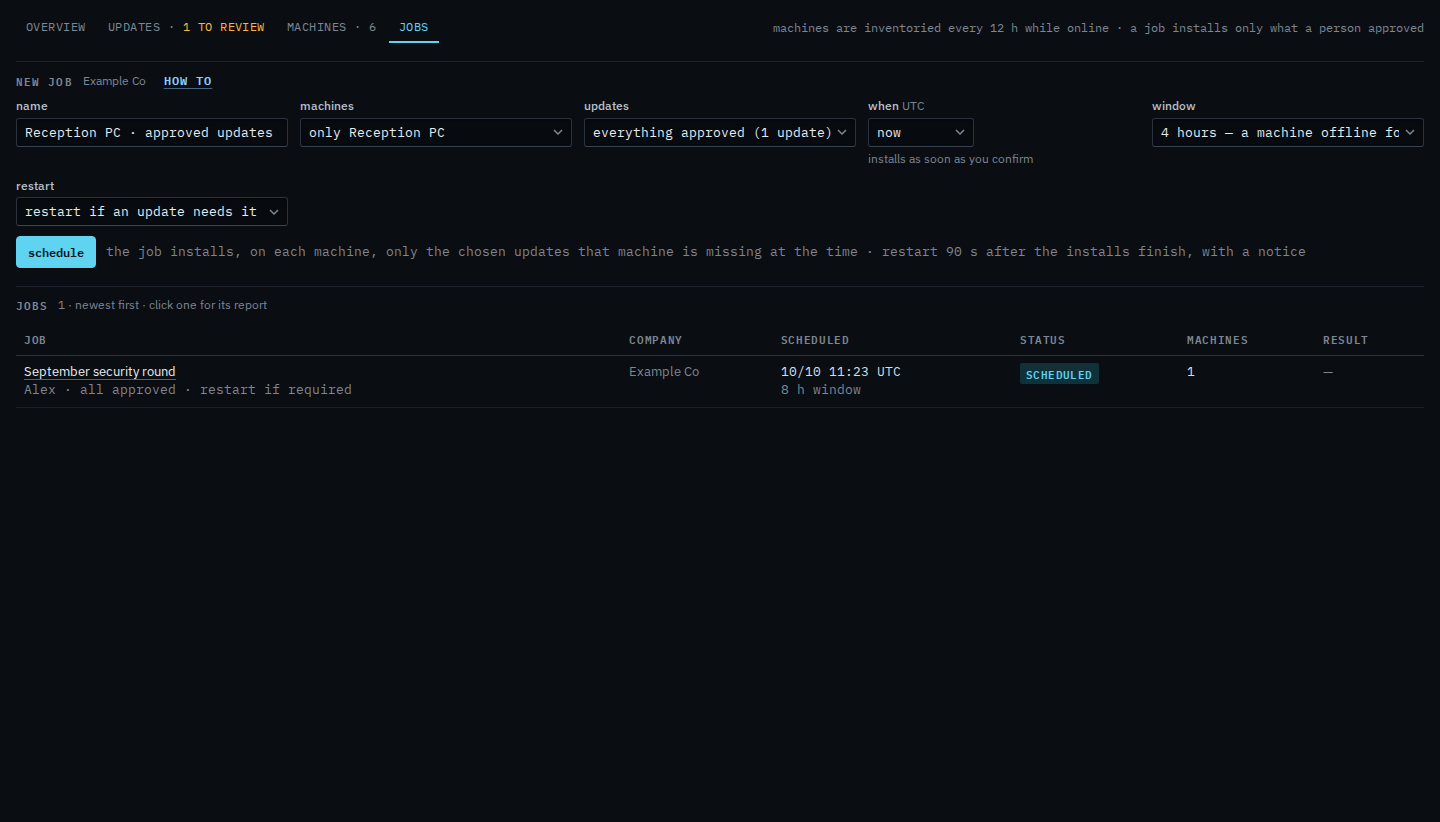
The form opens on Patches › jobs. The name is Reception PC · approved updates. Machines is only Reception PC. Updates is everything approved, which is one update. When is now. The window is four hours: a machine offline for the whole window is skipped, not installed later. Restart is if an update needs it. Schedule is the next press. The first press only asks you to confirm. This shot stops before that. The jobs list underneath still shows September security round, which was already on the calendar. This click did not add another.
The company-wide form, with the name and the window typed by hand, is Schedule a patch install. Approving and declining happen before this — Review and approve missing updates and See missing updates on one machine. Asking about one row is Ask about one missing update.