Run a script only when the alert gets worse.
Alerts › scripts. Opened, escalated and resolved are the three events. A script that should start when the same problem gets worse, and stay quiet when it first opens, wants escalated alone.
Opened starts ticked
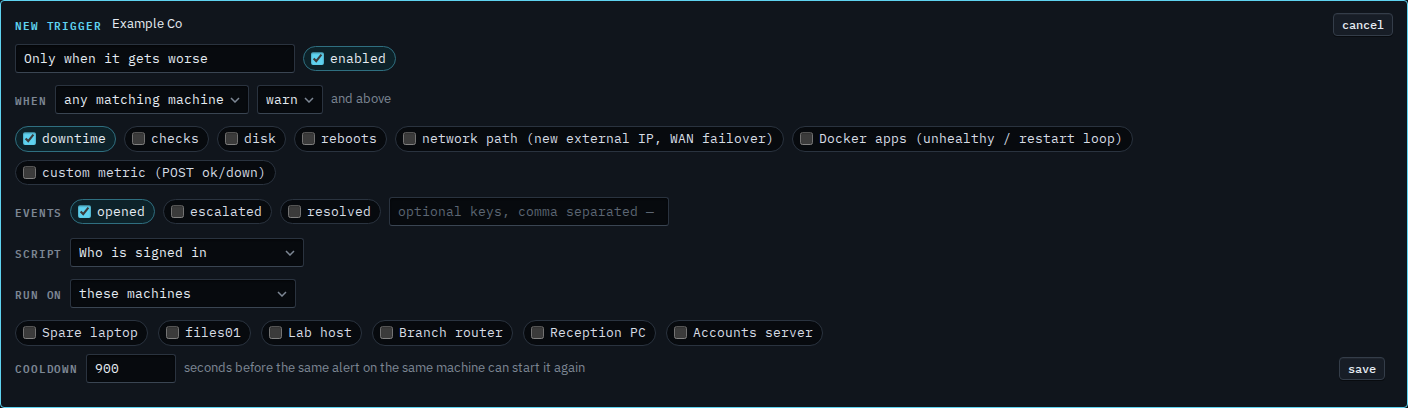
Open Alerts › scripts and press new trigger. Name it and choose Who is signed in. Under events, opened is ticked. Escalated and resolved are clear. This draft starts when an alert is announced. A warning that later becomes critical would not start it again.
Clear opened and tick escalated
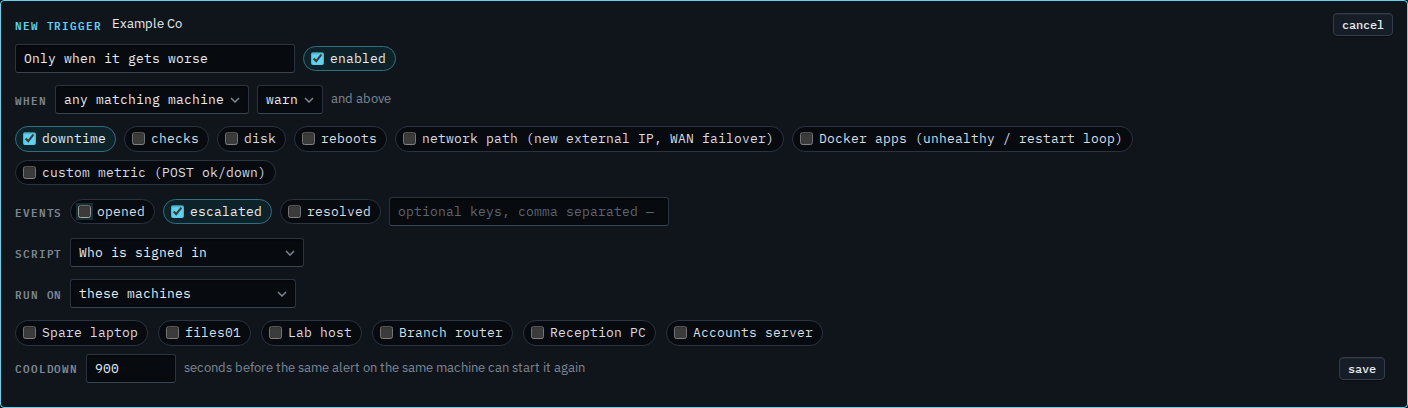
Clear opened and tick escalated. The script does not start when the alert is announced. It starts when the same problem gets worse. A disk is a warning until 97%, then critical. Accounts server is at 92%, so that disk has not escalated. A warning that stays a warning does not start it. The floor still applies: crit and above matches that jump. An escalation does not wait out the announcement delay. Press save when this is the one you want. This shot stops before that. Cancel drops the draft. Run on is still these machines, and none is ticked, so a save would also need a target.
Also when it opens is Also run a script when the alert gets worse. Critical only, so the warning open is skipped and the escalation still matches, is Only run a script for a critical alert. When it clears, and not when it opens, is Run a script only when the alert clears.