Keep a script on one machine.
A script for the whole company shows on every matching machine. One that belongs to Accounts server shows on that machine's scripts tab, and not on Reception PC.
Open Scripts › library
Press + script. Belongs to on each row is Example Co. That is the company. A script kept on one machine names that machine instead.
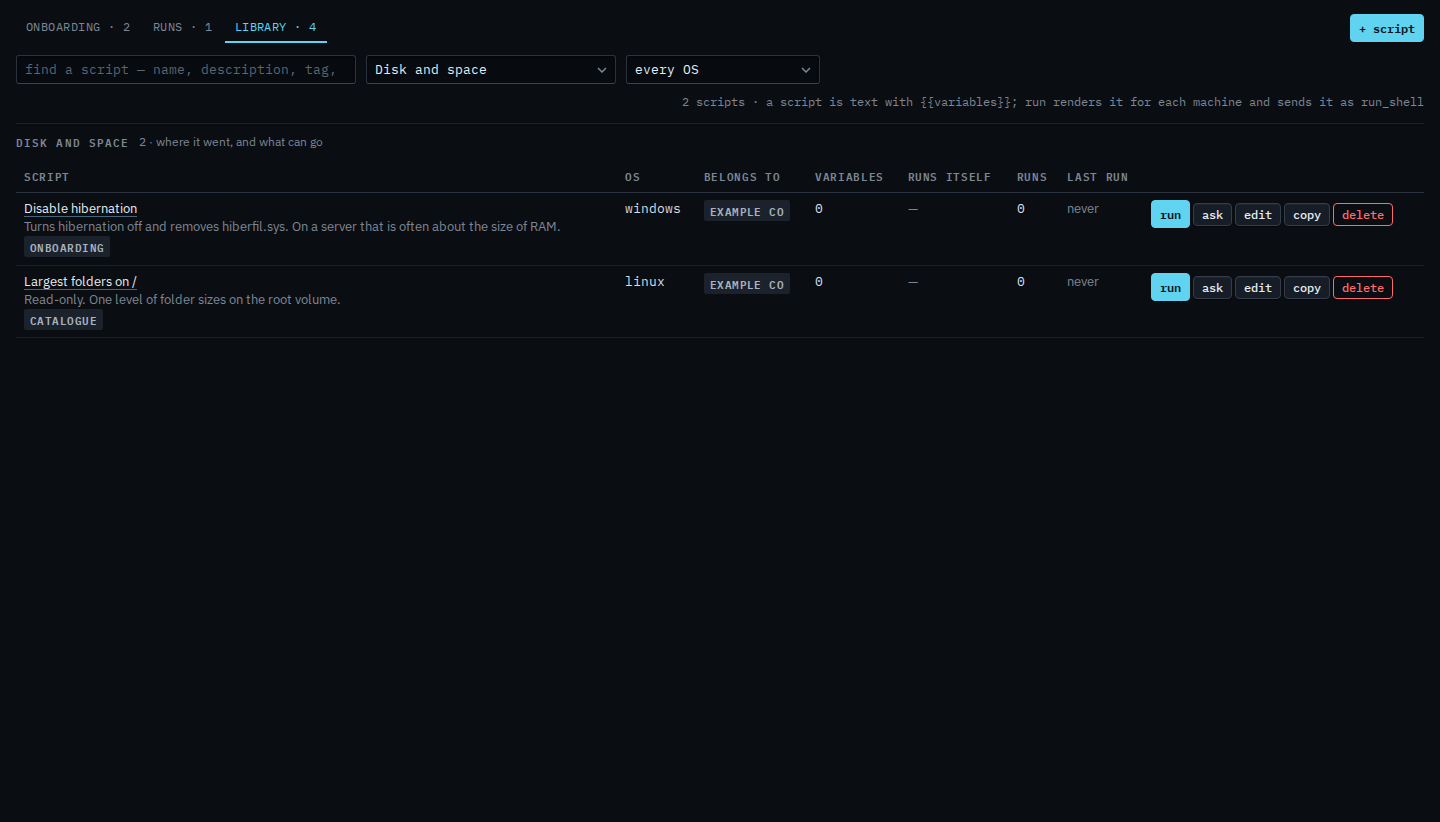
Set belongs to, to only that machine
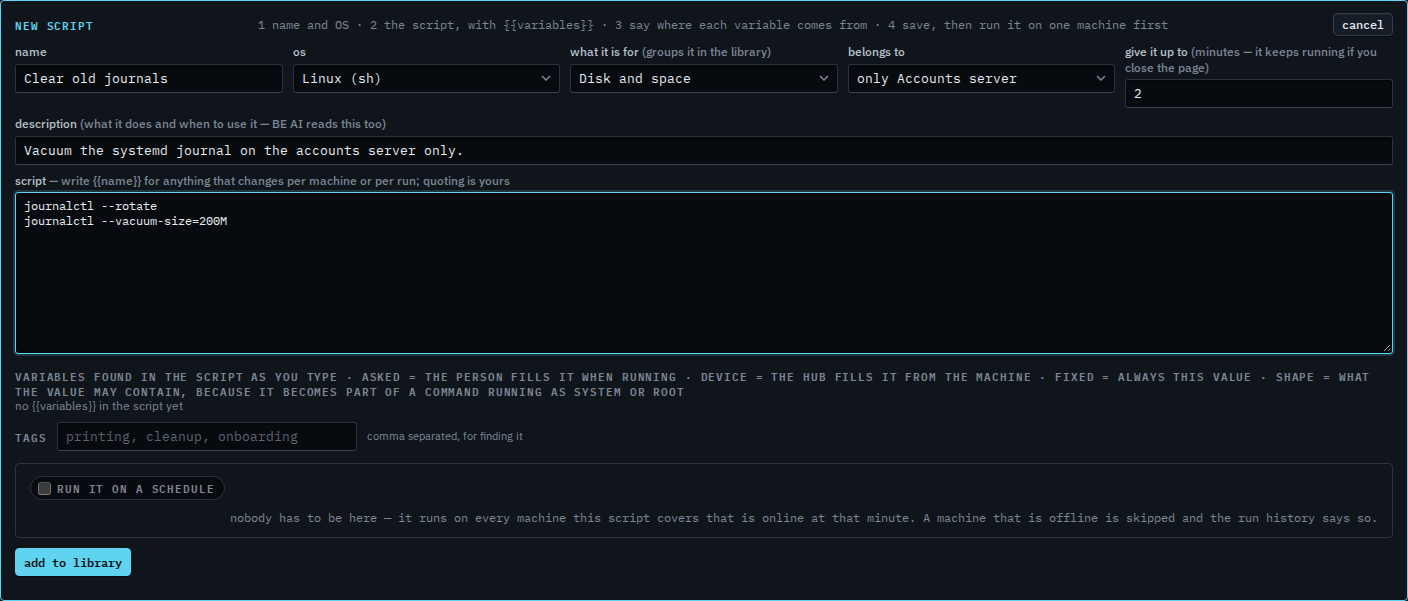
Name it. Pick the operating system and what it is for. Belongs to lists the company, then only and each machine. Choose only Accounts server. Reception PC, Branch router and Spare laptop will not list it. Press add to library when the text is the one you want. This shot stops before that, so the library is unchanged. A schedule on a machine-scoped script runs on that machine when it is online at that minute.
The company-wide editor is Add a script to the library. Finding one later is Find a script by what it is for. Running it is Run a saved script. On the machine, see which scripts this machine needs lists what fits, including one pinned here.