Only run a script for a critical alert.
Alerts › scripts. The menu beside when is the severity floor. The words next to it stay and above.
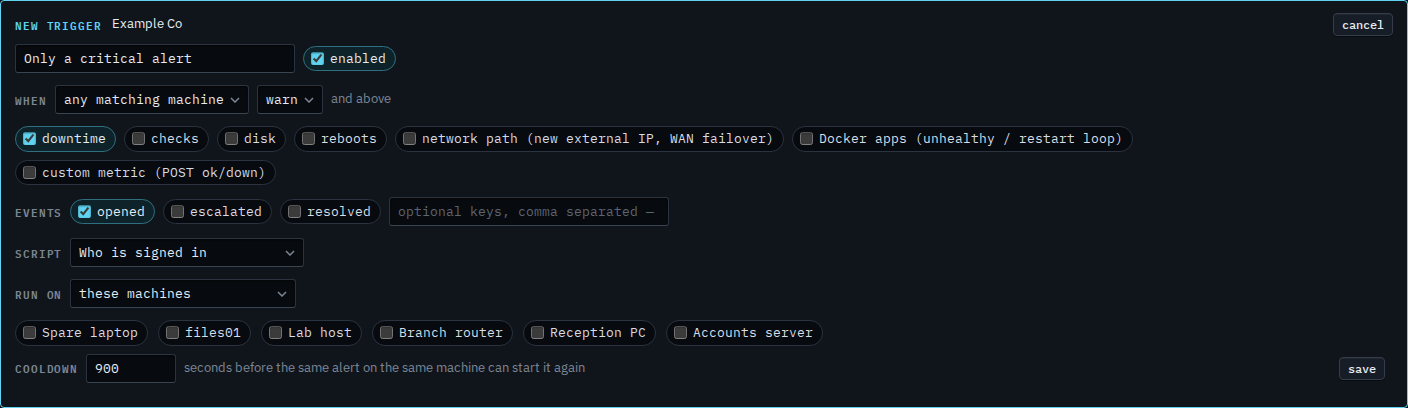
The floor starts at warn
Open Alerts › scripts and press new trigger. Name it and choose Who is signed in. The menu next to when says warn, and the words beside it are and above. A warning starts the script. A notice does not. Accounts server's disk at 92% is a warning, so this draft would match it. Downtime is critical, so it matches too.
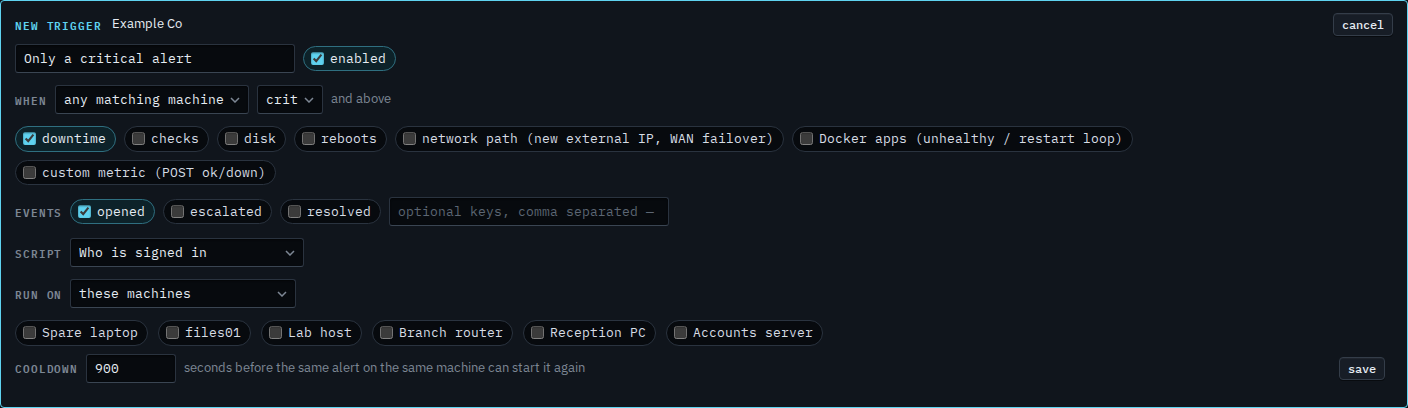
Set the floor to crit
Set the menu to crit. The words beside it stay and above. Nothing is more severe than critical, so only a critical alert matches. The disk warning on Accounts server would not start this script. Downtime still would, because a machine going offline is critical. A disk becomes critical at 97%. Info is the other way: info and above includes a notice, such as a routine reboot. Press save when this is the one you want. This shot stops before that. Cancel drops the draft. Run on is still these machines, and none is ticked, so a save would also need a target.
Moving the floor on a trigger you already saved is Change a script that runs when an alert opens. The same floor on a message to a person is Also tell them about a notice. A warning that later becomes critical is Also run a script when the alert gets worse.