Group proposals by a site.
Proposals. Machine is the default. Tag splits the queue by site, role, and the other groups on the machine.
Start grouped by machine
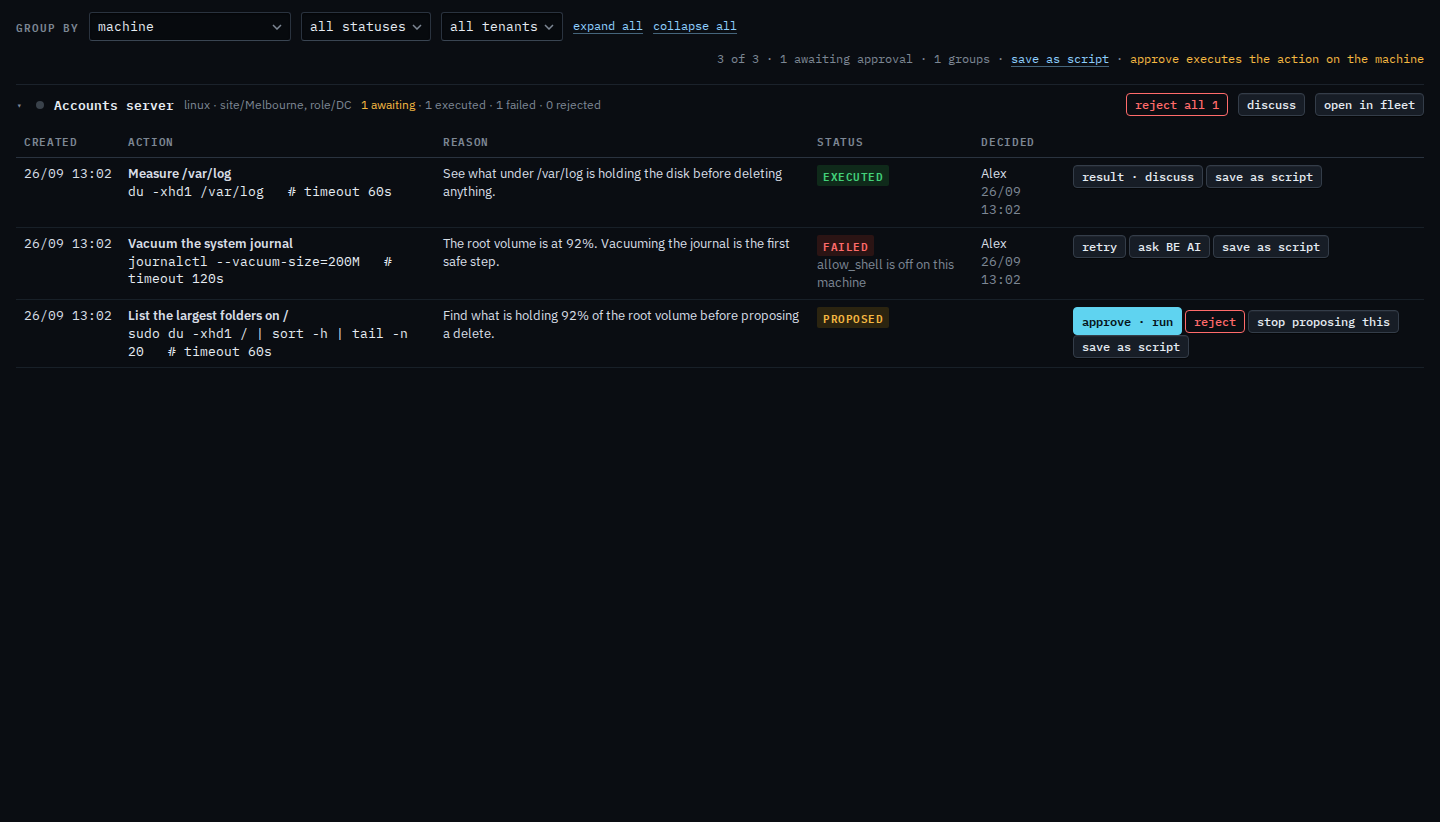
Open Proposals. Group by is machine. Accounts server is one heading. It is tagged site/Melbourne and role/DC. Three rows sit under that one heading: the waiting folder list, the failed journal vacuum, and the executed disk measurement. Reject all 1 is on this heading. Changing the menu does not approve or reject anything.
Group by tag
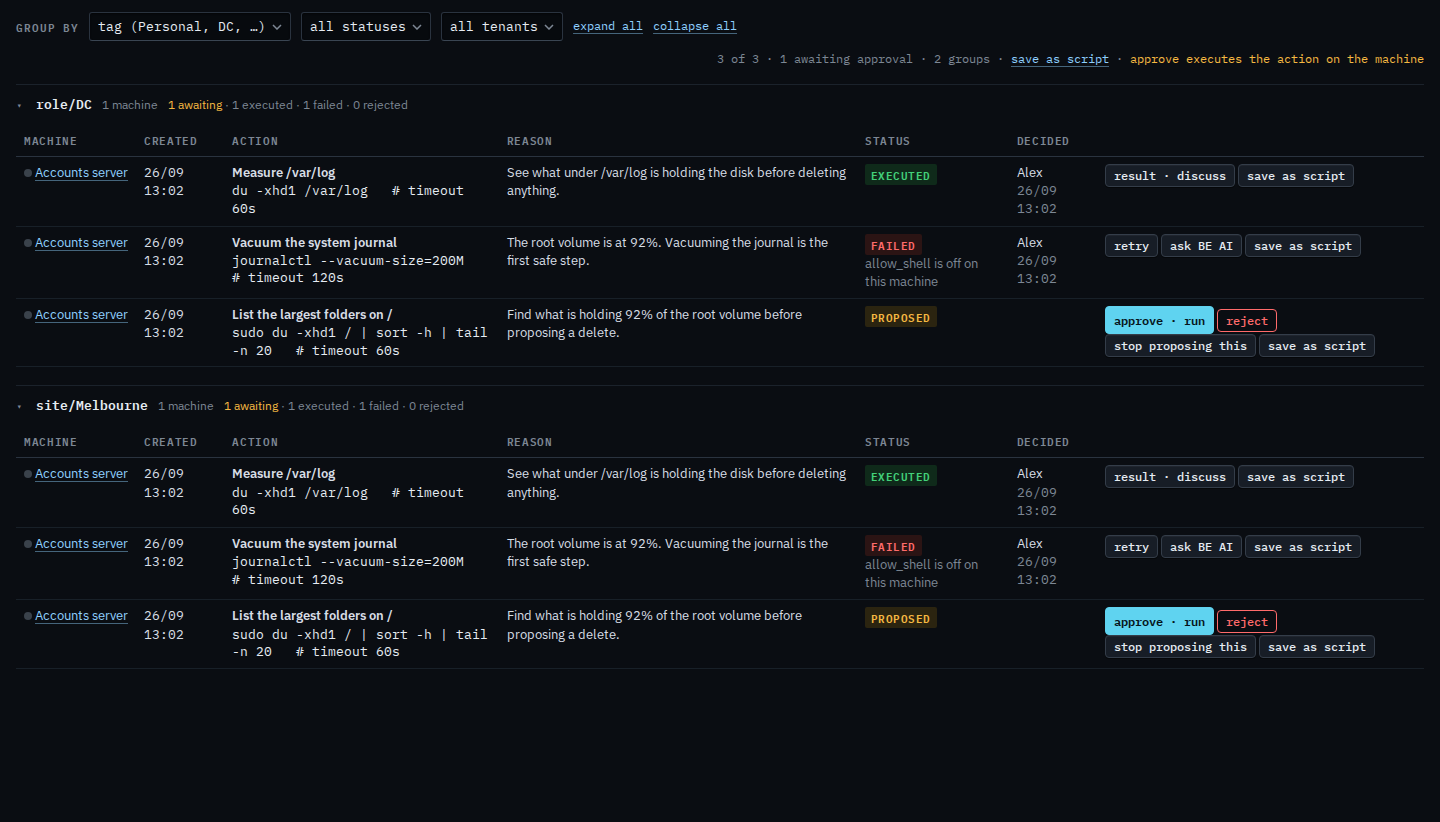
Set group by to tag (Personal, DC, …). role/DC and site/Melbourne each get a heading, and the same three rows appear under both, because Accounts server carries both tags. A heading with a waiting row starts open. The bar still says 1 awaiting approval, and 2 groups. Reject all is only on the machine heading, so it is not here. Set the menu back to machine to see one heading, and that button, again.
Status headings are Group the approval queue. The same rows under run_shell are Group proposals by the action. Hiding every status except failed is Show only failed proposals.