See the computers you were given.
You are a sub-company user. The machines stay enrolled in the company that invited you. You see the groups they ticked, and nothing else.
Open Fleet
Sign in. The strip under the header is your login: the name, how many machines, the company that invited you, and what you may do. Here that is Acme, 3 machines, Example Co, BE AI on, and patches, plus the install link. The header reads sam@acme.example · sub-company user. Notes, the company switcher, and + machine are not on this console. The nav is Dashboard, Fleet, Alerts, Proposals, Patches, BE AI runs, Events, and Settings. Help is in the header. Scripts, Install agent, Companies, Usage, and Audit stay with Example Co. Needs attention is Accounts server, because disk / is at 92%. site › Melbourne lists the three machines this login covers: Accounts server, files01, and Reception PC. They are offline in this picture. The middle column says select a machine. Lab host is a hypervisor, so it stays with Example Co. Branch router is a different site. Spare laptop has no group.
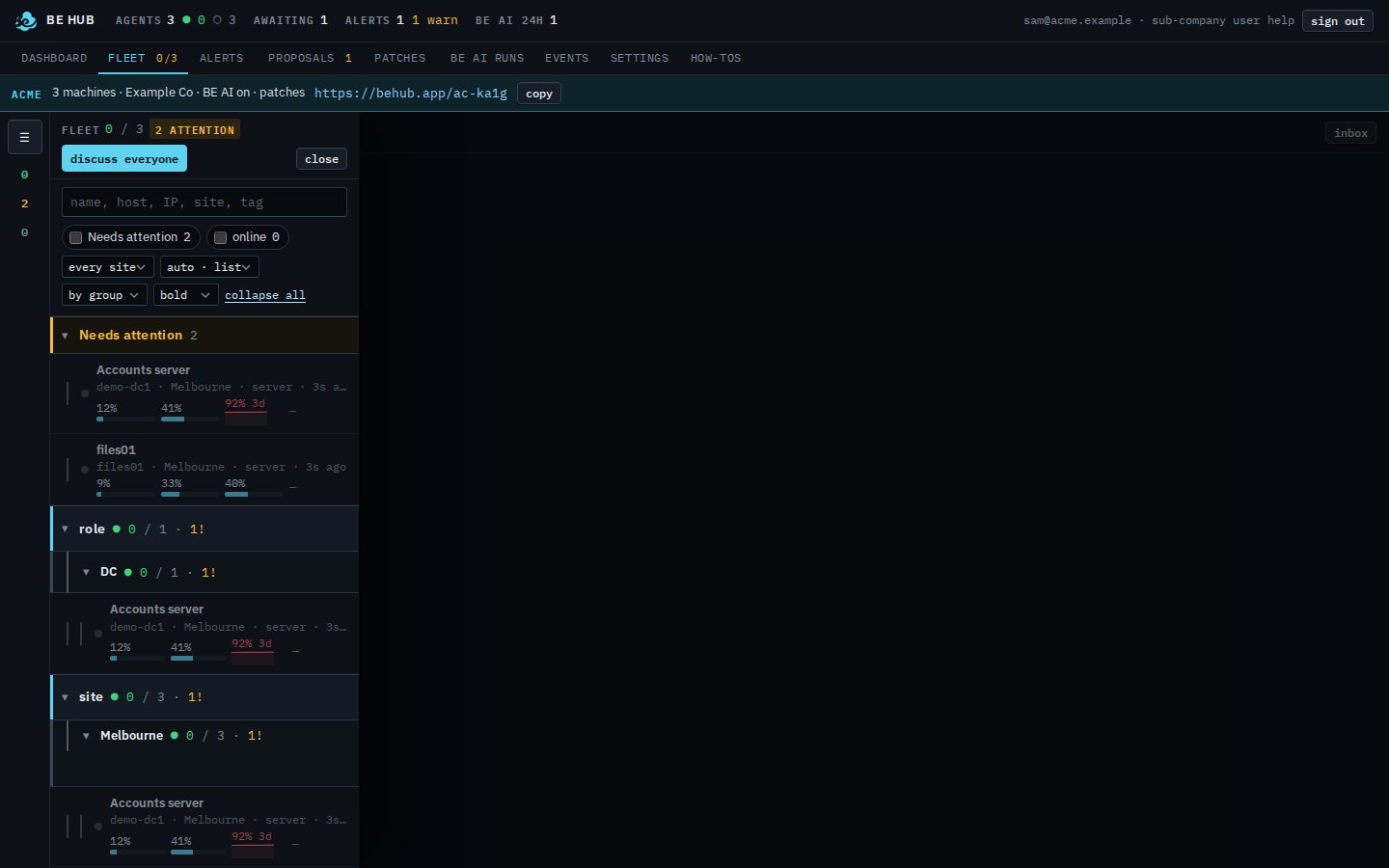
The link on that strip is Copy your install link. Typing a name is Find one of your machines. Only the ones that need a look is Show only your machines that need attention. Only the ones that are up is Show only your machines that are online. One list, without sites, is Show your machines as one list. Cards or exceptions is Choose cards or exceptions. One site is Focus your list on one site. The same machines as tiles are Read your dashboard. Opening one is Open one of your machines. Inventory on these machines is Inventory updates on your machines. A command you cannot run is A proposal you cannot run. Problems on these machines are See alerts on your machines. What was recorded is Read events on your machines. Investigations are See BE AI runs on your machines. Your sign-in is Your own settings. Your provider creates the login in Let a customer manage their computers.