Turn on a remote shell at install.
Install agent. Remote shell is off unless this line carries it. An approved command and a saved script both need it on the machine.
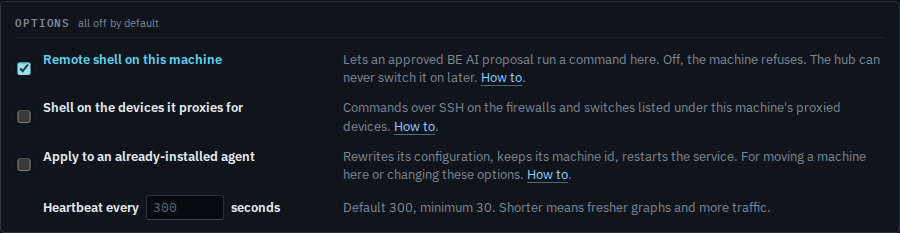
Tick Remote shell on this machine
Open Install agent. Tick Remote shell on this machine. Leave the other options clear unless you also mean them. The command underneath rewrites itself. Run that line as administrator or root on the machine. Off, the machine refuses a command. Install the agent on a machine is the same page with the options left clear.
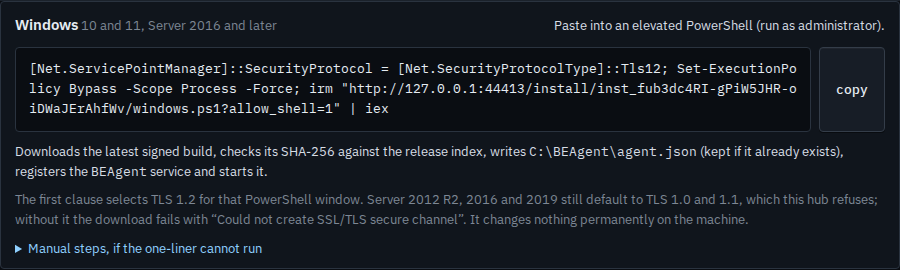
Copy the line that carries allow_shell
The one-liner now includes allow_shell=1. Copy it and run it on that machine. The agent writes the flag into its own configuration and connects. A later install without the tick does not clear a shell that is already on — run it again with Apply, and with the box clear, when you want it off. Re-point a machine that is already installed is Apply.
A machine that is already installed uses the same tick plus Apply. That is Re-point a machine that is already installed. Commands on a firewall this machine polls are the next checkbox, Turn on a shell for proxied devices. Who already has it on is See which machines have a shell.