Let a customer take the screen.
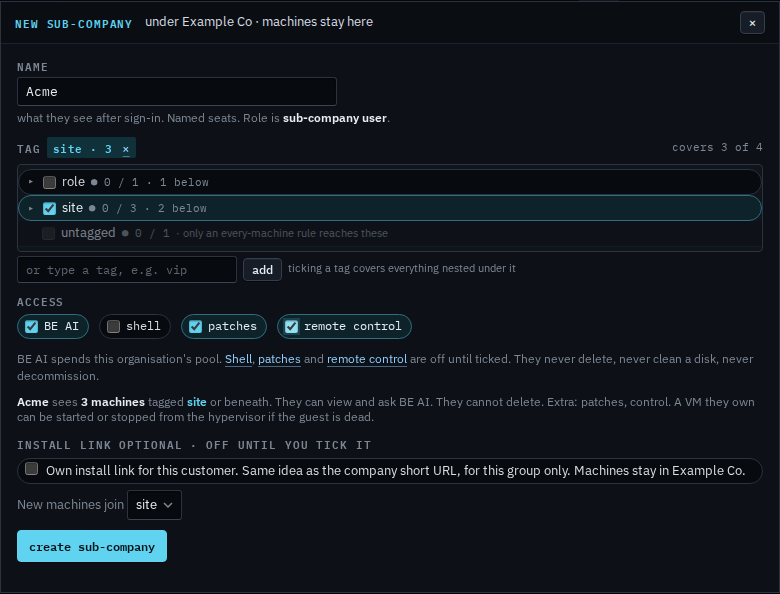
My company › sub-companies, on the new login. Remote control, shell and patches are three separate ticks. BE AI is already on.
Tick remote control on the new login
Open My company › sub-companies and press new sub-company. Name it, tick the group they should see, then tick remote control. The line under the ticks says remote control is extra. Shell and patches stay clear until you tick those too. Create has not been pressed, so Acme does not exist yet. The company switch under My company still has to be on. It is on unless someone turned it off. Their session is recorded the same way a technician's is. Take the mouse and keyboard is that company switch and the buttons on a machine.
Creating the login and inviting them is Let a customer manage their computers. Turning remote control off for the whole company is Turn remote control off. A command is Let a customer open a shell. Updates are Let a customer approve patches.