Start or shut down a guest from the host.
Network › VMs, on the Proxmox or ESXi host. The button is there while the host is connected. A guest that is not linked to an enrolled machine can still be powered from this list.
Open Network › VMs on the host
The tab is the guest list from the host. While the host is connected, a running guest has shut down and a stopped guest has start. files01 is VM 101 and it is running, so the row says shut down. web01 is stopped, so the row says start. web01 is not linked to an enrolled machine, and start is still here. Each button asks you to confirm before anything is sent. The host in this picture is painted connected so the buttons are visible. It still has no tunnel, so a confirm here would not reach the hypervisor.
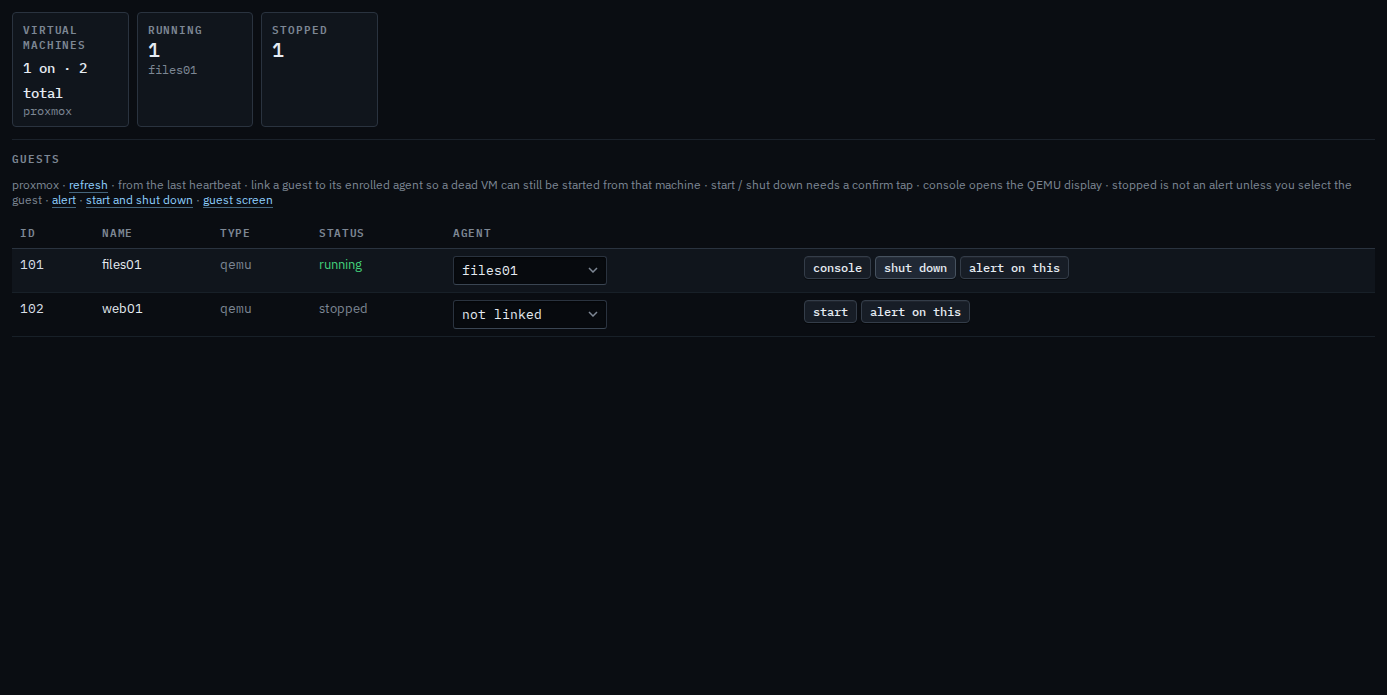
Press start, then confirm
Press start on web01. The label becomes confirm start?. Press it again to send start to the host. This shot stops on the confirm, so web01 stays stopped. A few seconds with no second press puts the label back to start. The next picture is shut down on files01, the same two presses, and it asks the guest to power off cleanly. The second press is audited. Force off, a hard power cut, is on a linked guest's overview — Start or shut down a linked virtual machine.
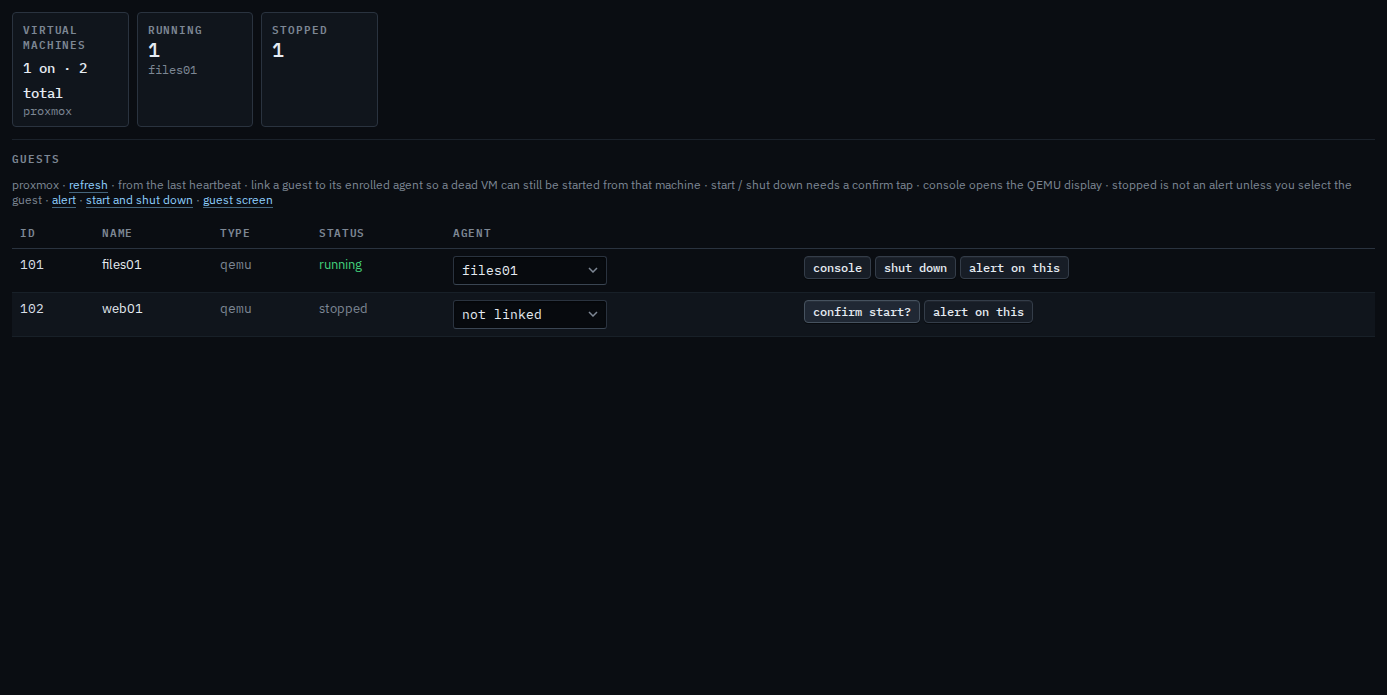
Press shut down, then confirm
Press shut down on files01. The label becomes confirm shut down?. Press it again to ask the guest to power off cleanly. This shot stops on the confirm, so files01 stays running. The second press is audited. A few seconds with no second press puts the label back to shut down. The host in this picture is painted connected. It still has no tunnel, so a second press here would not reach the hypervisor.
Linking the guest so a dead machine can be started from its own overview is Link a virtual machine to its host. That page's start, shut down, and force off are Start or shut down a linked virtual machine. The screen of a running QEMU guest is Open a Proxmox guest's screen. A stopped guest stays quiet until you select it — Alert when a guest is stopped.