Check that a virtual machine is running.
Health › checks, on the hypervisor. Pick VM running. A stopped guest stays quiet until this check exists. Alert on this on the VMs tab writes the same check.
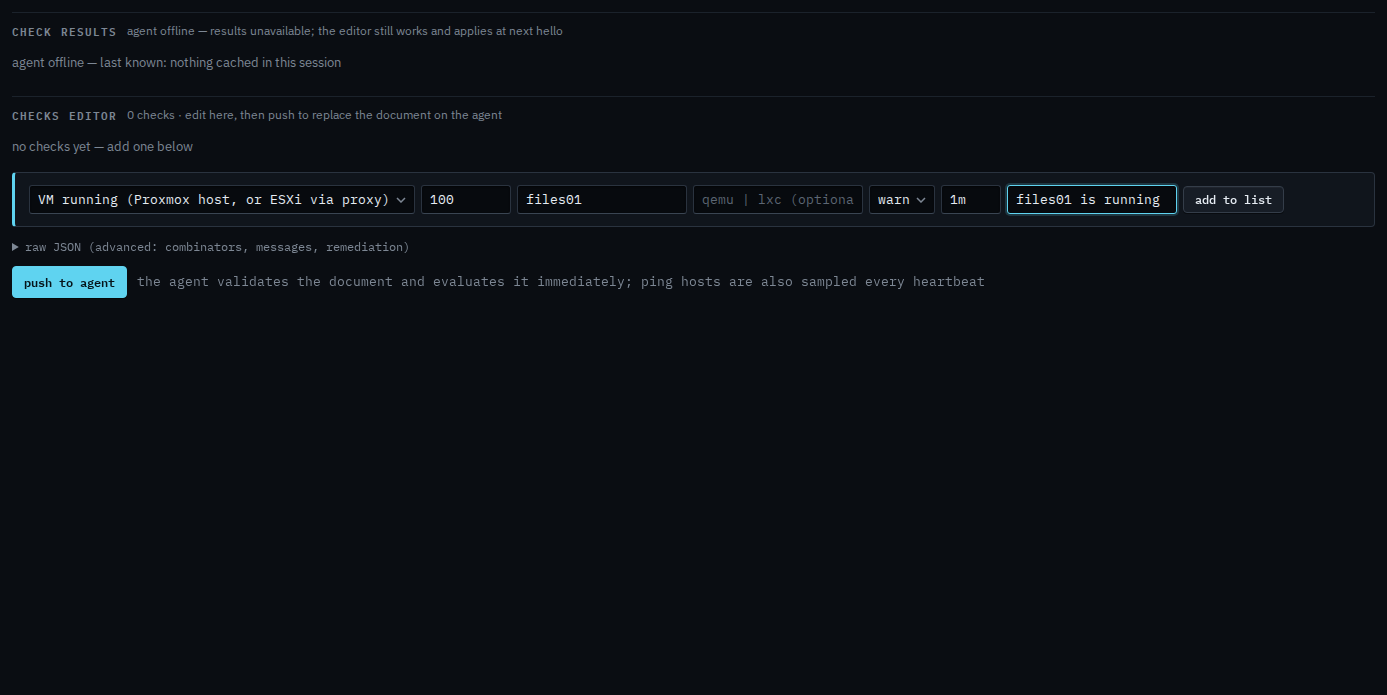
Pick VM running and name the guest
Open the hypervisor, then health › checks. The primitive is VM running (Proxmox host, or ESXi via proxy). VMID is the Proxmox id. Name is optional and is how you recognise the guest. Type is qemu or lxc when you need to say which. This shot is the same editor on Accounts server so the fields are visible; put the check on the host that owns the guest. Alert on this on the VMs tab writes this check for you.
Add to list, then push
Press add to list. The check sits in the document with the name you gave it. Push to agent is the next click, and it asks you to confirm. Push replaces the whole document. This shot stops before that, so nothing has been sent. When that guest is off, the alert is a check failure. A guest you never select stays off the alert list.
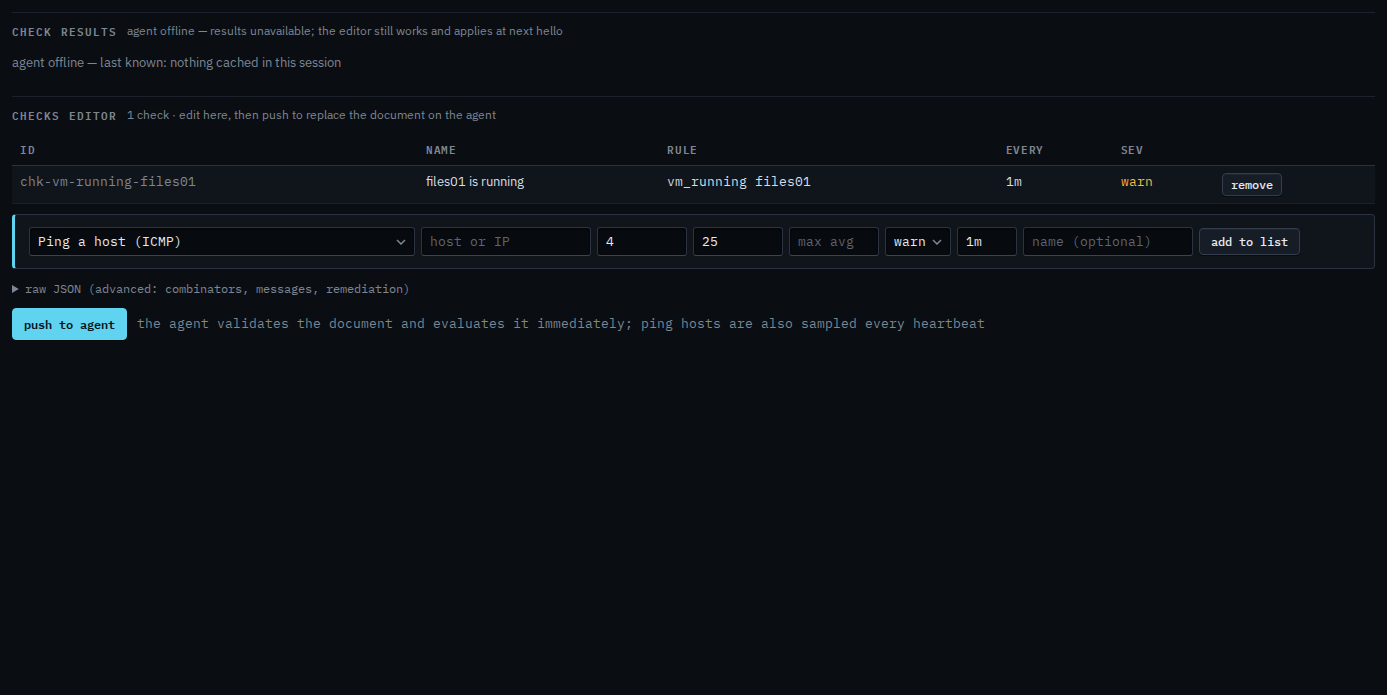
Push is a two-step button. The host must be online to evaluate. You can still add the check while it is offline, and it applies at the next hello. The guest list, the link to the enrolled machine, and Alert on this are Link a virtual machine to its host.