Company notes, schedule and remote control.
My company is the page for this customer. Operators work machines; company admins change these settings.
Open My company
Notes apply to every machine and are trusted technician instructions for BE AI. Remote control is on or off (on by default). The scheduled pass reviews included, online machines once a day and only proposes when something needs a decision. Save each block after you change it.
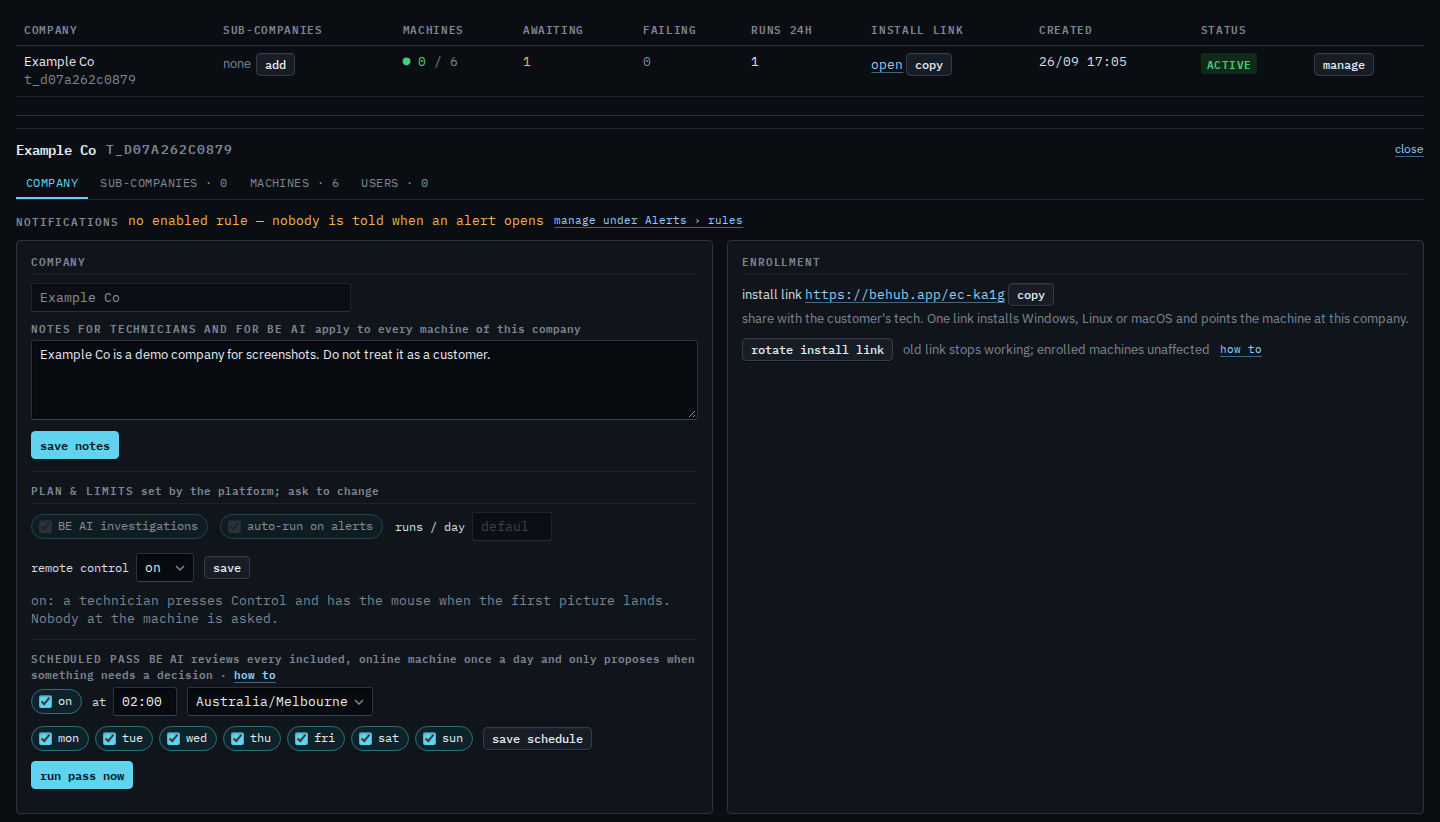
Turning Control off is Turn remote control off. The notes box on this card is Tell BE AI about the whole company. The clock and the days are Change when the nightly pass runs. Starting the daily review before its time is Run the nightly BE AI pass now. The enrollment box and the two-step replace are Rotate the install link. A machine that should join this company and keep its identity uses Re-point a machine that is already installed.