Change an alert rule.
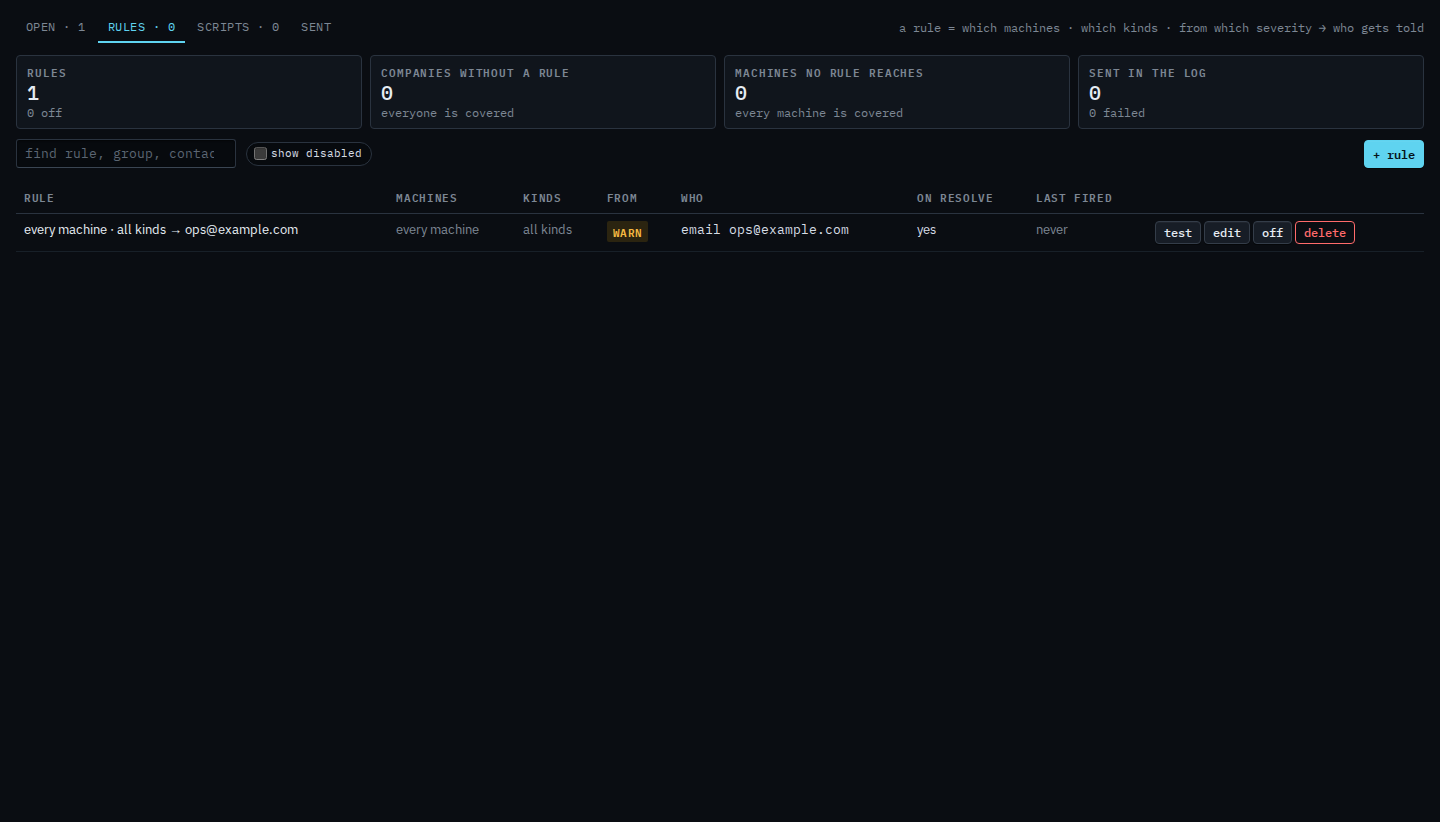
Alerts › rules. Edit is on the row, between test and off. The first press does not ask you to confirm.
Open Alerts › rules
The saved rule is named every machine · all kinds and tells ops@example.com. on resolve is yes. Edit is on the row, after test. Test sends one synthetic message to that contact so you can see the shape before a real alert. It does not open an alert on a machine, and this shot does not press it.
Change it, then save
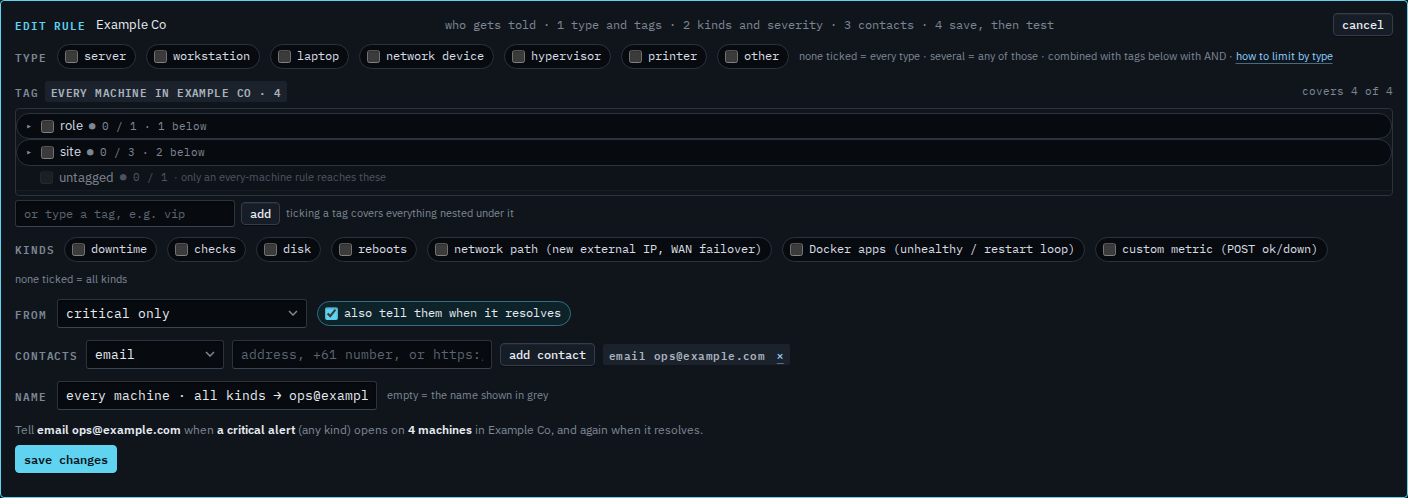
The editor says edit rule. The contact is still ops@example.com, and no kind is ticked, so the rule still covers every kind. Here the floor is moved to critical only. The grey sentence reads: tell email ops@example.com when a critical or worse (anything) opens on 4 machines in Example Co, and again when it resolves. A warning such as the disk at 92% would no longer send. Press save changes when that sentence is the one you want. This shot stops before that, so the rule on the list is still warning and above. Cancel drops the unsaved change.
Creating one is Tell someone when a machine needs attention. Disk only is Only tell them about disk alerts. Turning it off without editing it is Turn an alert rule off. Removing it is Delete an alert rule. Sending the synthetic message is Send a test of an alert rule.