Diagnose a command that failed.
Proposals. An executed row that reported a problem is not the same as a row that never started. Open it, read the output, then decide whether to ask BE AI.
Find the row that already ran
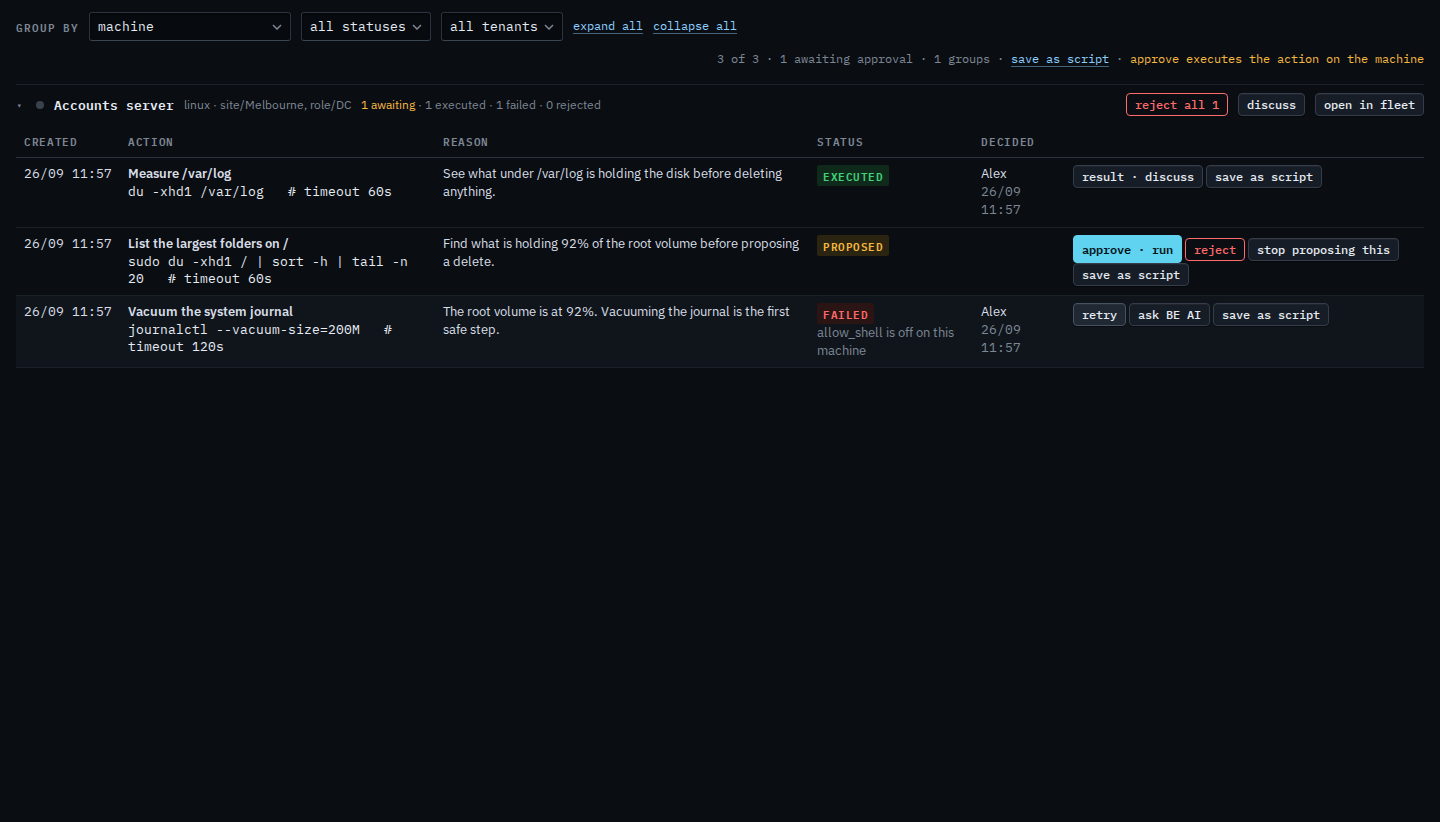
Measure /var/log is executed. The line under it says it reported a problem, exit 1. Result · discuss opens the conversation that starts from that command. The failed journal row beside it never ran, so it has retry instead. This is the row that did run.
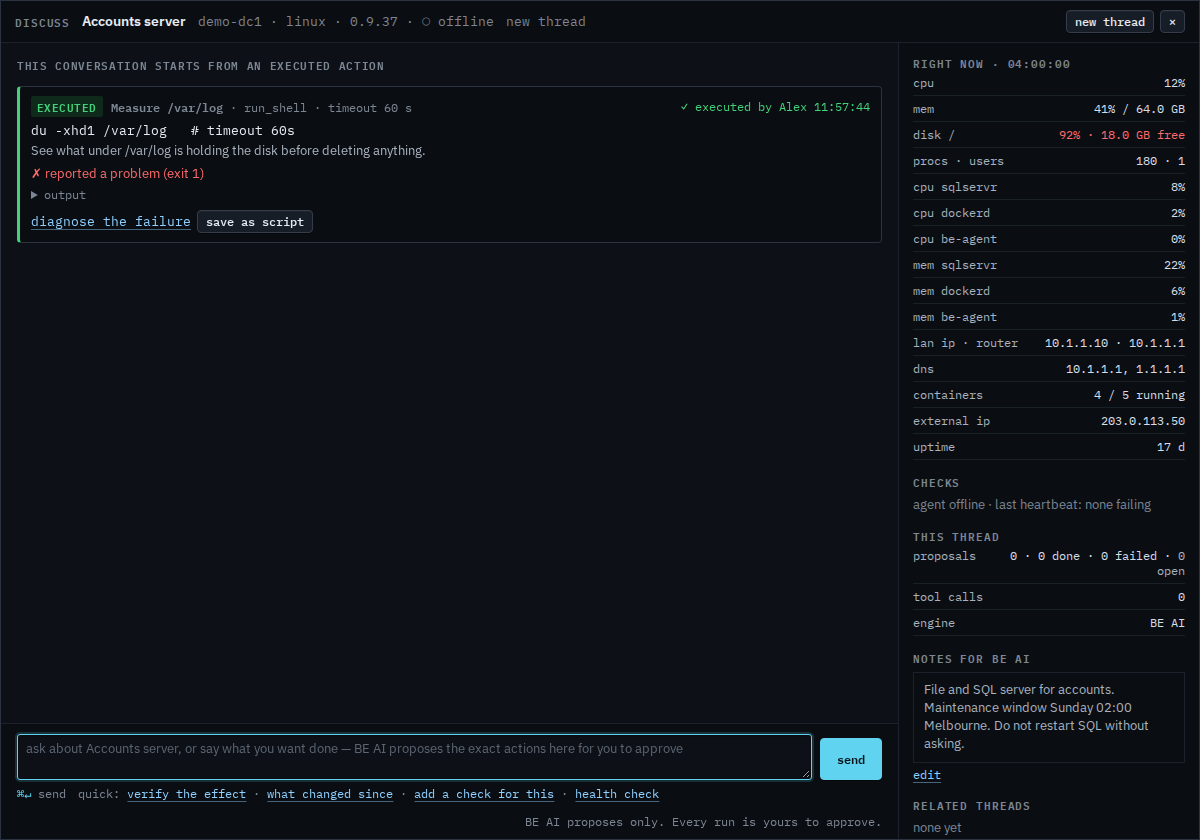
Read diagnose the failure before you press it
The card is the command, the reason, and the exit. Output is what the machine printed. Diagnose the failure is on the card because the exit was not zero. Pressing it sends a question that asks why it failed and, at most, one corrected action. This shot stops before that press, so no run is spent. A command that exited cleanly says verify the effect on that same spot, and the quick link of that name only fills the box.
A row that never ran is Retry a proposal that failed. Approving a waiting one is Approve or reject a proposal. The conversation itself is Ask BE AI about a machine.