how-to · company
Open this in the console
Read heartbeats on your machine.
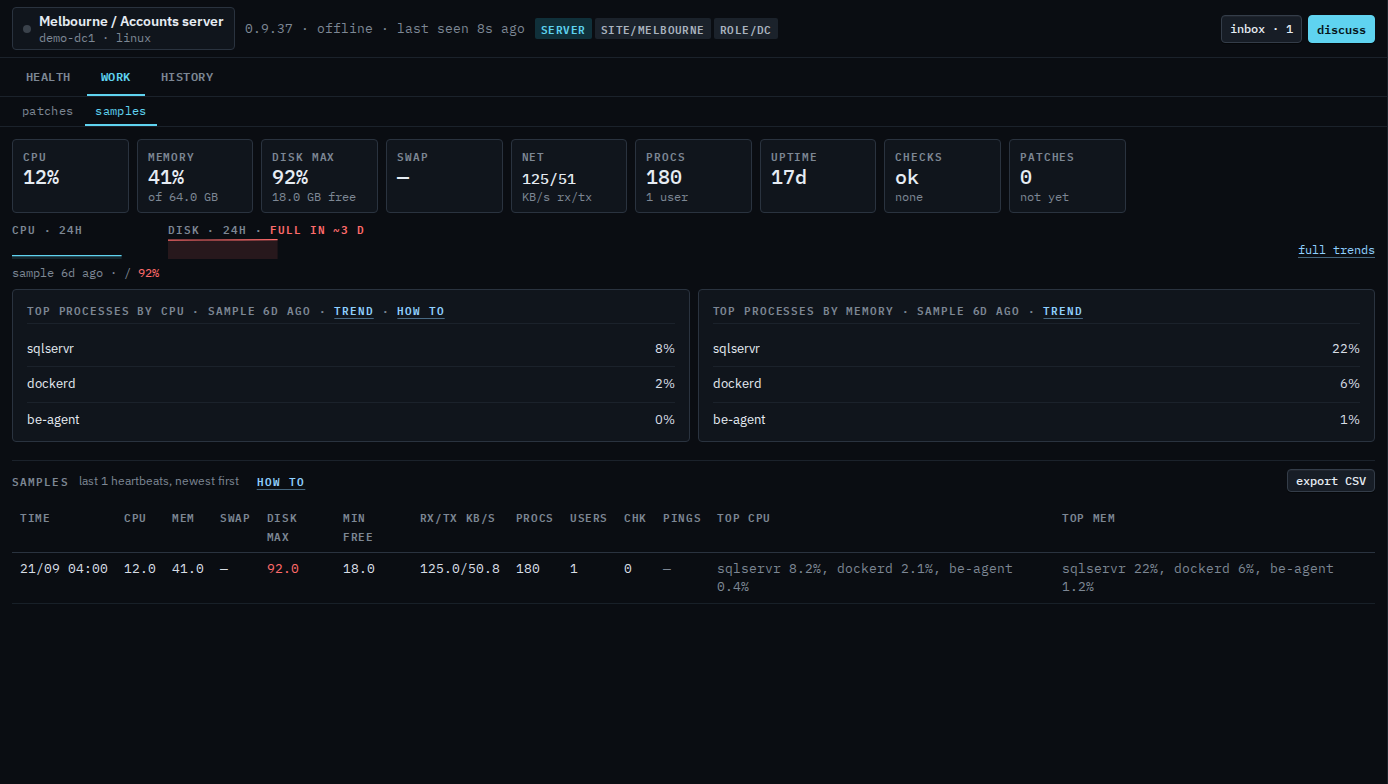
Trends is the chart. This tab is the rows: CPU, memory, disk, network, and which process was on top.
The table is the last 60 heartbeats the hub still has in this view. Export CSV is the longer file.
01
Open Work › samples
Open Accounts server, then work › samples. Work's tabs are patches and samples. The tiles above the table are the newest heartbeat: CPU 12%, memory 41% of 64 GB, disk 92% with 18 GB free, net 125/51 KB/s, 180 processes and 1 user. The table is that one row, newest first, disk 92, checks 0, sqlservr on top for CPU and for memory. Export CSV is every heartbeat the hub still stores. Scripts and files are not tabs on this login. This shot does not export.
The chart of the same numbers is Read trends on your machine. What your provider sees is Read the last heartbeats. The busiest process on the newest row is See which process is busiest.