Update a saved report.
Update saved is on the bar once a report has a name. It writes the filters you have ticked now over that name. It does not ask twice.
Change the filters, then update saved
Save Monday morning with no type or tag, so the name starts as the whole company. Then tick server. The line says 2 of 6: Accounts server and files01. The title is still Monday morning. Update saved writes that server tick over the name. It does not ask you to confirm. This shot is before that press, so the saved copy is still the whole company.
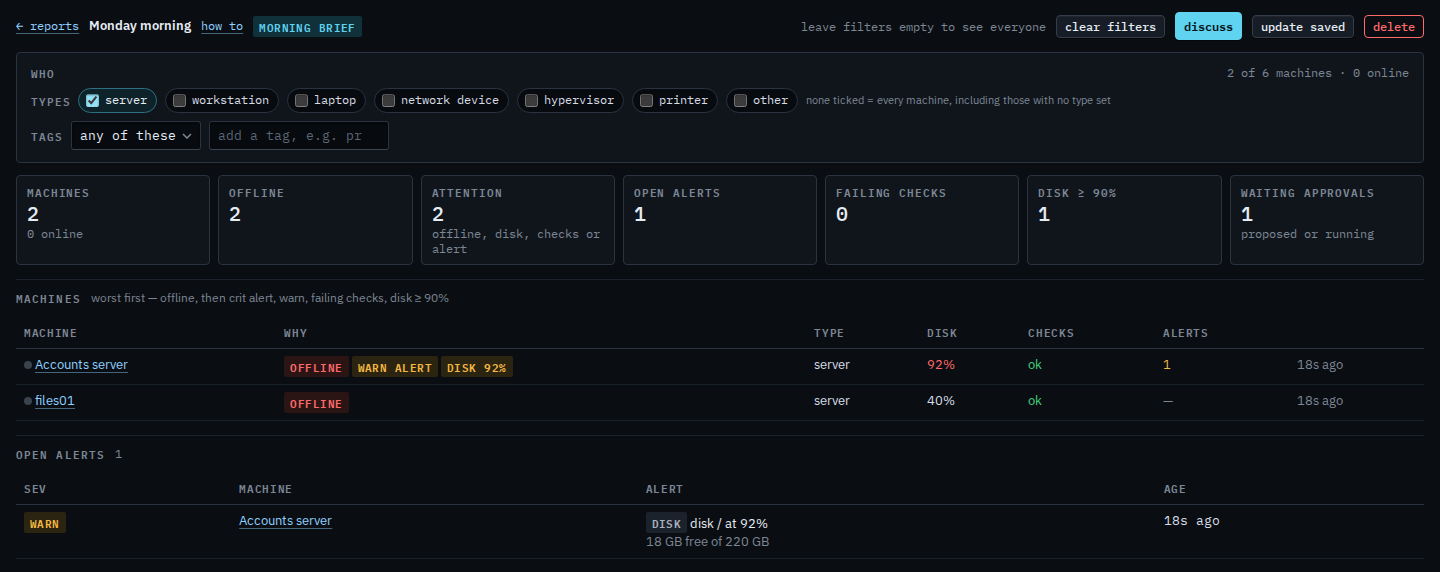
The menu shows the new filters
Press update saved, then go back to Reports. Monday morning is under saved. The line under the name is Morning brief · server. Next time you open it, the server tick is already on. The machines are whoever is a server then, not a frozen list. Delete a saved report is the other button, and that one does ask you to confirm.
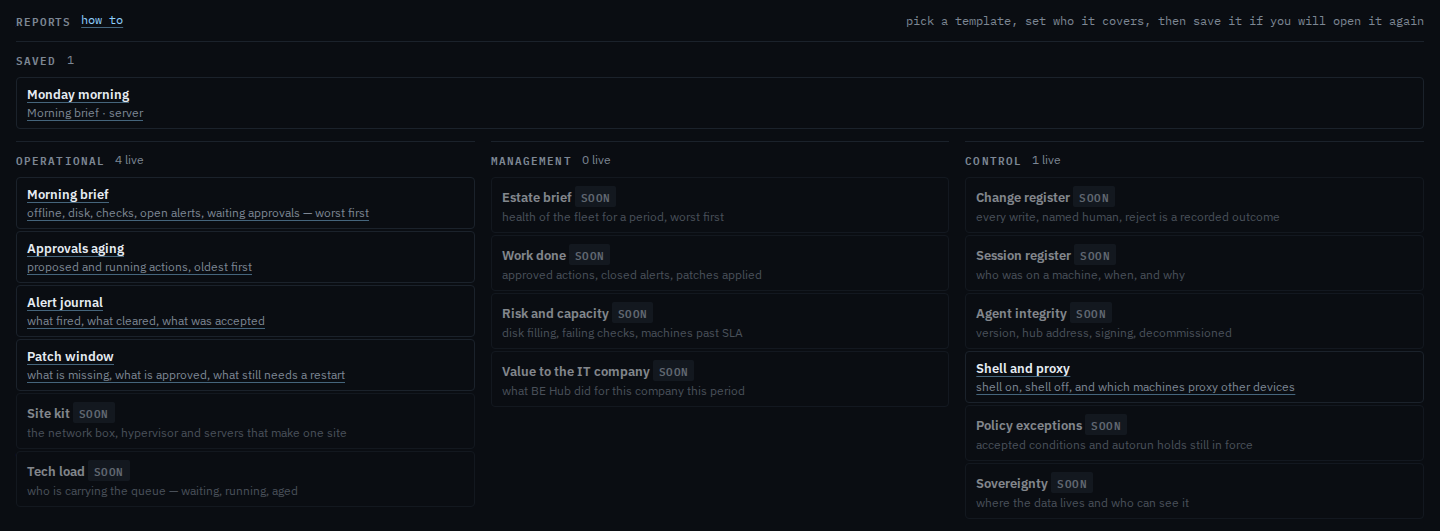
Saving the name in the first place is Save a report you will open again. Taking it off the menu is Delete a saved report. Ticking server is Limit a report to servers.