Link a virtual machine to its host.
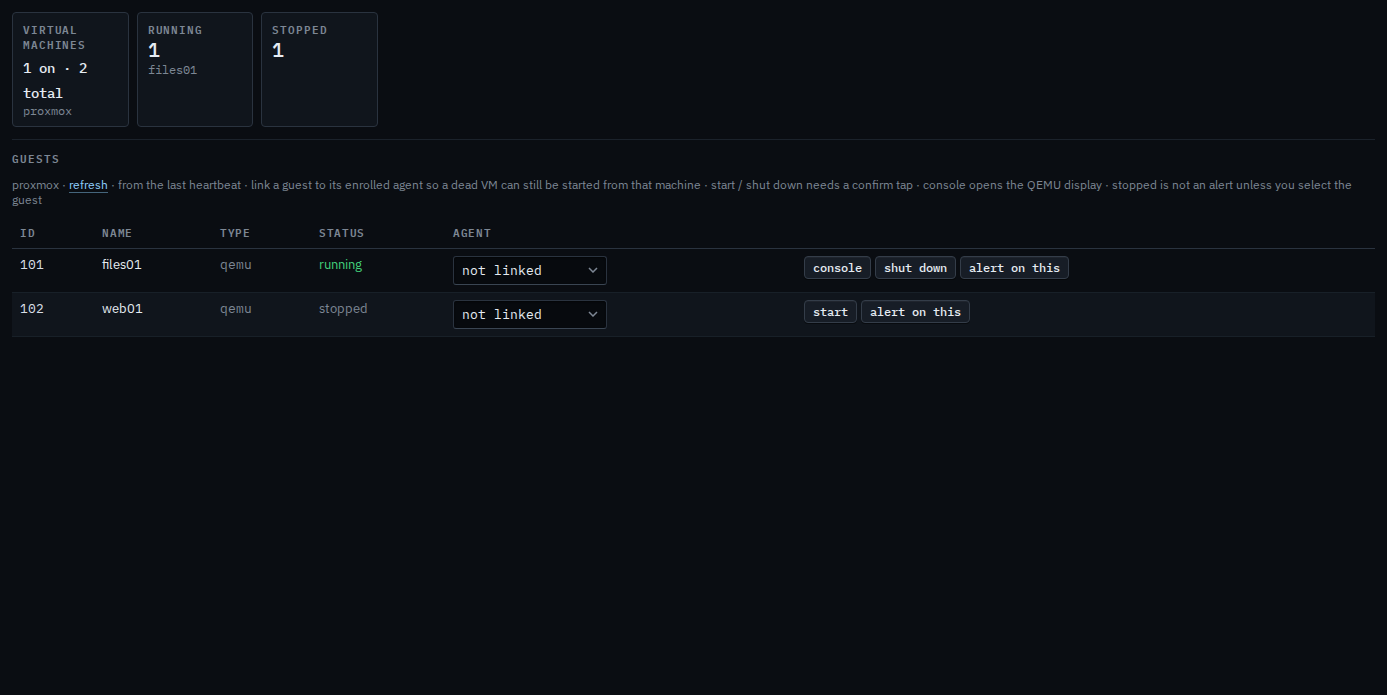
The VMs tab is the guest list from the host's heartbeat. Linking a guest to its agent is how you start or shut down a machine that is already dead — the click goes through the host, which is still up.
Open Network › VMs
The tab appears when the last heartbeat included virtual machines. Each row is a guest: id, name, whether it is running, and the enrolled machine it is, if you have linked one. Pick that machine in the agent column. files01 is running. web01 is stopped, and that is not an alert until you press alert on this.
Name match is a suggestion. Save the host and the vmid yourself. The same link from the guest's own page is Tie a guest from its own page. Starting or shutting down from this host list, before or after the link, is Start or shut down a guest from the host. Once it is linked, the same actions on the guest's own page are Start or shut down a linked virtual machine. The screen of a running QEMU guest is Open a Proxmox guest's screen. Selecting a stopped guest so it alerts is Alert when a guest is stopped. Writing the check by hand is Check that a virtual machine is running.