Install updates on one machine.
Patches › jobs. Machines is the second field. Every machine missing something chosen is the start.
Leave machines on every machine in view
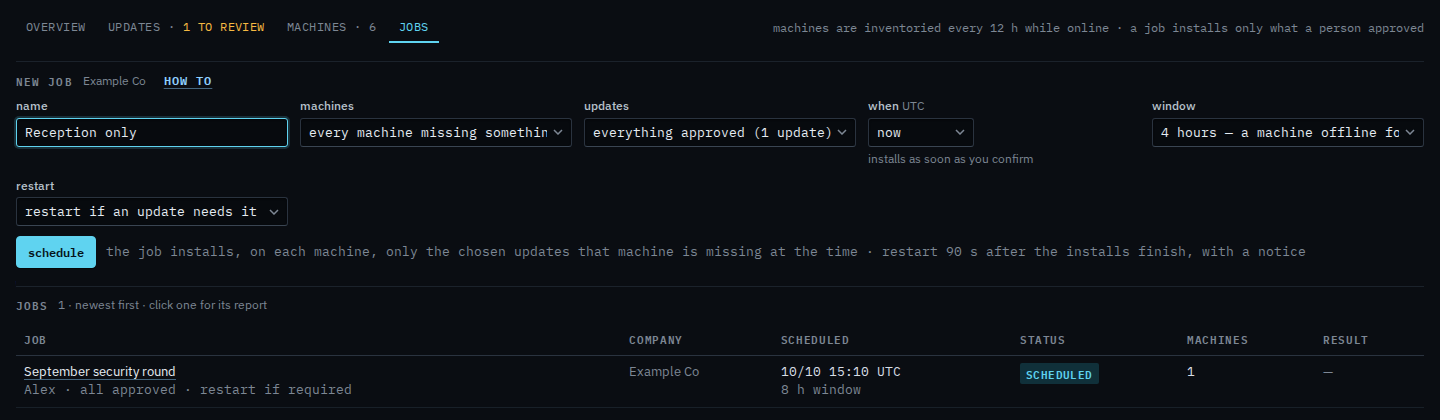
Open Patches and pick jobs. Name the round. Machines is every machine missing something chosen (6 in view). Updates stays on everything already approved: the September cumulative update, not Chrome, which is still awaiting review. A group line, such as site/Melbourne, covers that tag and anything under it. September security round is already in the jobs list. Schedule is the next click. This shot stops before that.
Set machines to only Reception PC
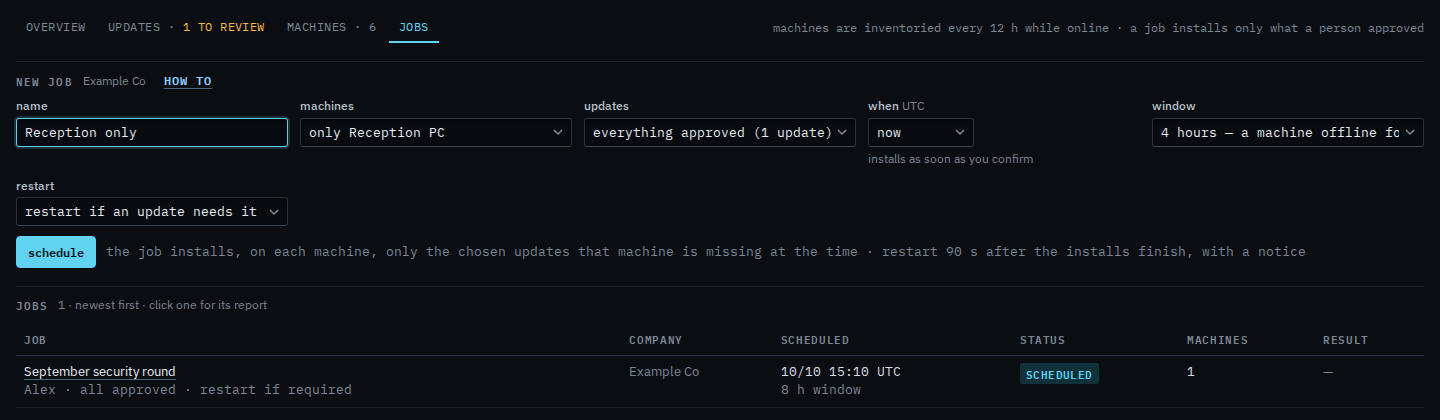
Set machines to only Reception PC. The approved cumulative update installs there, inside the window, and nowhere else. Accounts server and the other machines are left out even if they later show the same update. The window is still four hours: if Reception PC is offline for the whole window, it is skipped and the report says so. Schedule is still the next click. This shot stops before it, so nothing new is queued.
A whole site, instead of one machine, is Install updates on one site. The rest of the form — the window and whether to restart — is Schedule a patch install. Never restarting is Leave the machine running after updates. From the machine's own patches tab, Install the approved updates on this machine opens this form already set to that box.