Rotate a customer's install link.
My company › sub-companies › manage, on a customer whose own install link is on. Their people see the URL and cannot rotate it. You can.
Open the share box
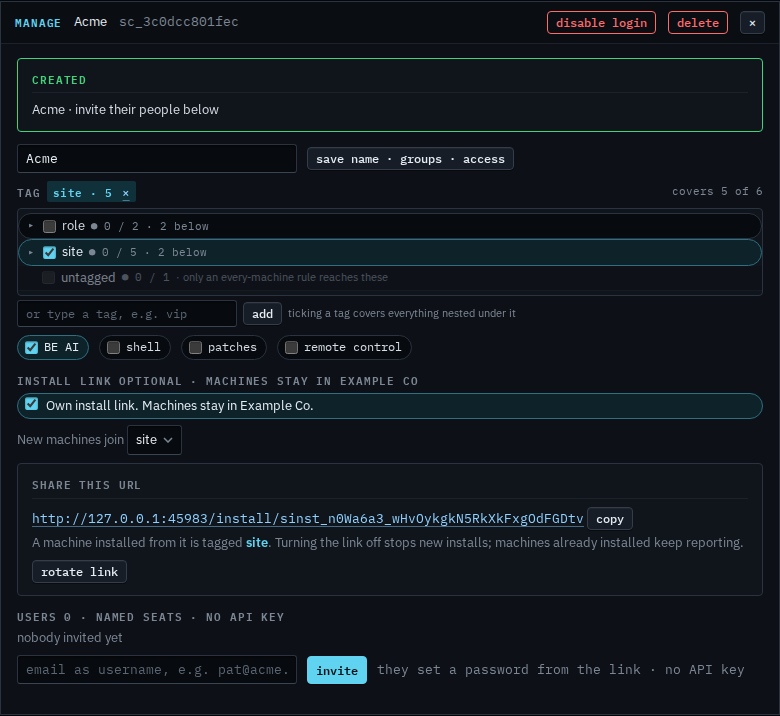
Open My company › sub-companies and create the customer with Own install link on, the same way as Give a customer their own install link. Manage on one that already has a link opens this same box. Share this URL is the link new machines use. A machine installed from it is tagged site and stays in Example Co. Rotate link is under that note. It has not been pressed.
Press once to arm, again to replace the URL
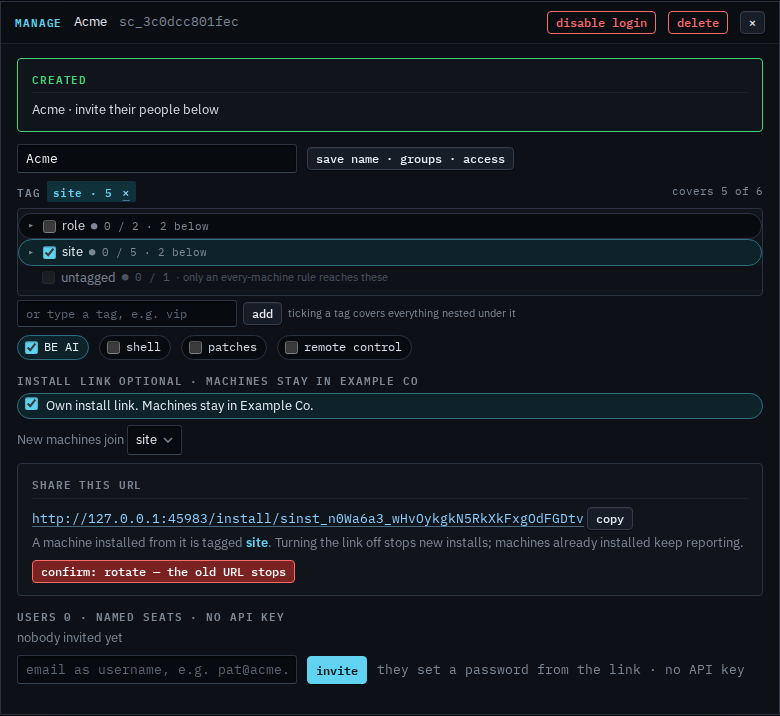
The first press turns the button into confirm: rotate — the old URL stops. The second press issues a new URL. The one in the box now stops installing. Machines already enrolled keep reporting, because the enrollment token stays. Their people still see a URL on the strip, and they still cannot rotate it. This shot is the armed button, so Acme still has the same link.
Turning the link on is Give a customer their own install link. Turning it off is Turn off a customer's install link. The company link, which does not tag machines into this group, is Rotate the install link.