Take a machine out of every alert.
Work › actions › alerts. This is the whole machine, not one overnight shutdown.
Open alerts on the machine
Open Spare laptop, then work › actions, and open alerts. Included in alerts is ticked. Alert when this machine goes offline is ticked too. Spare laptop is still being set up, so the first box is the one to clear. It saves as you change it. Leave a desktop out of offline alerts clears only the second box.
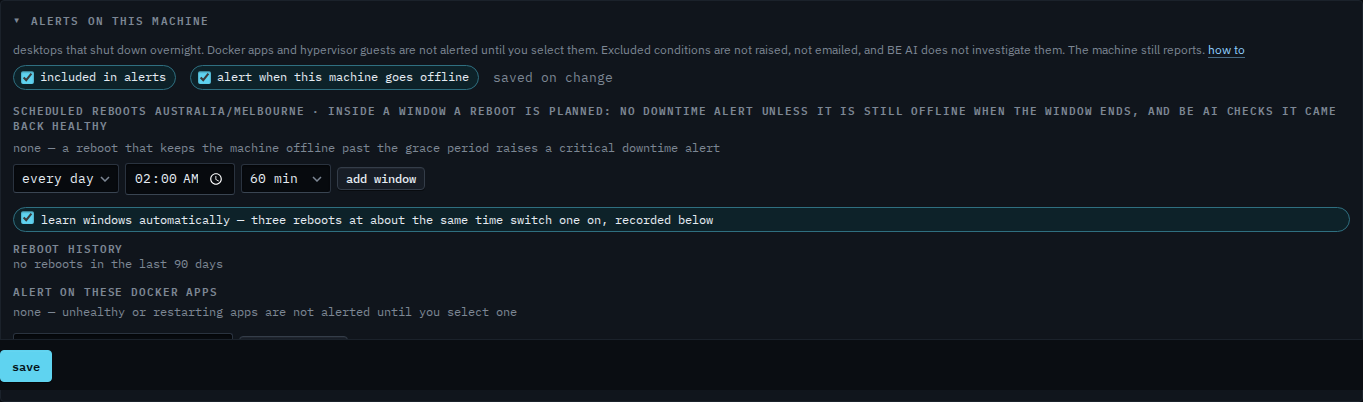
Clear included in alerts
Clear included in alerts. The line says excluded: no downtime, disk, check or Docker alerts. The offline box is cleared and disabled, because the machine is out of alerts entirely. The header chip says alerts off. The machine still reports, and it still sits in the fleet. Tick the box again to put it back.
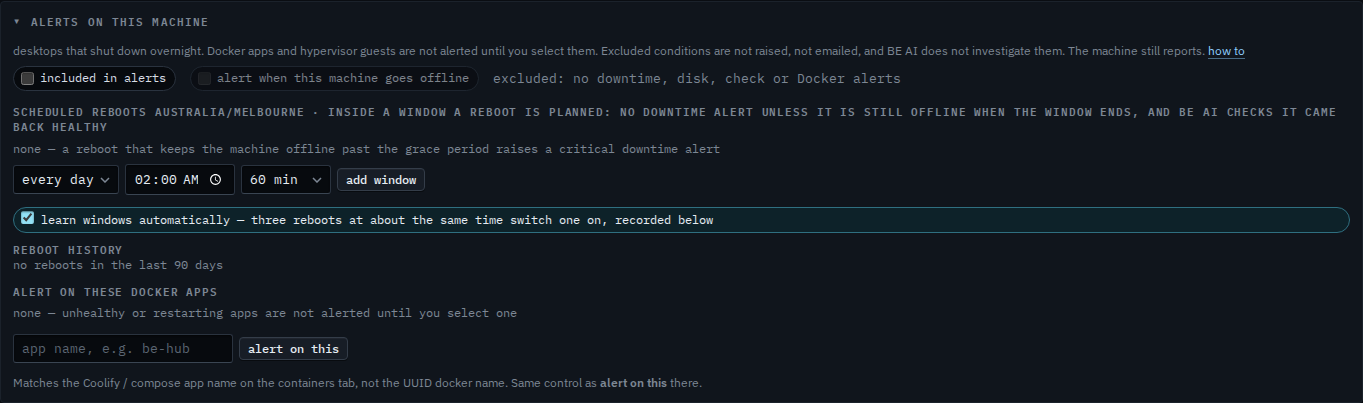
A desktop that should still alert on disk, and only skip being off at night, is Leave a desktop out of offline alerts. Docker apps and guests stay quiet until you select them, even while the machine is included.