Read a Docker app's logs.
Network › containers. Logs sits on the app row while the machine is connected.
Logs is on each running app
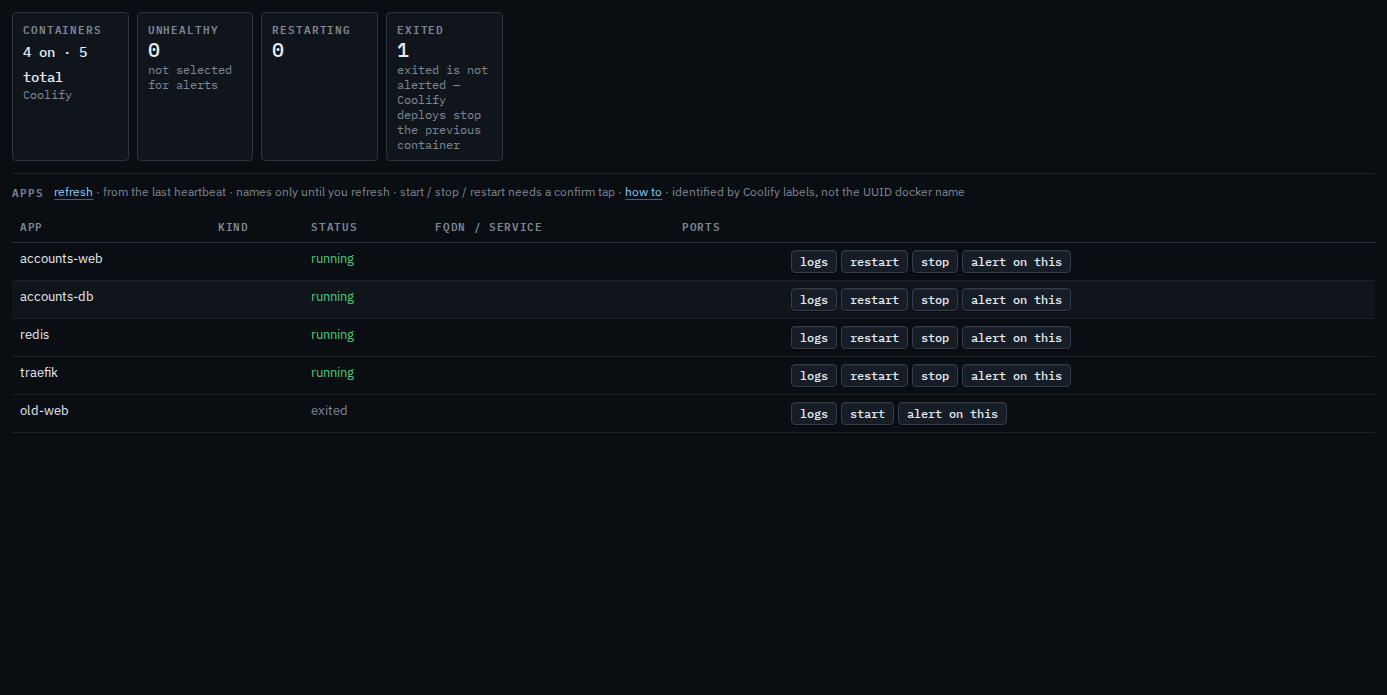
Open the machine, then network › containers. While it is connected, each app has logs. A running app also has restart and stop. Press logs. A panel opens under the list with the last 80 lines from that app. If the agent had to cut the answer, the heading says truncated. old-web is exited, so that row says start instead of restart and stop. Logs is still on that row. There is no shell inside the container. The machine in this picture is painted connected so the button is visible. It still has no tunnel, so pressing logs here would not reach Docker.
Restart is Restart or stop a Docker app. Stop, and its confirm, is Stop a Docker app. Start on an app that is not running is Start a stopped Docker app. The list, and selecting an app so an unhealthy one becomes an alert, is See Docker apps on a machine.