Re-point a machine that is already installed.
Install agent. Apply is for a machine that already runs the agent: move it to this company, or change the options, without a second identity in the fleet.
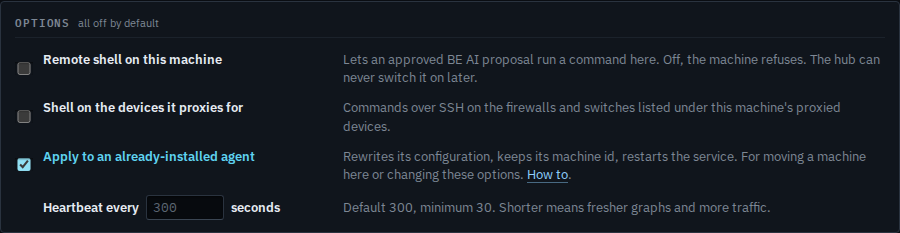
Tick Apply to an already-installed agent
Open Install agent. Tick Apply to an already-installed agent. The command rewrites itself. Run that line on the machine, as administrator or root. It keeps the machine id, writes the new configuration, and restarts the service. Leave Remote shell clear unless this machine should accept an approved command. Heartbeat seconds is optional; empty stays at 300.
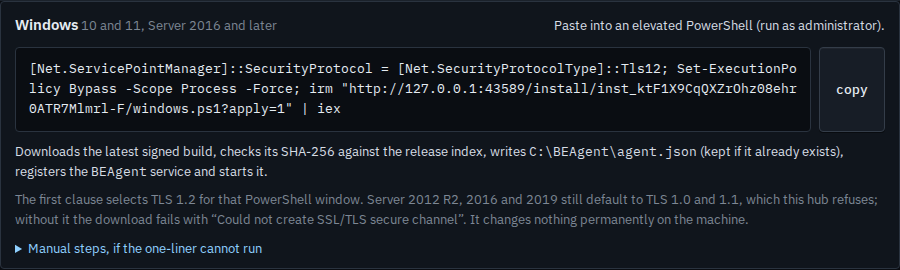
Copy the line and run it on that machine
The platform line now carries apply=1. Copy it and run it on the machine that should join this company, or that should pick up the options you ticked. It appears in the fleet under the same machine, not as a second one. A new machine leaves this box clear — Install the agent on a machine.
A brand-new machine leaves Apply off. That path is Install the agent on a machine. After the link itself has been replaced, machines already enrolled do not need Apply — Rotate the install link leaves them connected. A customer group is Give a customer their own install link.