Check the Wi-Fi network.
Health › checks. Two Windows primitives. The agent evaluates them from the Wi-Fi flight recorder. A failure is an alert, the same as a full disk.
Pick the SSID check and name the network
Open the laptop, then health › checks. The primitive is Wi-Fi on the right network (Windows). SSID is the network it should be on — here, Example-Staff. The other Windows primitive is Wi-Fi signal at least, a minimum in dBm such as −70 — Check that the Wi-Fi signal is strong enough. Both are evaluated on the machine. Read a Wi-Fi machine is the tiles and the timeline. Add a disk or ping check is the same editor.
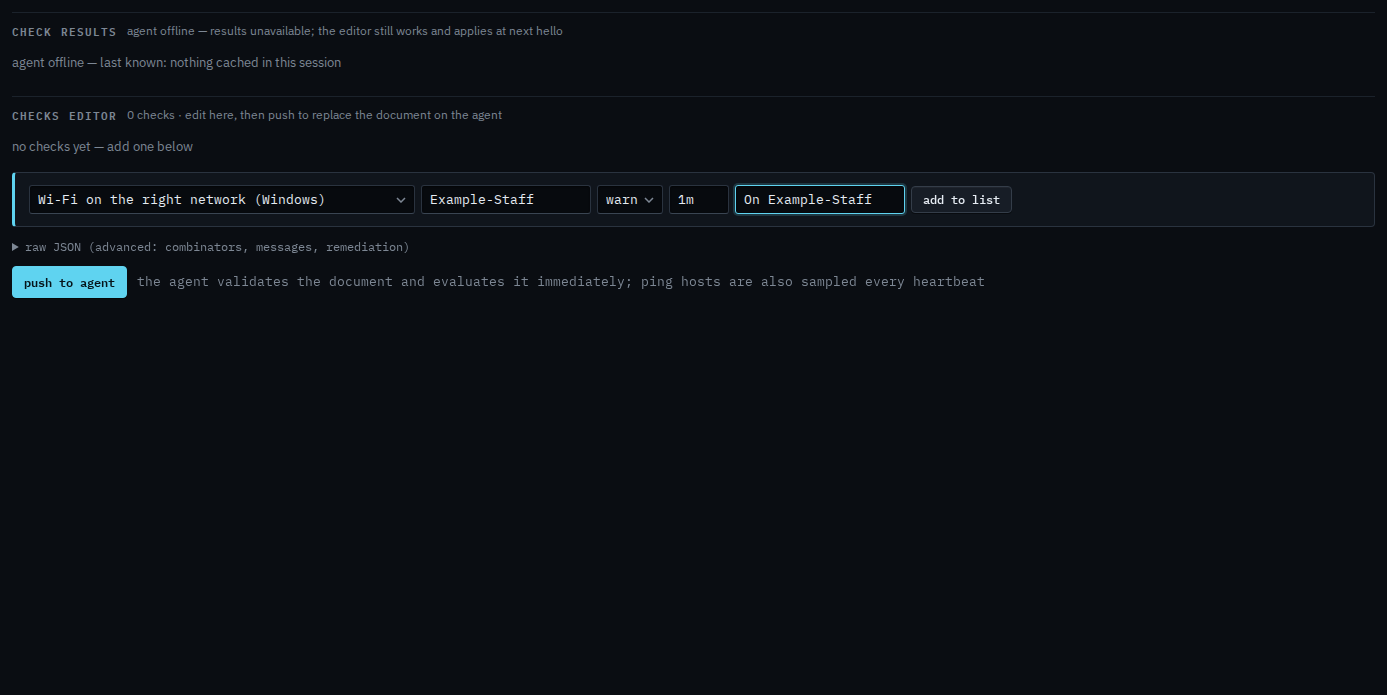
Add to list, then push
Press add to list. The check sits in the document with the name you gave it. Push to agent is the next click, and it asks you to confirm. Push replaces the whole document. This shot stops before that, so nothing has been sent. When the laptop is on a different SSID, or the signal is under the minimum, the alert is a check failure.
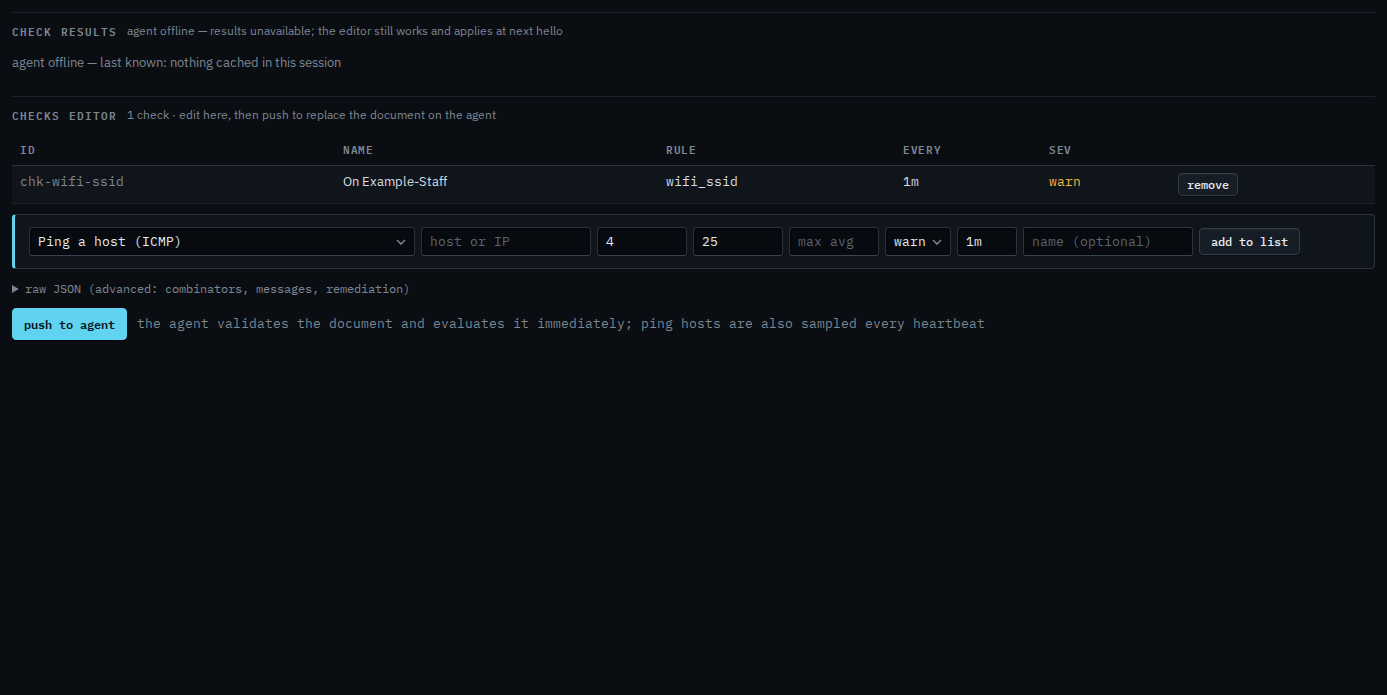
The signal floor, on its own page, is Check that the Wi-Fi signal is strong enough. Push is a two-step button. The laptop must be online to evaluate. You can still add the check while it is offline, and it applies at the next hello. A disk or a ping is the same editor.