See resolved alerts on your machines.
Alerts is one tab, open. The status menu is on the bar. Open + acked is the queue. Resolved is the history on this same page.
Start on open + acked
Open Alerts. One tab, open. Rules, scripts, and sent are not here. The menu defaults to open + acked. That is the queue: still happening, plus the ones a person has already seen. Accounts server has a disk warning, disk / at 92%, 18 GB free of 220 GB, with ack, resolve, discuss, and comment. There is no accept and no told column. The nightly backup check already cleared, so it is not in this list. The other choices are open, acked, resolved, and everything.
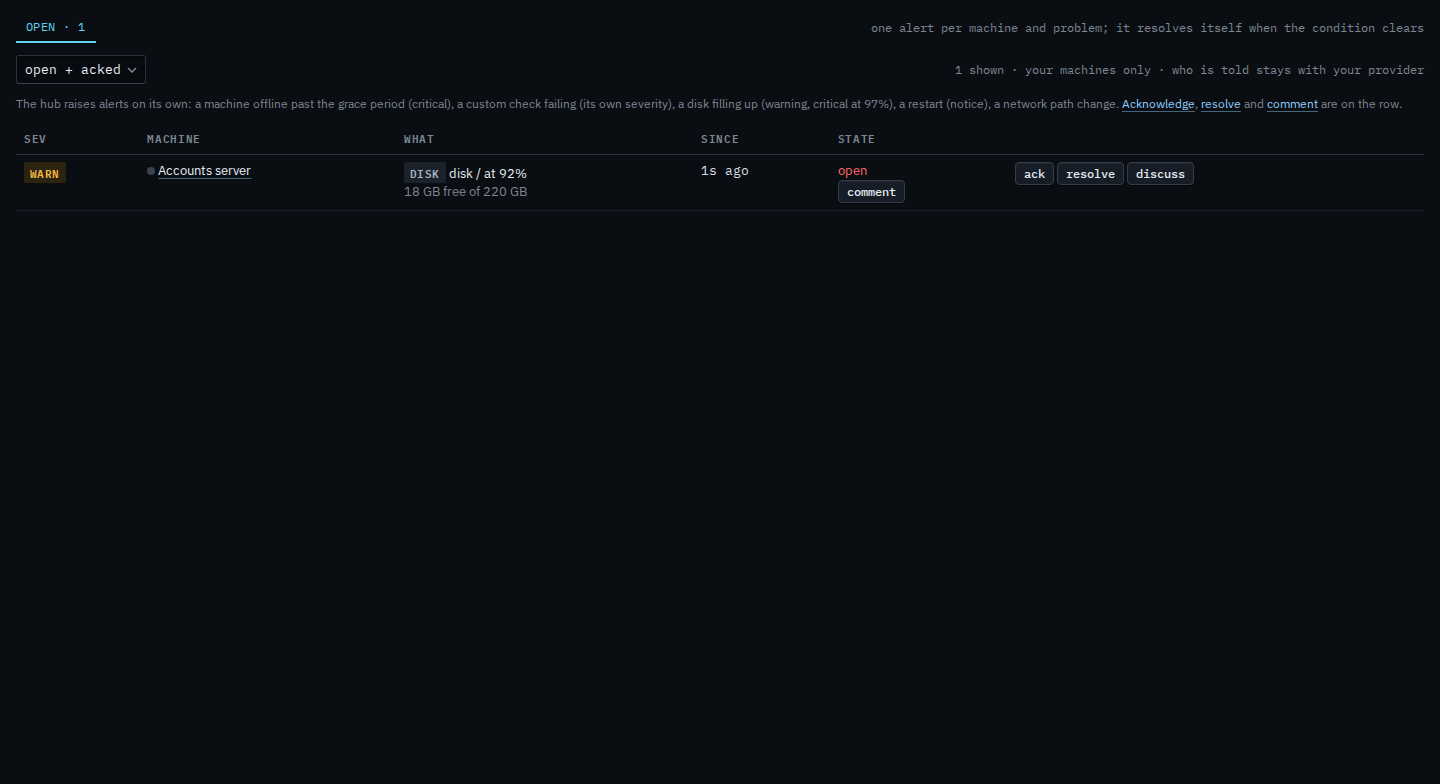
Switch to resolved
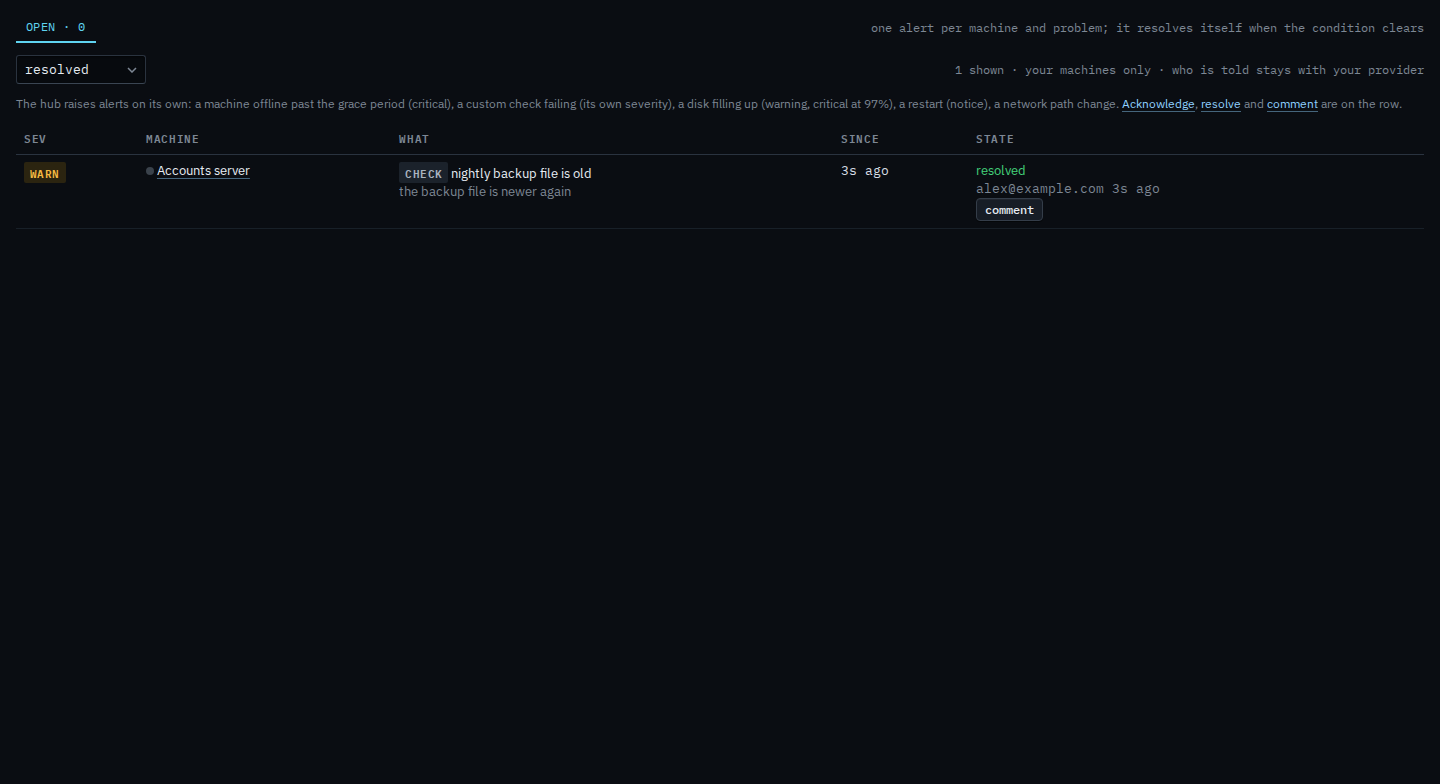
Set the menu to resolved. The disk warning drops out. nightly backup file is old comes back, on Accounts server, resolved by alex@example.com. The summary says the backup file is newer again. The row has comment and no ack, resolve, or accept. This menu does not reopen the alert. Set it back to open + acked to return to the queue. Who was told about it stays with your provider.
The queue this menu starts on is See alerts on your machines. Closing one yourself is Resolve an alert on your machines. What your provider sees, including the told column, is See resolved alerts on the alerts page.