Use BE Hub on a phone.
On a phone the console is the same product with a different shell. The list and the machine are never on screen together. Discuss, control and terminal move to a bar above the navigation.
Devices is the fleet
The bottom bar is Devices, Alerts, Inbox and More. Devices is the fleet list. Groups start collapsed. A count on Alerts or Inbox is work waiting.
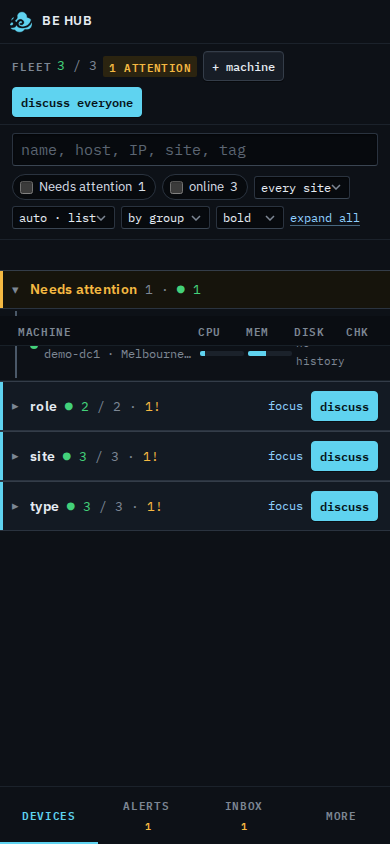
Open a machine
Tap the name. The list goes away and the machine fills the screen. Back returns to the list. The bar above the navigation is discuss, and — when the machine is connected — control, watch, and terminal on Linux or FreeBSD. Those open their own window, same as on a desktop.
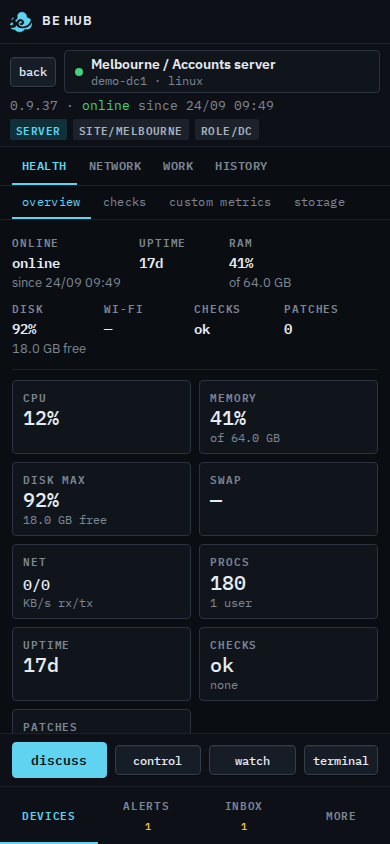
More is the rest of the console
Your name is at the top, then notes, help and sign out. Under that are the other pages: Dashboard, Reports, Patches, Scripts, BE AI runs, Events, Audit, Updates and Install agent. Scroll the sheet for Companies, Usage and Settings when your role has them. Tap one and the sheet closes onto that page. Alerts and Inbox stay on the bar, because those are the ones you open standing up.
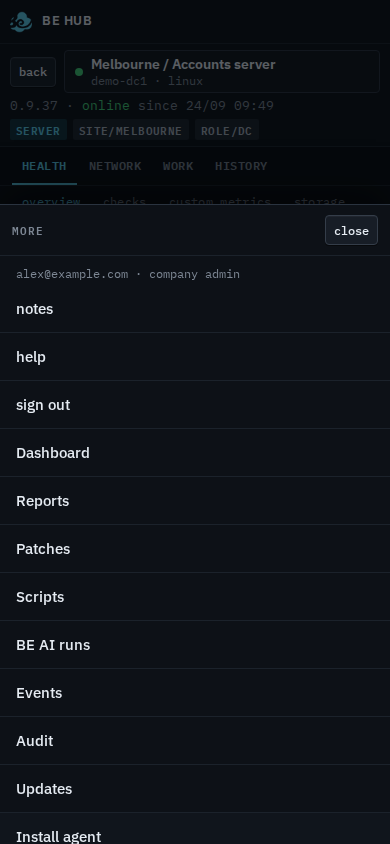
More holds the rest of the console: Scripts, Patches, Reports, your name, notes, help and sign out. The desktop left rail is not on the phone.