Check that a URL answers.
Health › checks. Pick URL reachable. The agent requests that URL on a schedule. A status, a body, or a certificate lifetime is the fuller app check.
Pick URL reachable and fill the address
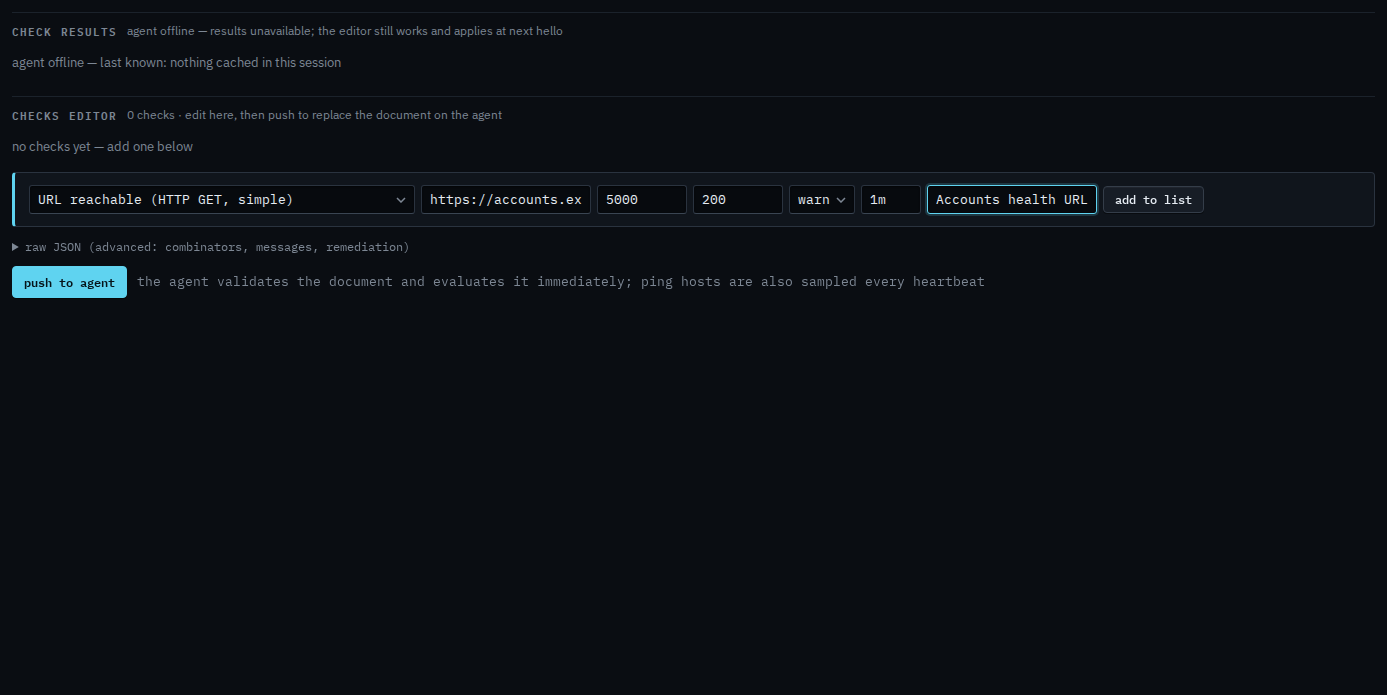
Open the machine, then health › checks. The primitive is URL reachable (HTTP GET, simple). URL is required. Max ms is how long the agent waits. Expected status is one code, here 200. There is no body match and no certificate lifetime on this primitive. Those belong on Check that an app answers.
Add to list, then push
Press add to list. The check sits in the document with the name you gave it. Push to agent is the next click, and it asks you to confirm. Push replaces the whole document. This shot stops before that, so nothing has been sent. When the URL is down, slow, or returns another status, the alert is a check failure.
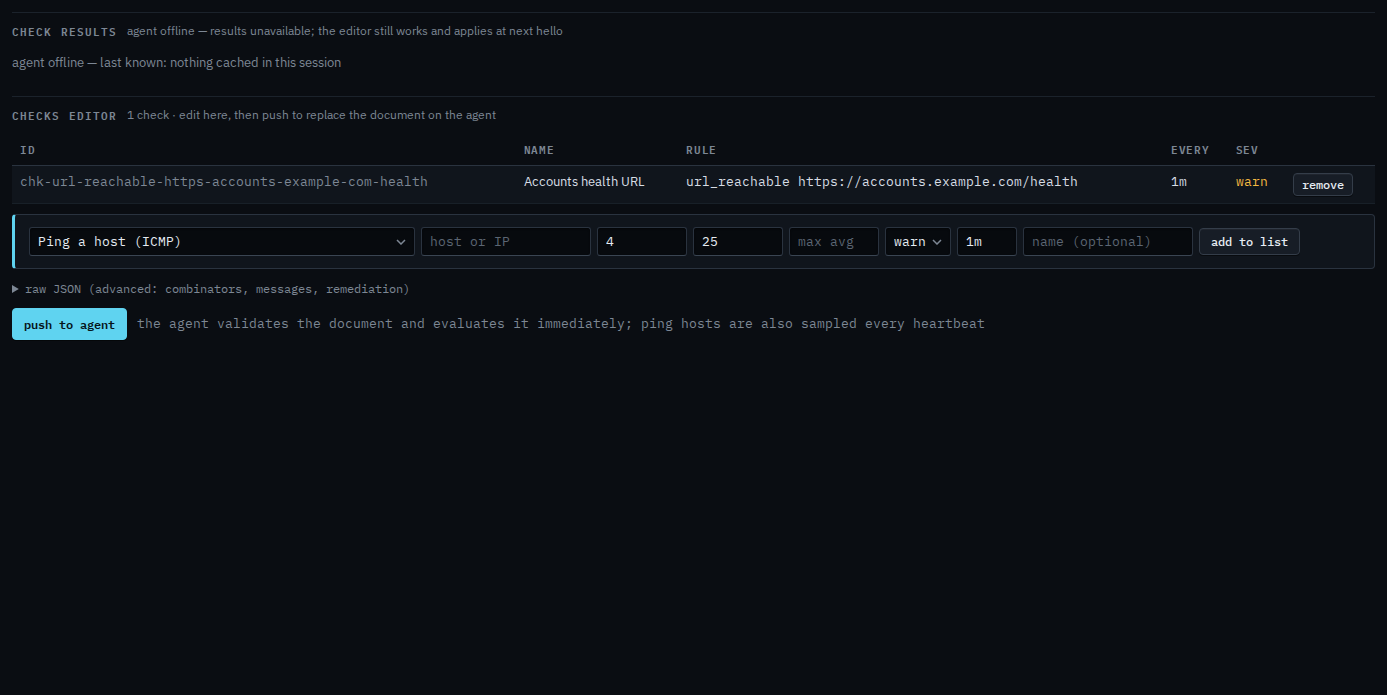
Push is a two-step button. The agent must be online to evaluate. You can still add the check while it is offline, and it applies at the next hello. The fuller form is Check that an app answers. A name in DNS is Check that a name resolves.